Form Automation Task Management No-Code

Automate ClickUp Tasks from Tally Form Responses

Eliminate manual work by automatically creating ClickUp tasks for every new Tally form submission

Get This Workflow Make.com · Free Template
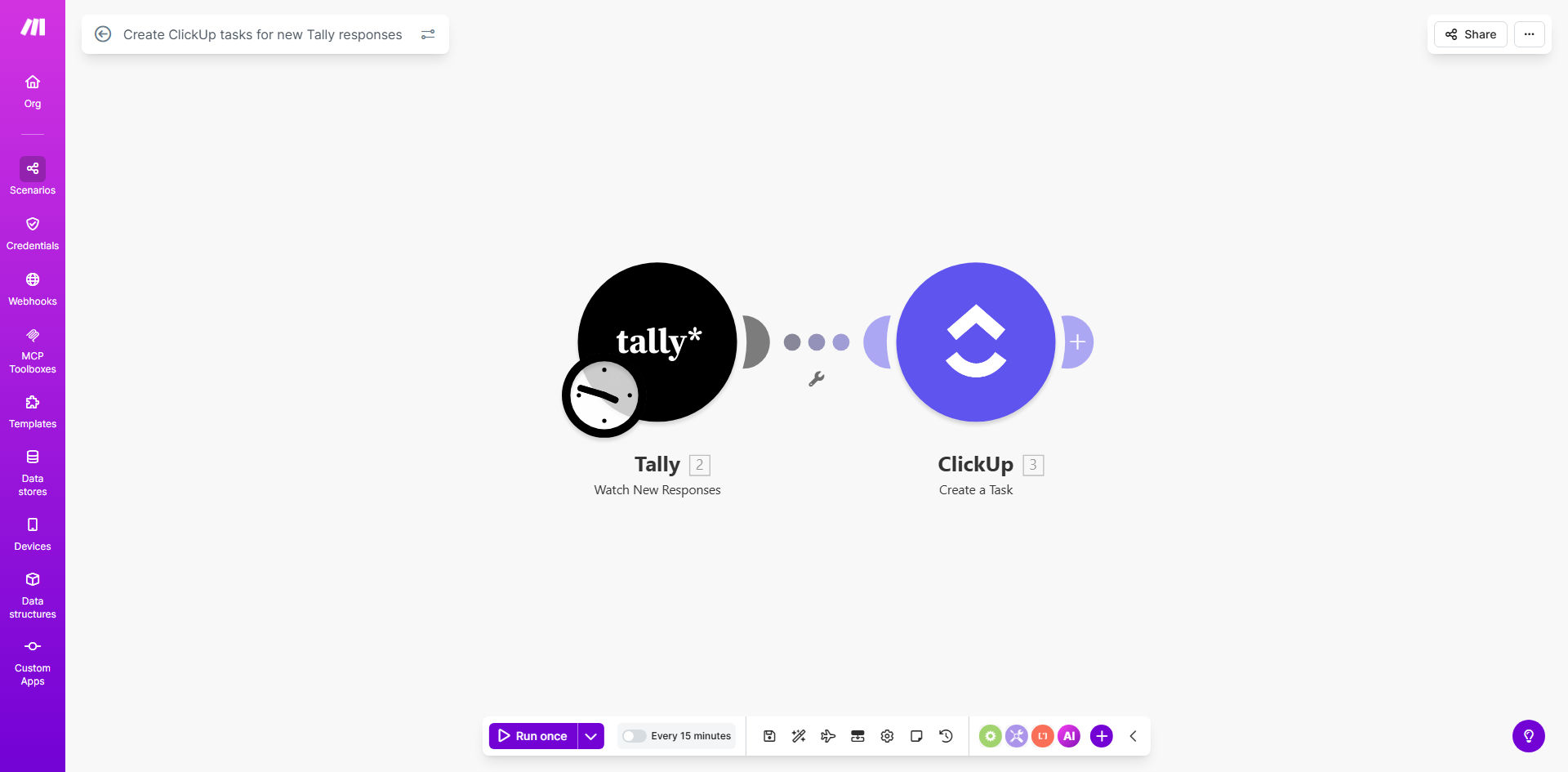
Make.com workflow diagram showing Tally form responses being transformed into ClickUp tasks

What This Workflow Does

This automation solves the common problem of form responses getting lost in email inboxes or requiring manual transfer to task management systems. When customers, employees, or website visitors submit a Tally form, the workflow automatically:

  • Creates a corresponding task in your ClickUp workspace
  • Maps form fields to relevant task properties (title, description, assignee)
  • Maintains a complete record of all submissions
  • Triggers follow-up actions based on response content

Businesses using this template typically save 5-10 hours per week by eliminating manual data entry while ensuring no customer requests or internal tasks fall through the cracks. The automation works silently in the background, checking for new form submissions at regular intervals you configure.

How It Works

1. New Tally Response Trigger

The workflow monitors your Tally form for new submissions at intervals you specify (default: every 15 minutes). Each new response triggers the automation sequence.

2. Data Parsing & Transformation

Key form fields are extracted and formatted for ClickUp's API. This includes mapping response values to appropriate task fields like title, description, due date, and custom fields.

3. ClickUp Task Creation

The parsed data creates a new task in your specified ClickUp list, with options to set assignees, priorities, and statuses automatically based on form responses.

4. Error Handling & Notifications

If any step fails, the system retries automatically and can notify administrators via email if persistent errors occur.

Who This Is For

This automation delivers the most value for:

  • Customer support teams receiving requests via Tally forms
  • Operations managers tracking internal process requests
  • Marketing teams capturing leads from website forms
  • HR departments collecting employee feedback or requests
  • Any team using Tally for intake forms that require follow-up actions

What You'll Need

  1. A Tally form with responses you want to track as tasks
  2. A ClickUp account with appropriate workspace/list permissions
  3. A Make.com account (free plan sufficient for basic usage)
  4. 5-10 minutes to configure the template connections

Quick Setup Guide

  1. Click "Get This Workflow" to copy the template to your Make.com account
  2. Connect your Tally and ClickUp accounts when prompted
  3. Map your form fields to desired ClickUp task properties
  4. Set your preferred polling interval (default: 15 minutes)
  5. Activate the scenario and test with a form submission

Pro tip: Create a dedicated "Incoming Requests" list in ClickUp to keep all auto-generated tasks organized separately from manually created tasks.

Key Benefits

Eliminate manual data entry by automatically converting form responses into actionable tasks, saving 5-10 hours per week for most teams.

Never miss important requests with reliable automated transfer of all form submissions to your task management system.

Improve response times by instantly creating tasks with all relevant context from the original form submission.

Maintain data consistency through standardized mapping of form fields to ClickUp task properties.

Scale your operations without adding administrative overhead as form submission volume grows.

Frequently Asked Questions

Common questions about Tally and ClickUp automation

Connecting Tally forms with ClickUp automates task creation from form submissions, saving 5-10 hours per week on manual data entry. This ensures no leads or customer requests fall through the cracks while giving your team instant visibility into new work items.

The integration creates a seamless workflow from initial contact to task completion. For example, customer support requests submitted via Tally automatically become prioritized tickets in ClickUp with all relevant details pre-populated.

Customer support requests, project intake forms, lead capture forms, and employee feedback surveys work particularly well. The automation can map any Tally form field to corresponding ClickUp task fields like title, description, assignee, due date, and custom fields.

Complex forms with conditional logic also benefit greatly. For instance, a project request form could automatically route tasks to different departments based on dropdown selections in the Tally submission.

Make.com's automation platform provides enterprise-grade reliability with 99.9% uptime. Each form submission creates a complete audit trail, and the system includes automatic retries if any connection issues occur during the transfer process.

In our experience implementing these workflows, we've seen successful transfer rates exceeding 99.99% when properly configured. The system maintains data integrity even during temporary API outages or network disruptions.

Yes, you can configure exactly which form responses become task titles, descriptions, assignees, due dates, or custom fields in ClickUp. The template provides mapping flexibility for different use cases while maintaining data consistency.

For example, you might map a "Priority" dropdown in Tally to ClickUp's priority field, while using a "Project Description" text area as the task's main description content. All mappings are completely configurable.

The system automatically retries failed attempts and sends email alerts if persistent errors occur. You can also configure fallback actions like creating backup tasks in a designated ClickUp list for manual review.

Common failure points like invalid field mappings or API rate limits are automatically detected and handled gracefully. The workflow maintains a queue of pending submissions until they can be successfully processed.

The default configuration checks every 15 minutes, but you can adjust this interval from 1 minute to 24 hours based on your workflow urgency. More frequent checks may be needed for time-sensitive requests.

For most business applications, we recommend 5-15 minute intervals. This balances responsiveness with API rate limit considerations. Critical systems might warrant 1-minute polling with appropriate error handling.

Our team specializes in building tailored automation solutions that connect Tally with ClickUp and other business tools. We can create custom field mappings, add conditional logic, and integrate with additional platforms to match your exact workflow requirements.

Custom implementations typically include: advanced error handling, multi-step approval workflows, integration with CRM or billing systems, and specialized reporting. We'll design a solution that fits your existing processes perfectly.

  • Free initial consultation to assess your needs
  • 2-week implementation timeline for most projects
  • Ongoing support and optimization included

Need a Custom Tally-ClickUp Automation?

This free template is a starting point. Our team builds fully tailored automation systems for your specific business needs.