Make.com Tally Forms Airtable No-Code Data Sync

Create Airtable Records for New Tally Responses

Automatically sync form submissions to your Airtable database without manual data entry

Get This Workflow Make.com · Tally to Airtable · Free Template
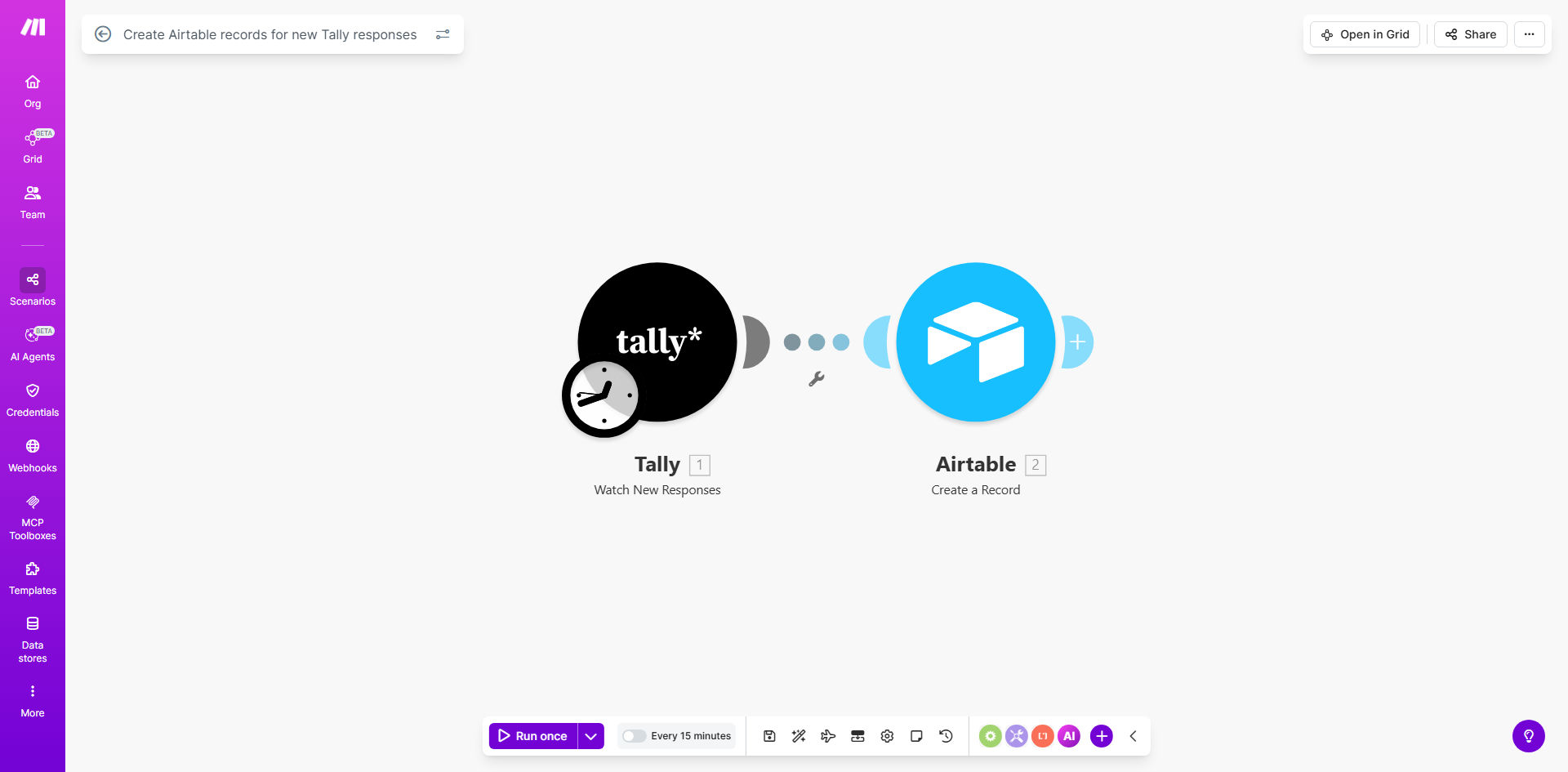
Make.com workflow diagram showing Tally form responses syncing to Airtable

What This Workflow Does

This automation solves a common pain point for businesses using Tally forms to collect information - the manual transfer of responses to a structured database. Every time someone submits your Tally form, this workflow automatically creates a corresponding record in your Airtable base with all the response data properly mapped to your preferred fields.

The solution eliminates hours of tedious copy-pasting while ensuring your Airtable database remains perfectly synchronized with your latest form submissions. Whether you're collecting leads, processing applications, or gathering customer feedback, this integration keeps your data flowing seamlessly between systems.

How It Works

1. Monitoring for new responses

The workflow regularly checks your Tally form for new submissions at intervals you configure (typically every 15-60 minutes). When new responses arrive, they're immediately processed.

2. Data transformation

Each form response is parsed and prepared for Airtable. The workflow handles data type conversions and can apply basic formatting rules to ensure clean data entry.

3. Field mapping

Your Tally form questions are matched to specific Airtable fields according to your configuration. The mapping preserves all response data while adapting it to your database structure.

4. Record creation

The processed data is used to create new records in your designated Airtable base and table. The workflow confirms successful creation before completing the cycle.

Pro tip: Add a timestamp field in Airtable to track exactly when each response was processed, helping you monitor automation performance.

Who This Is For

This workflow benefits any business or team using Tally for data collection that needs to:

  • Centralize form responses in a relational database
  • Trigger downstream processes based on submissions
  • Analyze form data alongside other business information
  • Share collected data across teams without granting Tally access
  • Maintain a permanent record of submissions beyond Tally's storage limits

Common use cases include lead generation forms, customer onboarding, event registrations, feedback collection, and internal request systems.

What You'll Need

  1. A Tally form with submissions you want to track
  2. An Airtable base with a table ready to receive the data
  3. A Make.com account (free or paid)
  4. API access to both Tally and Airtable (included with standard accounts)
  5. Approximately 15 minutes for initial setup

Quick Setup Guide

  1. Clone the template in your Make.com account
  2. Connect your Tally account by authenticating with OAuth
  3. Select your form from the dropdown menu
  4. Connect your Airtable and choose the target base and table
  5. Map form fields to Airtable columns in the configuration panel
  6. Set your polling interval (how often to check for new responses)
  7. Test with a sample submission and verify the Airtable record appears correctly
  8. Activate the scenario to begin automatic processing

Key Benefits

Eliminate 100% of manual data entry between Tally and Airtable, saving 2-5 hours per week typically spent copying and reformatting responses.

Reduce human error that occurs during manual transcription, ensuring your database contains exactly what respondents submitted.

Enable real-time reporting by having responses appear in Airtable within minutes of submission, rather than waiting for batch updates.

Create a permanent archive of all form responses in your controlled Airtable environment, independent of Tally's data retention policies.

Build on your data immediately by connecting other automations to the Airtable records as soon as they're created.

Frequently Asked Questions

Common questions about Tally to Airtable automation and integration

Connecting Tally to Airtable eliminates manual data entry, reduces errors, and ensures your database is always updated with the latest form submissions. This integration is perfect for lead collection, customer feedback, event registrations, or any process where you need to capture and organize form data systematically.

For example, a marketing team can automatically populate their lead database from website forms, while HR departments can streamline employee onboarding by syncing application forms directly to their personnel records.

The workflow checks for new responses at intervals you configure in Make.com (typically every 15-60 minutes). For time-sensitive processes, you can set shorter intervals, though more frequent checks may count against your Make.com operation limits.

Most businesses find 30-minute intervals strike the right balance between responsiveness and resource efficiency. Critical applications like order forms might warrant 15-minute checks, while weekly surveys could use hourly polling.

Yes, the workflow allows complete field mapping between Tally and Airtable. You can match each form question to specific database columns, transform data formats, and even add conditional logic to route different responses to different Airtable bases or tables.

Advanced users can:

  • Combine multiple form fields into one Airtable column
  • Apply text formatting during transfer
  • Set default values for unanswered questions
  • Create calculated fields based on form responses

The workflow includes error handling that logs failed attempts and can notify you via email or Slack. You can configure retry logic or manually review submissions through Make.com's execution history before resyncing.

Common failure reasons include Airtable API limits, field validation errors, or network interruptions. The workflow captures the original form data separately from the sync attempt, ensuring no responses are lost even if initial processing fails.

Absolutely. This template serves as a foundation you can extend with steps like sending confirmation emails, creating follow-up tasks, or triggering other automations based on the form content before the data reaches Airtable.

Popular extensions include:

  • Slack notifications for urgent submissions
  • CRM record creation for qualified leads
  • Automatic file attachments processing
  • Data validation and cleansing routines

The workflow scales with your Make.com plan limits. Free accounts can process hundreds of submissions monthly, while paid plans support thousands. For enterprise volumes, we recommend dedicated solutions with batch processing capabilities.

Performance considerations:

  • Free plan: ~1,000 operations/month
  • Core plan: 10,000+ operations/month
  • Pro plan: 50,000+ operations/month
  • Enterprise: Custom high-volume solutions

Yes! GrowwStacks specializes in building tailored automation solutions. We can create custom workflows that match your specific data structure, add conditional logic, integrate with other tools, and ensure reliable operation at scale. Book a free consultation to discuss your requirements.

Our custom automation services include:

  • Multi-step approval workflows
  • Complex field transformations
  • Integration with 5,000+ apps
  • Dedicated monitoring and support

Need a Custom Tally to Airtable Automation?

This free template is a starting point. Our team builds fully tailored automation systems for your specific business needs.