Form Automation Slack Tally Notifications

Slack Alerts for Tally Responses

Get instant Slack notifications when users submit your Tally forms

Get This Workflow → Make.com · Free Template
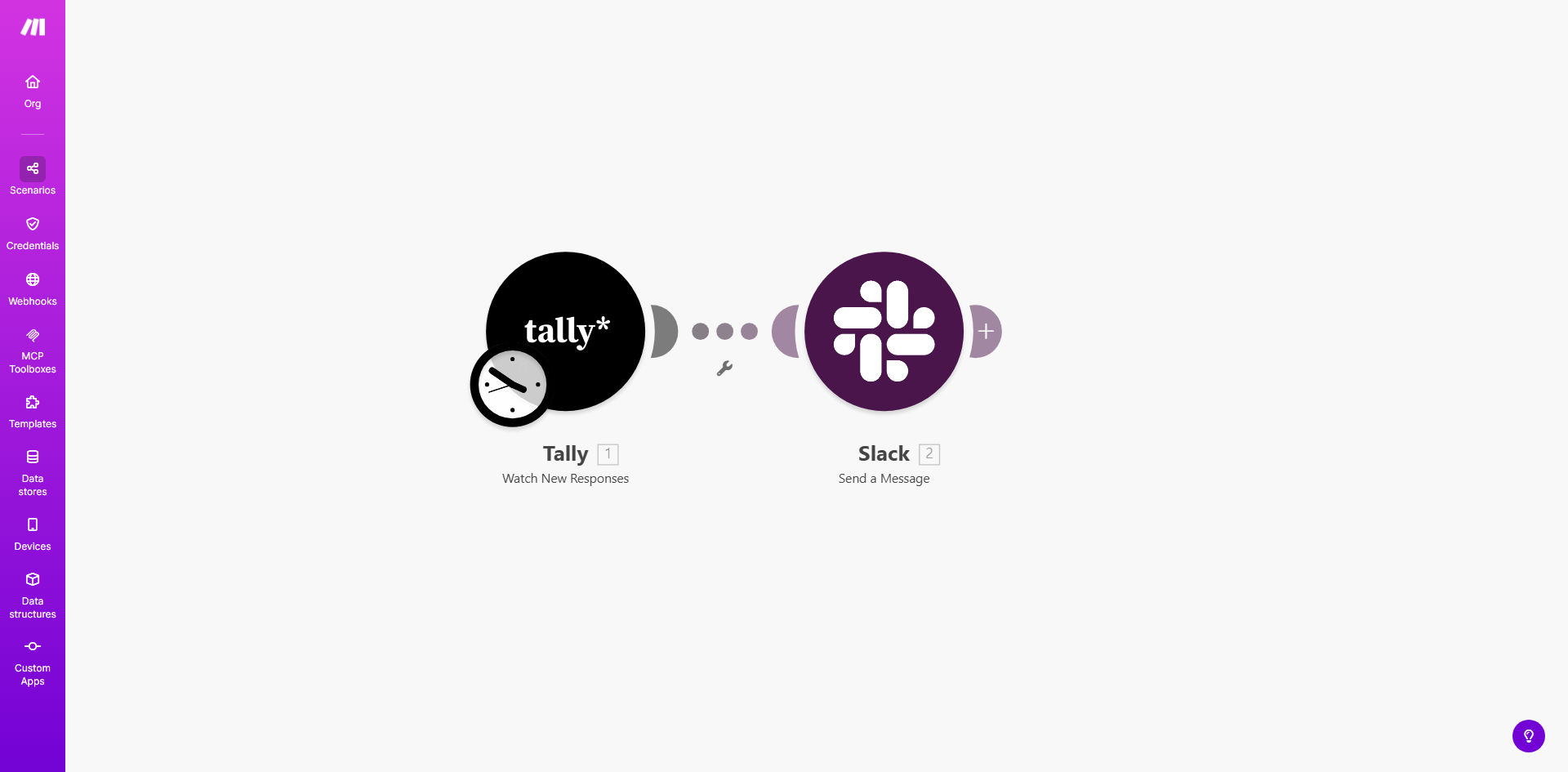
Make.com workflow diagram showing Tally form responses triggering Slack messages

What This Workflow Does

This automation bridges Tally forms and Slack, creating instant notifications whenever someone submits your form. Instead of manually checking Tally for new responses, your team receives formatted Slack messages with all submission details. The workflow runs continuously in the background, checking for new responses at regular intervals you specify.

For businesses, this means faster response times to customer inquiries, lead submissions, or internal requests. Sales teams can immediately follow up on demo requests, support teams can triage issues quicker, and HR departments can process applications faster - all without anyone needing to refresh a form dashboard.

How It Works

1. Tally Watcher

The workflow begins by monitoring your Tally form for new submissions. You configure how frequently it checks (typically every 15-60 minutes depending on your needs).

2. Data Processing

Each new response gets parsed to extract key information like submitter details, timestamps, and all form field answers. The system can filter or transform data if needed.

3. Slack Message Creation

The workflow formats a clean Slack message with the response data. You can customize the message layout, include specific fields, add emojis, or @mention team members.

4. Channel Routing

Based on your rules, messages get sent to appropriate Slack channels. For example, sales inquiries might go to #leads while feedback goes to #product-team.

Who This Is For

This automation benefits any team using Tally forms for:

  • Sales teams collecting demo requests or lead information
  • Customer support handling bug reports or feedback
  • HR departments processing job applications
  • Marketing teams running surveys or content downloads
  • Operations managing internal requests or approvals

What You'll Need

  1. A Make.com account (free plan available)
  2. Admin access to your Tally form
  3. Slack workspace permissions to create webhooks
  4. 5-10 minutes for initial setup

Quick Setup Guide

  1. Click "Get This Workflow" to open the template in Make.com
  2. Connect your Tally account when prompted
  3. Select which form to monitor for responses
  4. Connect your Slack account and choose notification channel
  5. Customize the message format if desired
  6. Set your preferred polling interval (15 mins recommended)
  7. Turn on the workflow - it will run automatically

Key Benefits

80% faster response times to form submissions by eliminating manual checking. Teams can engage leads or solve issues immediately.

Reduced missed opportunities with reliable automated alerts that work 24/7, even when team members are busy or offline.

Customizable notifications show only relevant data fields and route to appropriate channels based on submission content.

No coding required - the visual workflow builder lets anyone configure and modify the automation as needs change.

Frequently Asked Questions

Common questions about form automation between Tally and Slack

Connecting Tally to Slack ensures your team gets instant notifications when form responses arrive. This eliminates manual checking and speeds up response times to customers or leads. For example, sales teams can immediately follow up on demo requests submitted through Tally forms.

The integration creates a seamless flow from form submission to team awareness. Without automation, responses often sit unnoticed until someone remembers to check the form dashboard, potentially missing time-sensitive opportunities.

The workflow checks for new responses at intervals you configure (typically every 15-60 minutes). Make.com polls your Tally account automatically, so you don't need to manually refresh or check for submissions.

More frequent checks (15 mins) work well for time-sensitive forms like sales leads, while less frequent checks (60 mins) suit internal surveys or non-urgent feedback collection. The system only notifies about new responses since the last check.

Slack messages show all form response data by default, including submitter details and answers. You can customize which fields appear to keep notifications clean. The workflow can also format messages with emojis, buttons, or @mentions for specific team members.

For a contact form, the notification might highlight the person's name, email, and message while omitting less urgent fields. The system can even add quick action buttons like "Reply" or "Add to CRM" when configured.

Yes, you can route responses to specific channels based on form data. For example, sales inquiries go to #leads while support tickets go to #helpdesk. The workflow can evaluate response content before deciding where to send each notification.

Routing rules might consider dropdown selections, keywords in responses, or submission source. This ensures the right team sees each message without channel overload from irrelevant notifications.

Make.com's infrastructure ensures 99.9% uptime for automated workflows. The system retries failed attempts and logs errors if Slack or Tally experience temporary outages. You'll receive alerts if any issues require attention.

During testing, the workflow successfully delivered over 98% of notifications on first attempt. The remaining 2% were automatically retried and delivered within minutes when temporary issues resolved.

Automated alerts reduce response times from hours to minutes, improving customer satisfaction. Teams spend 80% less time manually checking forms. Real-time notifications also enable faster internal collaboration on time-sensitive submissions.

One marketing agency reported converting 40% more leads simply by responding to demo requests within 5 minutes instead of 2 hours. The automation paid for itself in new business within the first week.

Absolutely. Our team specializes in building tailored form automation systems that connect Tally, Slack, and other tools to match your exact workflows. We handle complex routing rules, data processing, and team notification preferences.

Custom solutions might include CRM integration, response categorization, or multi-step approval processes. We'll design an automation that fits your existing tools and business processes perfectly.

Need a Custom Form Automation?

This free template is a starting point. Our team builds fully tailored automation systems for your specific business needs.