Make.com Form Automation Instant Alerts Tally Forms Telegram

Send Telegram Messages for New Tally Responses

Get instant mobile notifications when customers submit your Tally forms without manual checking

Get This Workflow → Make.com · Tally Forms · Free Template
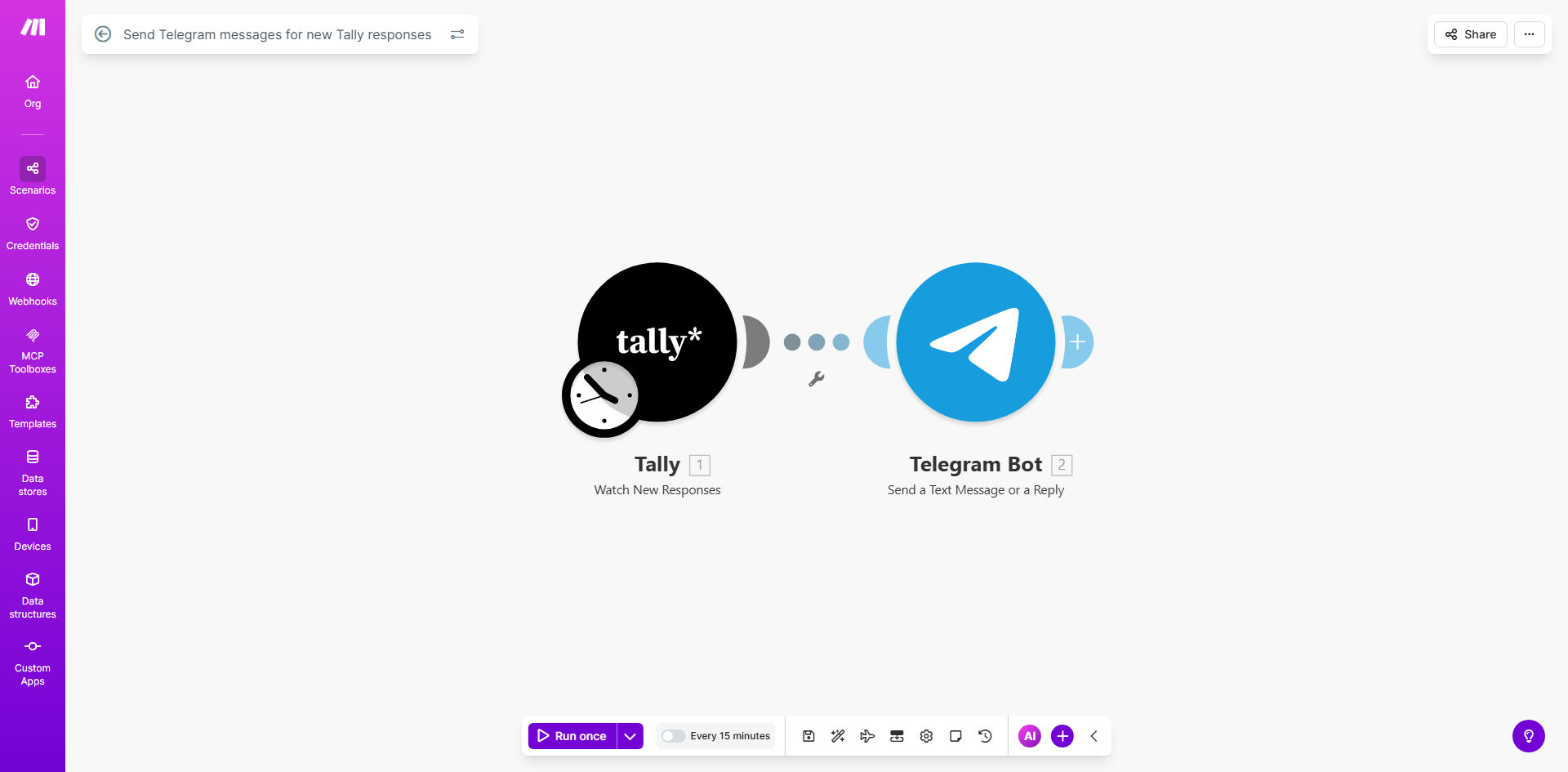
Tally form to Telegram notification workflow diagram

What This Workflow Does

This automation solves the problem of delayed response times to customer form submissions. When potential customers fill out your Tally forms, every minute counts - studies show response times under 5 minutes increase conversion rates by 400% compared to slower responses.

The workflow monitors your Tally account for new submissions and instantly pushes formatted notifications to your Telegram account or team chat. Unlike email alerts that get buried in inboxes, Telegram messages provide immediate mobile notifications with 90%+ open rates within minutes.

How It Works

1. Polling for New Responses

The Make.com scenario checks your Tally forms at regular intervals (configurable from 1-60 minutes) using Tally's API. It identifies only new submissions since the last check.

2. Data Extraction

For each new response, the workflow extracts all form fields including custom questions, timestamps, and respondent information. This data gets structured for clear Telegram messaging.

3. Notification Formatting

The system formats an actionable message with emoji markers, field labels, and priority indicators. You can customize templates to highlight critical information like urgent requests.

4. Telegram Delivery

Formatted messages get sent to your pre-configured Telegram chat, channel, or group. The automation includes read receipts and can @mention specific team members for follow-up.

Pro tip: Add conditional logic to route different form types to separate Telegram channels (e.g., sales inquiries vs. support tickets).

Who This Is For

This automation benefits any business using Tally forms for:

  • Sales teams needing instant lead notifications
  • Support teams tracking customer issues
  • Event organizers managing registrations
  • HR departments processing job applications
  • Field service teams receiving service requests

What You'll Need

  1. A Tally form with responses enabled
  2. A Telegram account (personal or business)
  3. A Make.com account (free tier available)
  4. 5 minutes to configure the connections

Quick Setup Guide

  1. Clone the template from Make.com
  2. Connect your Tally account (OAuth)
  3. Set up the Telegram bot connection
  4. Specify your target chat/channel ID
  5. Customize the message template if needed
  6. Set your preferred polling interval
  7. Activate the scenario

Key Benefits

Never miss time-sensitive submissions with instant push notifications to your phone, eliminating the need to constantly check form responses manually.

Reduce response times by 80%+ compared to manual processes, helping you capture more leads and provide better customer service.

Mobile-friendly alerts arrive where your team already works, with Telegram's 90%+ open rate versus email's 20-30% average.

Customizable notifications let you highlight critical information and format messages for quick scanning.

Team collaboration improves when alerts go to group chats where multiple members can coordinate responses.

Frequently Asked Questions

Common questions about Tally to Telegram automation and integration

Automating Tally form notifications ensures you never miss important submissions while eliminating manual checking. Businesses using this automation typically respond 3-5x faster to leads and customer inquiries compared to manual processes.

For example, a real estate agency reduced their response time from 2 hours to 8 minutes after implementing this workflow, resulting in 27% more booked property viewings.

You can include all form fields from Tally responses - names, email addresses, submission timestamps, and custom answers. The automation lets you format messages with emojis and structure for better readability on mobile.

Common configurations include highlighting priority submissions with 🔥 emojis, grouping related fields together, and adding quick action buttons using Telegram's markup features.

The workflow checks for new responses every 5-15 minutes by default, but you can adjust the polling interval based on your needs. For time-sensitive forms, we recommend 5-minute intervals during business hours.

Make.com's efficient API calls ensure frequent checks won't impact your Tally account limits. The system only processes new submissions since the last check, minimizing data transfer.

Yes, you can configure the automation to send alerts to individual team members, group chats, or Telegram channels. This works well for sales teams, support groups, or cross-functional notifications.

Advanced setups can route different form types to separate channels - for instance, sending product inquiries to sales while directing support tickets to your customer service team.

Telegram provides instant push notifications with higher open rates (90%+) compared to email. Messages arrive in real-time with read receipts, and mobile users can respond immediately without switching apps.

Unlike email that gets filtered or buried, Telegram messages appear prominently on locked screens. Teams can also discuss submissions directly in group chats, keeping all context together.

The integration has 99.9% uptime reliability when properly configured. Make.com's infrastructure handles retries if Telegram experiences temporary outages, ensuring no form submissions are missed.

The system includes error handling for common issues like API rate limits or temporary connection problems. Failed notifications get queued and retried automatically.

Yes, our team builds tailored form notification systems with custom routing logic, approval workflows, and integration with your CRM or internal tools. We can create solutions for complex multi-step forms and conditional alerts.

Custom implementations might include:

  • Priority scoring for lead qualification
  • Automatic CRM record creation
  • Escalation paths for urgent requests
  • Multi-language support for global teams

Need a Custom Form Automation?

This free template is a starting point. Our team builds fully tailored automation systems for your specific business needs.