Ecommerce Customer Feedback Excel Automation

Automatically Sync Judge.me Reviews to Microsoft Excel

Capture every product review in organized spreadsheets for better customer insights and reporting

Get This Workflow Make.com · Free Template
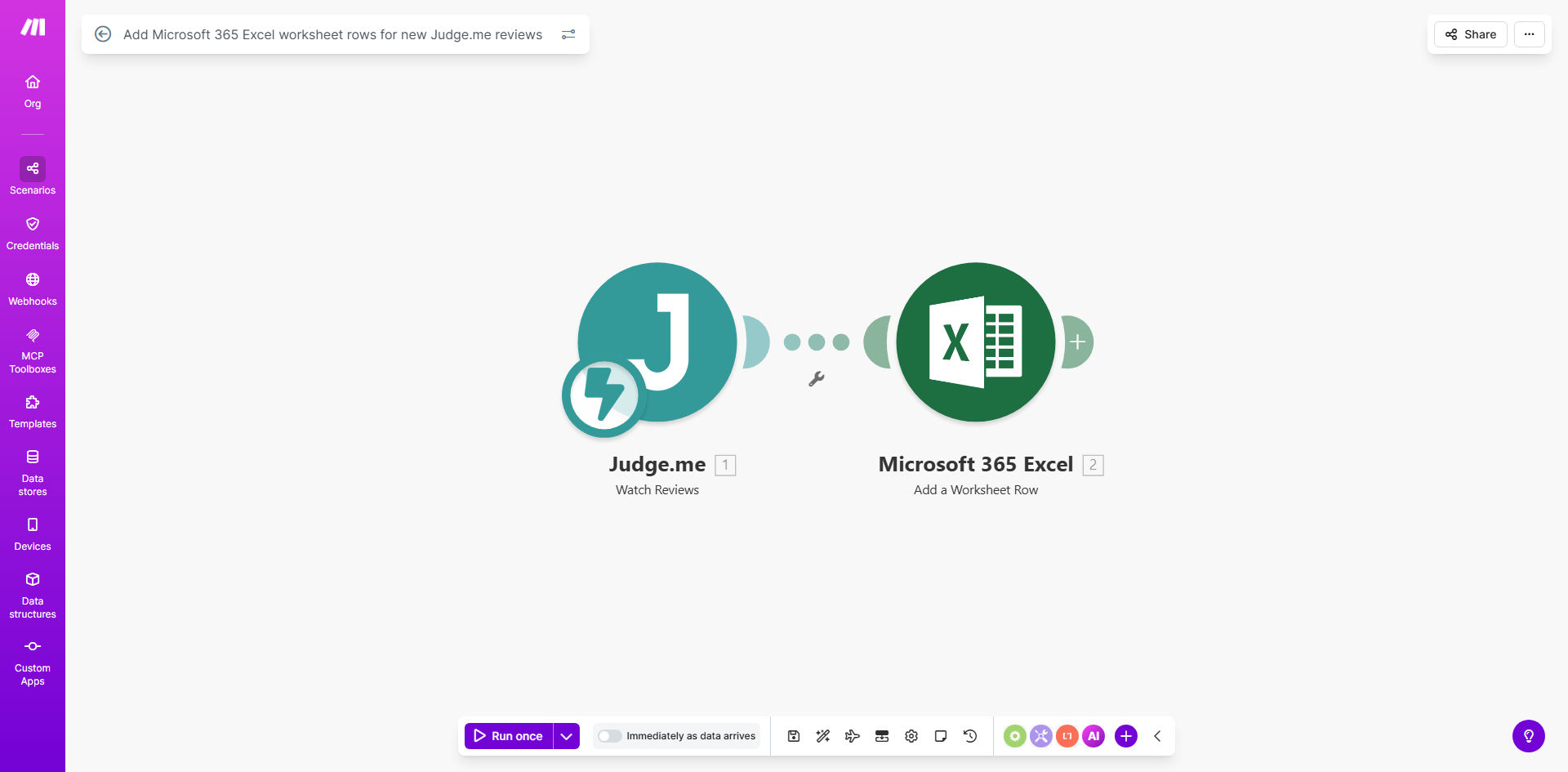
Automation workflow diagram syncing Judge.me reviews to Microsoft Excel

What This Workflow Does

This automation solves the time-consuming manual process of copying customer reviews from Judge.me into spreadsheets. Every time a customer leaves a product review on your ecommerce store, the workflow automatically adds it as a new row in your Microsoft 365 Excel worksheet with all relevant details.

For online retailers using Judge.me for product reviews, this eliminates hours of spreadsheet work while ensuring no valuable customer feedback gets overlooked. The automated system captures star ratings, review text, timestamps, and product information - creating a centralized database for analysis.

How It Works

1. New Review Trigger

The workflow monitors your Judge.me account for new reviews through real-time webhooks or periodic checks.

2. Data Extraction

All review components are extracted including rating, text, customer name, date, and product details.

3. Excel Integration

The workflow connects to your Microsoft 365 Excel account and locates the specified worksheet.

4. Row Creation

A new row is added with the review data formatted into appropriate columns for easy analysis.

Who This Is For

This automation delivers the most value for:

  • Ecommerce managers tracking product feedback
  • Customer service teams monitoring review trends
  • Marketing analysts measuring customer satisfaction
  • Product managers identifying improvement opportunities

What You'll Need

  1. An active Judge.me account with product reviews
  2. Microsoft 365 subscription with Excel access
  3. A Make.com account (free tier available)
  4. Basic understanding of spreadsheet organization

Key Benefits

Save 5+ hours weekly by eliminating manual review copying and spreadsheet updates.

Never miss customer feedback with automatic capture of every new review as it's submitted.

Enable powerful analysis by having all review data structured in Excel for sorting, filtering and visualization.

Improve response times by having negative reviews flagged immediately in your centralized system.

Track performance trends with historical data for measuring product improvements over time.

Frequently Asked Questions

Common questions about review management automation

Excel provides powerful tools for analyzing customer feedback trends over time. By centralizing reviews in spreadsheets, you can perform sentiment analysis, track product improvement metrics, and generate visual reports for stakeholders.

Unlike review platforms' built-in analytics, Excel gives you complete control over how you segment, filter and visualize your data to uncover actionable insights.

The workflow triggers instantly whenever a new review is submitted to your Judge.me store. You can also configure it to run at scheduled intervals for batch processing if preferred.

For most stores, real-time syncing works best to ensure your team can respond promptly to negative feedback while positive reviews are fresh for marketing use.

The automation captures all available review fields including star rating, review text, customer name, date, product details, and any custom fields you've configured in Judge.me.

You can customize which fields are transferred and how they're organized in your Excel columns to match your specific reporting needs.

Yes, you can modify the workflow to only sync reviews meeting specific criteria like minimum star ratings, containing certain keywords, or for particular product categories.

This helps focus your analysis on the most relevant feedback while reducing spreadsheet clutter from less important reviews.

Having all reviews in Excel enables quick response tracking, identifies common complaints for product improvements, and helps measure customer satisfaction trends over time.

You can create alerts for negative reviews, assign follow-up tasks to team members, and track resolution rates - all from your centralized spreadsheet.

Systematic review analysis helps improve products, identify brand advocates, address negative feedback promptly, and ultimately increase customer retention and sales.

Businesses that actively monitor and respond to reviews typically see higher conversion rates, better product-market fit, and stronger customer relationships.

Absolutely! Our team specializes in building tailored review management systems that integrate with your specific ecommerce platform, CRM, and analytics tools for maximum business impact.

We can create custom dashboards, automated response systems, and advanced analytics that go beyond basic spreadsheet syncing to transform customer feedback into growth opportunities.

Need Custom Review Management Automation?

This free template is a starting point. Our team builds fully tailored automation systems for your specific business needs.