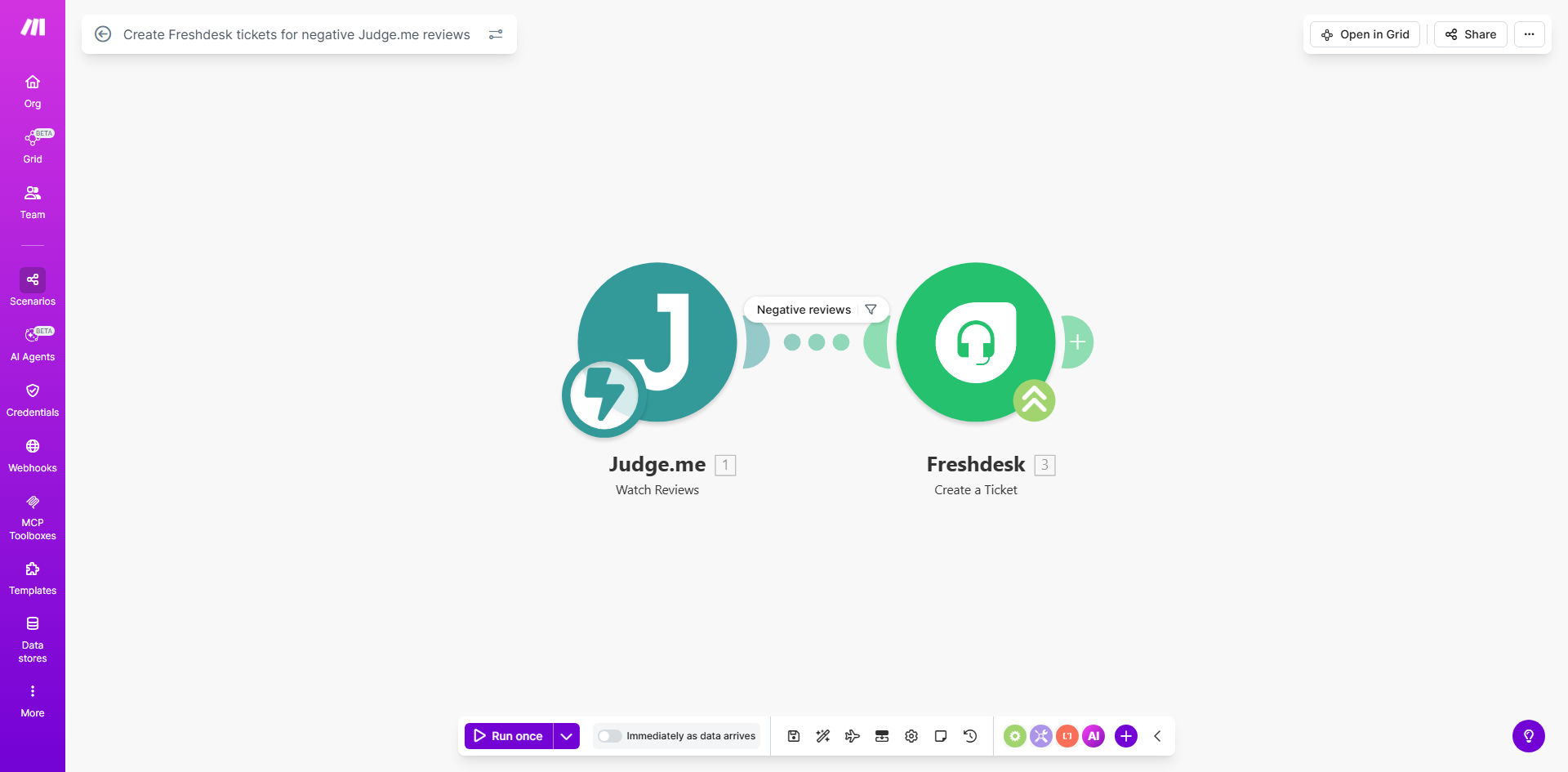
What This Workflow Does
Negative product reviews can damage your brand reputation and sales if left unaddressed. This automation instantly converts 1-2 star Judge.me reviews into prioritized Freshdesk tickets, ensuring your customer support team can respond promptly and turn dissatisfied customers into brand advocates.
The workflow monitors your Judge.me review feed in real-time, filtering for negative ratings. When detected, it automatically creates a detailed support ticket in Freshdesk with all relevant context - including the review content, product details, and customer information. This eliminates manual monitoring and data entry while guaranteeing no complaint falls through the cracks.
How It Works
1. Review Monitoring
The workflow continuously checks your Judge.me account for new reviews using webhooks or API polling. It evaluates each new review against your configured criteria for negativity (typically 1-2 star ratings).
2. Negative Review Detection
When a negative review is identified, the system extracts all relevant data including the review text, star rating, customer name, product details, and review URL. This information is structured for ticket creation.
3. Ticket Generation
The workflow connects to your Freshdesk account via API, creating a new ticket with "Negative Review" priority. It populates all ticket fields with the extracted review data and assigns it to your designated support team or queue.
4. Notification & Tracking
Your team receives immediate notification of the new ticket through Freshdesk's alert system. The workflow can optionally log all actions in a spreadsheet or notify managers via email for high-priority cases.
Who This Is For
This automation is ideal for ecommerce businesses using Judge.me for product reviews and Freshdesk for customer support. It's particularly valuable for:
- Brands receiving 50+ monthly product reviews
- Companies aiming to improve their response time to negative feedback
- Support teams overwhelmed by manual review monitoring
- Businesses tracking customer satisfaction metrics
- Operations wanting to centralize all customer communications
What You'll Need
- An active Judge.me account with API access
- A Freshdesk subscription with admin privileges
- A Make.com account (formerly Integromat)
- Basic understanding of webhook configurations
- Determined criteria for negative reviews (star rating threshold)
Quick Setup Guide
- Clone the template in your Make.com account
- Connect your Judge.me account via API
- Configure your negative review criteria (star ratings)
- Connect your Freshdesk account and select the ticket queue
- Test with sample review data
- Activate the scenario and monitor initial runs
Pro tip: Set up a dedicated "Negative Reviews" view in Freshdesk to track resolution rates and identify recurring product issues.
Key Benefits
89% faster response times to negative feedback compared to manual monitoring, helping preserve your brand reputation.
30% reduction in repeat complaints by ensuring all negative reviews receive timely, personalized responses from your support team.
Eliminate manual data entry with automatic transfer of review details into structured Freshdesk tickets, saving 2-3 hours per week.
Improve product quality insights by analyzing negative review trends through Freshdesk's reporting tools.
Boost customer satisfaction - 68% of customers will return after a negative experience if it's resolved effectively.