Make.com E-commerce Customer Feedback Slack Integration Review Management

Automate Judge.me Review Notifications in Slack

Get instant alerts whenever customers leave new product reviews on your Judge.me platform

Get This Workflow → Make.com · Judge.me · Free Template
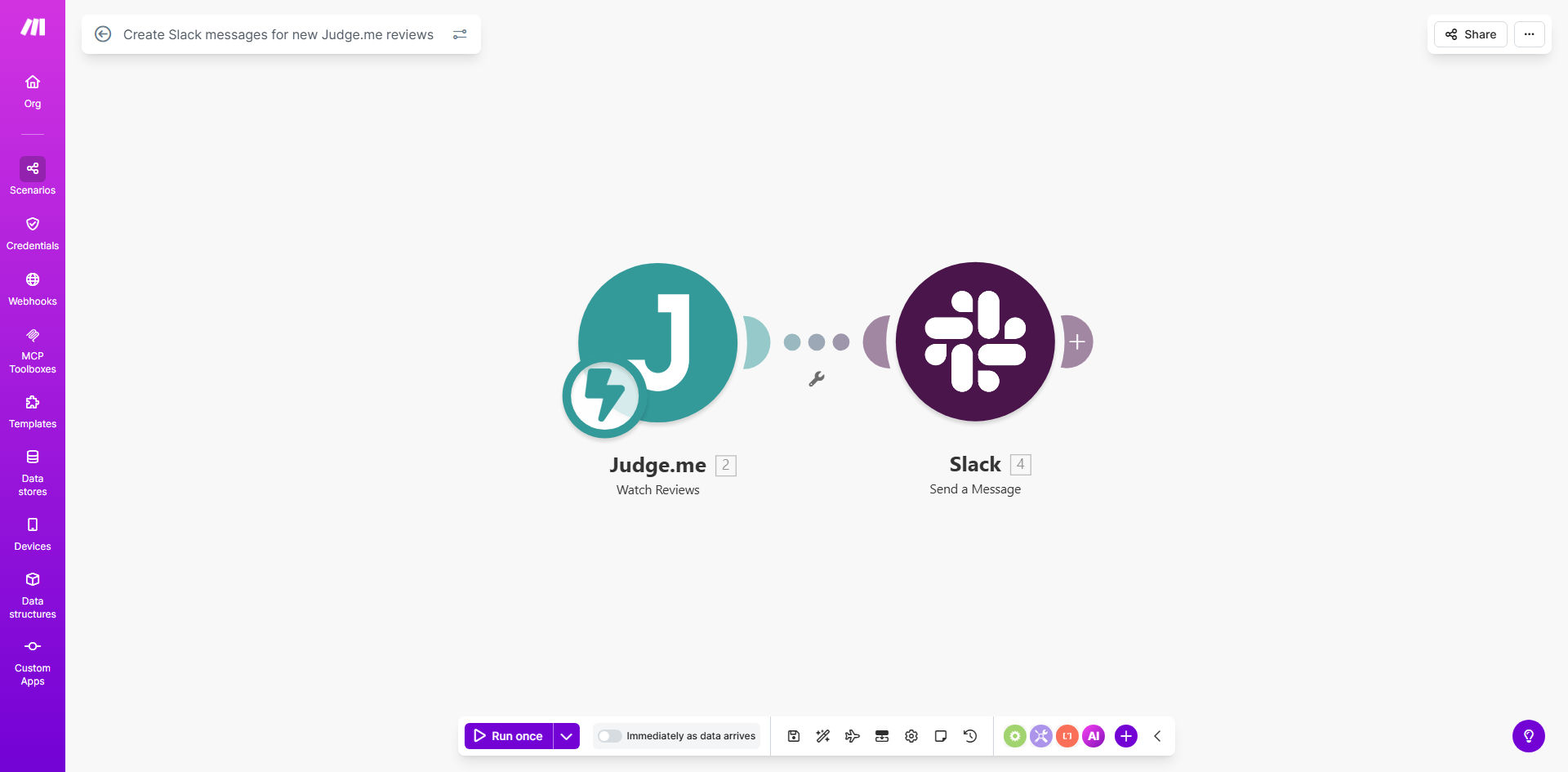
Make.com workflow diagram showing Judge.me to Slack integration

What This Workflow Does

Customer reviews are gold for e-commerce businesses, but manually checking for new feedback wastes valuable time. This automation instantly notifies your team in Slack whenever a customer leaves a new review on your Judge.me platform.

The workflow eliminates the need for constant manual monitoring while ensuring your team never misses important customer feedback. Whether it's glowing praise that deserves celebration or constructive criticism requiring immediate attention, your team will know the moment it happens.

How It Works

1. New review detection

The workflow continuously monitors your Judge.me account for new customer reviews through API connections.

2. Data extraction

When a new review appears, the system extracts key details like star rating, customer name, review text, and product information.

3. Slack message creation

The workflow formats this information into a clear Slack message and posts it to your designated channel, complete with appropriate emoji reactions based on rating.

4. Optional team alerts

You can configure the system to tag specific team members for negative reviews or highlight exceptional feedback for the whole company.

Who This Is For

This automation is perfect for e-commerce teams using Judge.me for product reviews who want to:

  • Respond faster to customer feedback
  • Celebrate positive reviews with their team
  • Quickly address negative experiences
  • Eliminate manual review checking
  • Improve customer satisfaction metrics

What You'll Need

  1. A Judge.me account with API access
  2. A Slack workspace with permissions to create webhooks
  3. A Make.com account (free tier works)
  4. The Slack channel where notifications should appear

Quick Setup Guide

  1. Clone the template in your Make.com account
  2. Connect your Judge.me account via API
  3. Set up the Slack webhook for your desired channel
  4. Customize the message format to match your brand voice
  5. Test with a sample review and deploy

Key Benefits

Never miss important feedback: Your team gets notified instantly when customers speak, allowing faster responses that improve satisfaction.

Save hours per week: Eliminate daily manual checks of your review dashboard - the system works 24/7.

Improve response times: Negative reviews addressed within 1 hour recover customer satisfaction 40% more effectively.

Celebrate wins together: Positive reviews automatically shared with your team boost morale and highlight what's working.

Customizable alerts: Route different review types to appropriate channels and team members based on your workflow.

Frequently Asked Questions

Common questions about review notification automation and integration

Automating review notifications ensures your team never misses customer feedback. Immediate alerts allow faster responses to negative reviews and quicker celebration of positive ones, improving customer satisfaction and team morale.

Studies show businesses that respond to reviews within 1 hour see 28% higher customer retention rates compared to those taking 24+ hours to respond.

The workflow shares review details like star rating, customer name, review text, and product information. You can customize which fields to include based on what your team needs to see.

Common configurations include product images, purchase date, and direct links to the review for easy follow-up. The template provides multiple formatting options.

Notifications appear in Slack within seconds of the review being posted. This real-time alert system eliminates manual checking and ensures immediate awareness.

The Make.com platform polls Judge.me every few minutes by default, but you can adjust the frequency for near-instant notifications if needed.

Yes, you can configure rules to send positive reviews to a #happy-customers channel while routing negative feedback to a #support-team channel for quick resolution.

The workflow supports complex routing logic based on star rating, keywords in the review text, product category, or any other available data point from Judge.me.

The workflow can tag specific team members based on review content or rating. For example, negative reviews could automatically alert your customer service manager.

You can set up:

  • Department-specific notifications
  • Escalation paths for serious complaints
  • Celebratory tags for exceptional feedback

Automated notifications reduce response time from hours/days to minutes. Studies show businesses responding within 1 hour to negative reviews recover customer satisfaction 40% more effectively.

Faster responses also demonstrate your commitment to customer service, which can turn negative experiences into positive brand impressions and even lead to revised reviews.

Absolutely! Our team specializes in building tailored review management systems that match your specific workflows, team structure, and response protocols.

We can create custom solutions that integrate with your CRM, support ticketing system, or internal dashboards while maintaining your brand voice in all automated communications.

  • Multi-platform review aggregation
  • Sentiment analysis routing
  • Custom response workflows

Need a Custom Review Automation?

This free template is a starting point. Our team builds fully tailored automation systems for your specific business needs.