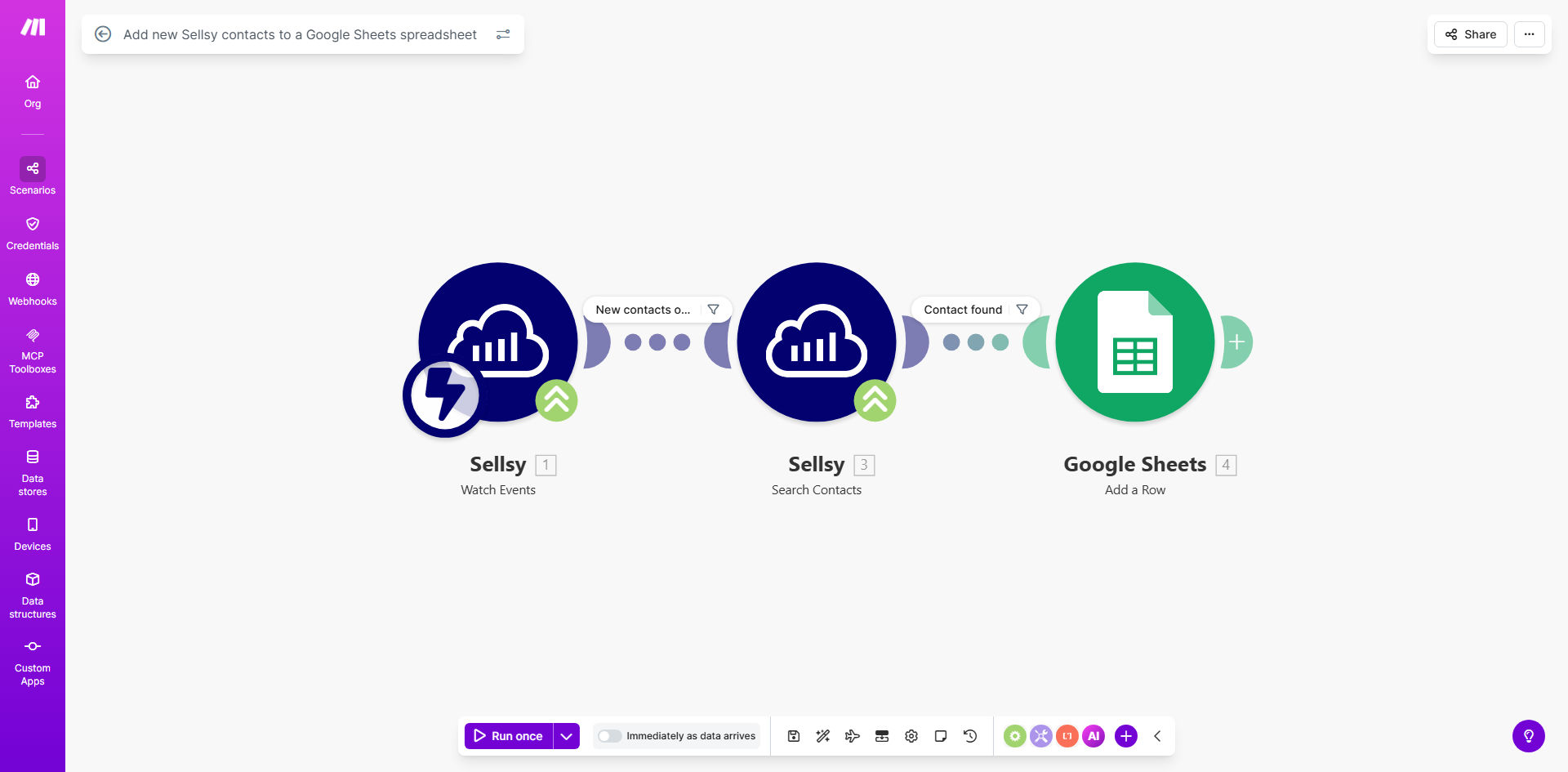
What This Workflow Does
This automation eliminates the manual work of copying new Sellsy contacts into spreadsheets. Every time a new contact is created in your Sellsy CRM, the workflow automatically retrieves their details and adds them as a new row in your specified Google Sheet.
The template includes common contact fields like name, email, phone number, and company information. It maintains an organized, up-to-date spreadsheet that serves as a backup of your CRM data and enables easy sharing with team members who may not have direct access to Sellsy.
How It Works
1. New contact trigger
The workflow monitors your Sellsy account for new contact creations using Make.com's Sellsy connector. When triggered, it captures the contact ID and timestamp.
2. Contact data retrieval
Make.com fetches the complete contact details from Sellsy using the captured ID, including both standard fields and any custom fields you've configured.
3. Data formatting
The workflow structures the contact information into columns matching your Google Sheet format, handling data types and special characters appropriately.
4. Google Sheets update
Finally, the formatted contact data is appended as a new row in your specified Google Sheet, with each field placed in the correct column.
Who This Is For
This automation is ideal for Sellsy users who need to:
- Maintain backup copies of CRM contacts outside Sellsy
- Share contact data with team members who don't have Sellsy access
- Perform custom reporting or analysis in Google Sheets
- Integrate Sellsy data with other systems that connect to Google Sheets
- Create marketing lists or segments based on spreadsheet filters
What You'll Need
- A Sellsy account with API access enabled
- A Google account with edit access to a Google Sheet
- A Make.com account (free plan available)
- The template spreadsheet (provided in the template)
Quick Setup Guide
- Click "Get This Workflow" to copy the template to your Make.com account
- Connect your Sellsy account in Make.com using OAuth
- Connect your Google account and select your target spreadsheet
- Map the Sellsy contact fields to your desired spreadsheet columns
- Test the workflow by creating a test contact in Sellsy
- Activate the scenario to begin automatic syncing
Key Benefits
Eliminate manual data entry - Save 2-5 minutes per contact by automating what was previously a copy-paste process. For businesses adding 50+ contacts weekly, this can recover 4+ hours of productivity each month.
Reduce human error - Automated data transfer ensures field values are copied exactly from Sellsy to Sheets, eliminating typos and missed fields that occur with manual entry.
Real-time data availability - Contacts appear in your spreadsheet within seconds of being created in Sellsy, rather than waiting for periodic manual updates.
Custom reporting foundation - With all contacts in Google Sheets, you can build custom reports, pivot tables, and dashboards without Sellsy reporting limitations.
Multi-user access - Share the Google Sheet with team members who need contact data but don't require full Sellsy access, reducing license costs.