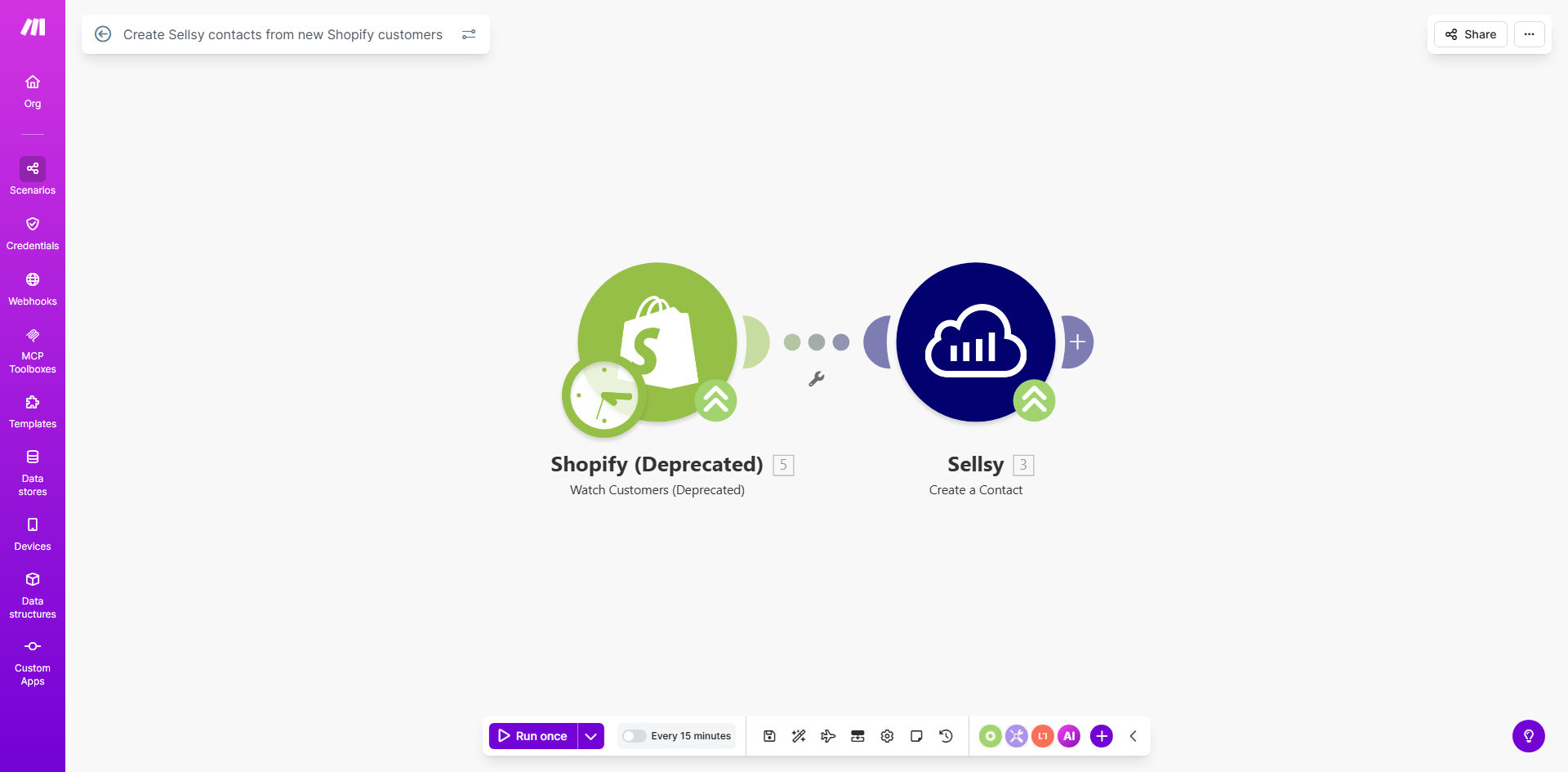
What This Workflow Does
This automation solves a critical problem for ecommerce businesses using both Shopify and Sellsy - the manual transfer of customer data between systems. Every time a new customer places an order, their information needs to be available in Sellsy for your sales and support teams. Doing this manually wastes hours each week and leads to errors.
The workflow automatically detects new Shopify customers at regular intervals and creates corresponding contact records in Sellsy. It maps all relevant customer fields including contact details, order history, and shipping information. This ensures your CRM always has complete, up-to-date customer data without any manual intervention.
How It Works
1. New customer detection
The workflow polls Shopify's API at scheduled intervals (typically every 15-60 minutes) to check for newly created customer accounts since the last check.
2. Data extraction
For each new customer, the workflow retrieves all available information including name, email, phone, address, and order details from Shopify.
3. Field mapping
Customer data is transformed to match Sellsy's contact field structure. You can customize which Shopify fields map to which Sellsy properties.
4. Contact creation
The workflow uses Sellsy's API to create a new contact record with all mapped customer information, ensuring your sales team has immediate access.
Pro tip: Add conditional logic to only sync customers meeting specific criteria (like order value) to keep your CRM focused on high-value contacts.
Who This Is For
This workflow is ideal for:
- Ecommerce businesses using Shopify with Sellsy CRM
- Teams wasting time manually copying customer data between systems
- Companies needing real-time customer visibility for sales teams
- Businesses scaling up where manual processes become unsustainable
What You'll Need
- Active Shopify store with customer accounts enabled
- Sellsy account with API access
- Make.com account (free tier sufficient for basic usage)
- Admin access to both platforms for API key configuration
Quick Setup Guide
- Install the template in your Make.com account
- Connect your Shopify store via API credentials
- Connect your Sellsy account via API key
- Configure field mappings between Shopify and Sellsy
- Set your preferred sync frequency (15-60 minutes recommended)
- Test with a new test customer in Shopify
- Activate the workflow for automatic syncing
Key Benefits
Eliminate 5-10 hours per week of manual data entry between Shopify and Sellsy. This workflow handles all customer syncing automatically.
Reduce CRM errors by 90% by eliminating manual copying mistakes and ensuring all customer fields are properly mapped between systems.
Improve sales team productivity by giving them immediate access to complete customer profiles in Sellsy as soon as orders are placed.
Scale your operations effortlessly - the workflow handles 10 or 10,000 new customers with equal reliability.
Maintain data consistency across all platforms with standardized field mappings and automated updates.