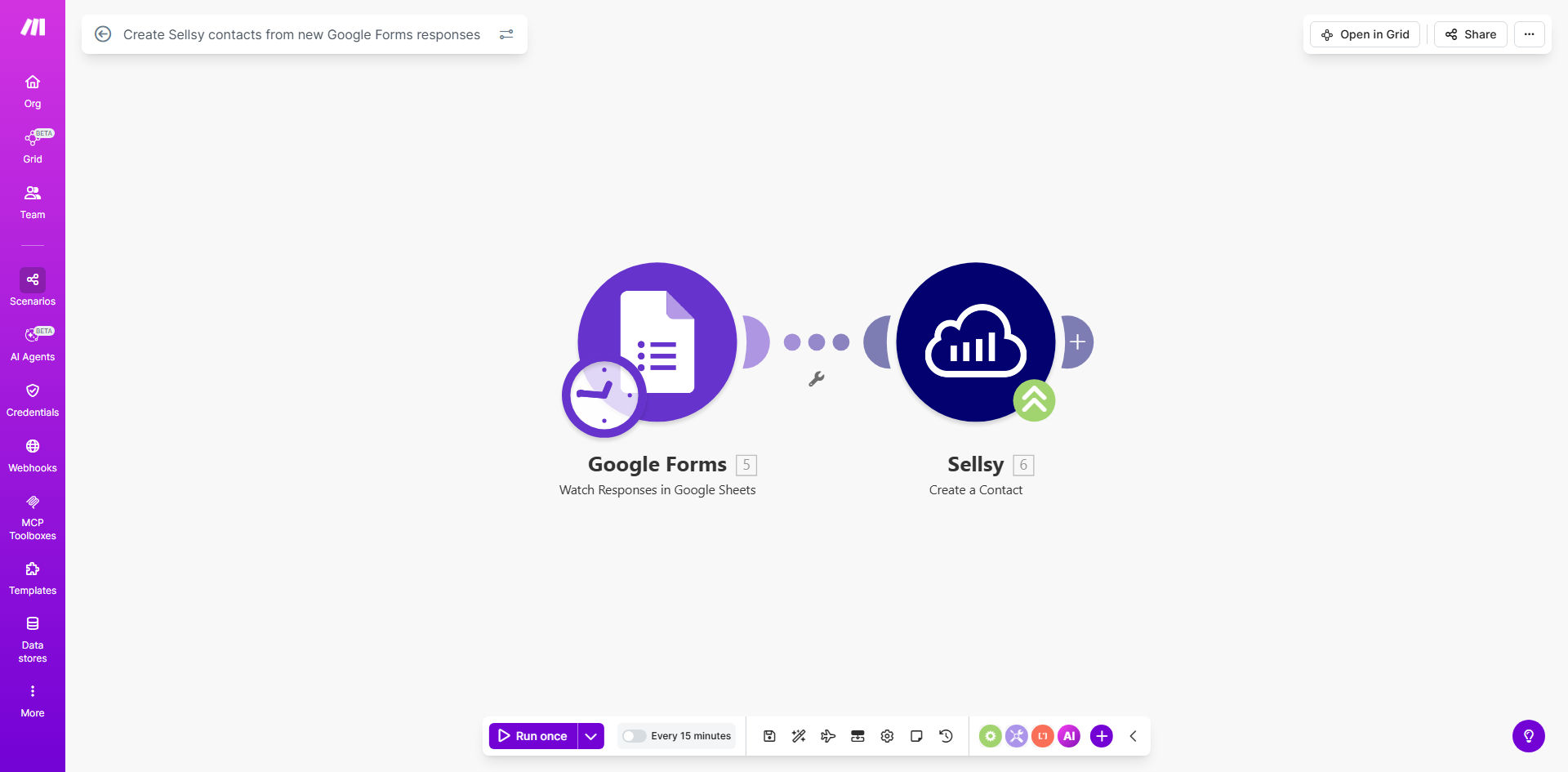
What This Workflow Does
This automation solves the tedious and error-prone process of manually transferring contact information from Google Forms submissions into your Sellsy CRM. Every time someone completes your lead capture form, event registration, or customer survey, their details automatically become a properly formatted Sellsy contact record.
The workflow checks for new Google Forms responses at regular intervals, extracts the submitted information, and creates corresponding contacts in Sellsy with all relevant details mapped to the correct fields. This ensures your sales team always has immediate access to fresh leads without any delay or data entry mistakes.
How It Works
1. New response detection
The workflow monitors your specified Google Form for new submissions on a schedule you configure (from every 5 minutes to daily).
2. Data extraction
Each form response is processed to extract all submitted information, including names, email addresses, phone numbers, and any custom fields you've added to your form.
3. Field mapping
The system matches Google Form fields to corresponding Sellsy contact properties according to your predefined mapping configuration.
4. Contact creation
A new contact record is created in Sellsy with all mapped information, including any tags or custom fields you want to apply automatically.
Who This Is For
This automation is ideal for any business using Sellsy as their CRM that collects contact information through Google Forms. Common use cases include:
- Sales teams capturing leads from website contact forms
- Event organizers processing attendee registrations
- Service businesses managing customer inquiries
- Marketing teams running surveys or lead magnets
- Educational institutions handling program applications
What You'll Need
- A Google Forms form collecting contact information
- A Sellsy account with admin or integration access
- A Make.com account (free plan works for basic usage)
- Approximately 15 minutes for initial setup
Quick Setup Guide
- Click "Get This Workflow" to copy the template to your Make.com account
- Connect your Google account and select your target form
- Connect your Sellsy account and authorize access
- Map form fields to Sellsy contact properties in the configuration module
- Set your preferred schedule for checking new responses
- Test with a sample submission and verify the contact appears in Sellsy
- Activate the workflow to begin automated processing
Key Benefits
Eliminate manual data entry: Save 5-15 minutes per form submission by automating the transfer to Sellsy. For businesses receiving 20+ submissions daily, this adds up to 25+ hours saved monthly.
Improve data accuracy: Remove human error from the contact creation process. Automated field mapping ensures information always goes to the correct Sellsy fields.
Accelerate lead response times: New contacts appear in Sellsy within minutes of form submission, allowing your sales team to follow up while the lead is hottest.
Maintain consistent data structure: All contacts are created with uniform field mapping and optional default values, making segmentation and reporting more reliable.
Scale your lead capture: Handle hundreds or thousands of form submissions without additional administrative overhead or staffing needs.