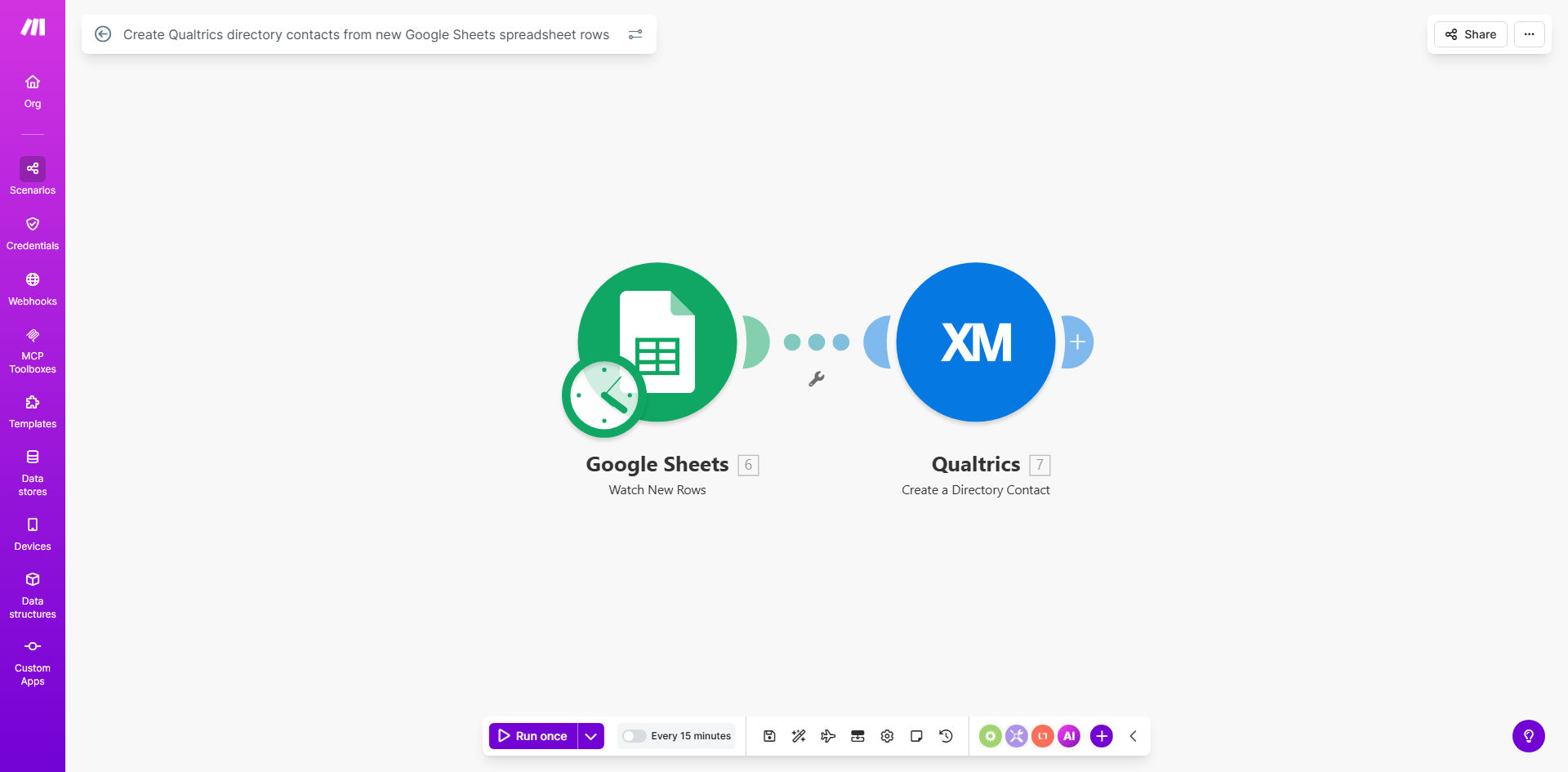
What This Workflow Does
This automation solves a critical pain point for research teams and marketers who use Qualtrics for survey distribution. Manually transferring contact lists from spreadsheets to Qualtrics is time-consuming and prone to errors, especially when dealing with large participant pools or frequently updated lists.
The workflow automatically monitors a designated Google Sheets spreadsheet for new rows. Each time a new entry is added (like a new research participant, customer contact, or panel member), it instantly creates a corresponding directory contact in your Qualtrics account with all the mapped fields. This ensures your survey distribution lists are always current without any manual intervention.
How It Works
1. Trigger: New Google Sheets Row Detection
The workflow starts by checking your specified Google Sheet at regular intervals (configurable from 15 minutes to 24 hours). It identifies newly added rows by tracking the last processed row position.
2. Data Extraction and Formatting
For each new row, the system extracts all relevant contact information including email addresses, names, and any custom attributes you've configured. The template handles data validation to ensure required fields are present.
3. Qualtrics API Integration
Using Qualtrics' powerful API, the workflow creates a new directory contact with all the extracted information. You can map spreadsheet columns to any Qualtrics contact fields including custom embedded data for segmentation.
4. Duplicate Handling
The template includes logic to check for existing contacts before creation. You can configure it to skip duplicates or update existing records with new information from your spreadsheet.
5. Success Logging
Each successful contact creation is logged back to your Google Sheet or to Make.com's execution history, providing an audit trail of all automated operations.
Pro tip: Use a separate tab in your spreadsheet for each research study or campaign, then create multiple workflow instances pointing to different tabs. This lets you manage multiple contact lists from a single spreadsheet.
Who This Is For
This automation is ideal for:
- Market researchers managing large participant panels
- Academic teams running longitudinal studies
- Customer experience teams tracking NPS respondents
- HR departments conducting employee pulse surveys
- Any organization using Qualtrics with frequently updated contact lists
What You'll Need
- A Qualtrics account with API access enabled
- A Google Sheets spreadsheet with your contact data
- A Make.com account (free tier available)
- Basic understanding of Qualtrics directory structure
- Columns in your spreadsheet that match required Qualtrics fields (at minimum: email)
Quick Setup Guide
- Copy the template to your Make.com account
- Connect your Google Sheets account and select your source spreadsheet
- Connect your Qualtrics account and specify the target directory
- Map spreadsheet columns to Qualtrics contact fields
- Configure the sync frequency (start with hourly checks)
- Test with sample data before activating the full automation
Key Benefits
Save 5-10 hours per month by eliminating manual contact imports. What used to be a weekly chore now happens automatically in the background.
Reduce data entry errors by 90%+ since the system transfers information exactly as it appears in your spreadsheet, avoiding typos from manual transcription.
Keep survey lists current in real-time as new contacts are added to your spreadsheet, ensuring no delays in research timelines or campaign launches.
Scale to thousands of contacts without additional work. The automation handles bulk imports as efficiently as single entries.
Maintain data governance by keeping your master contact list in Google Sheets where you control access and version history.