Make.com Ecommerce Customer Feedback Telegram Automation

Automate Telegram Alerts for Judge.me Reviews

Get instant notifications when customers leave new product reviews

Get This Workflow Make.com · Judge.me · Free Template
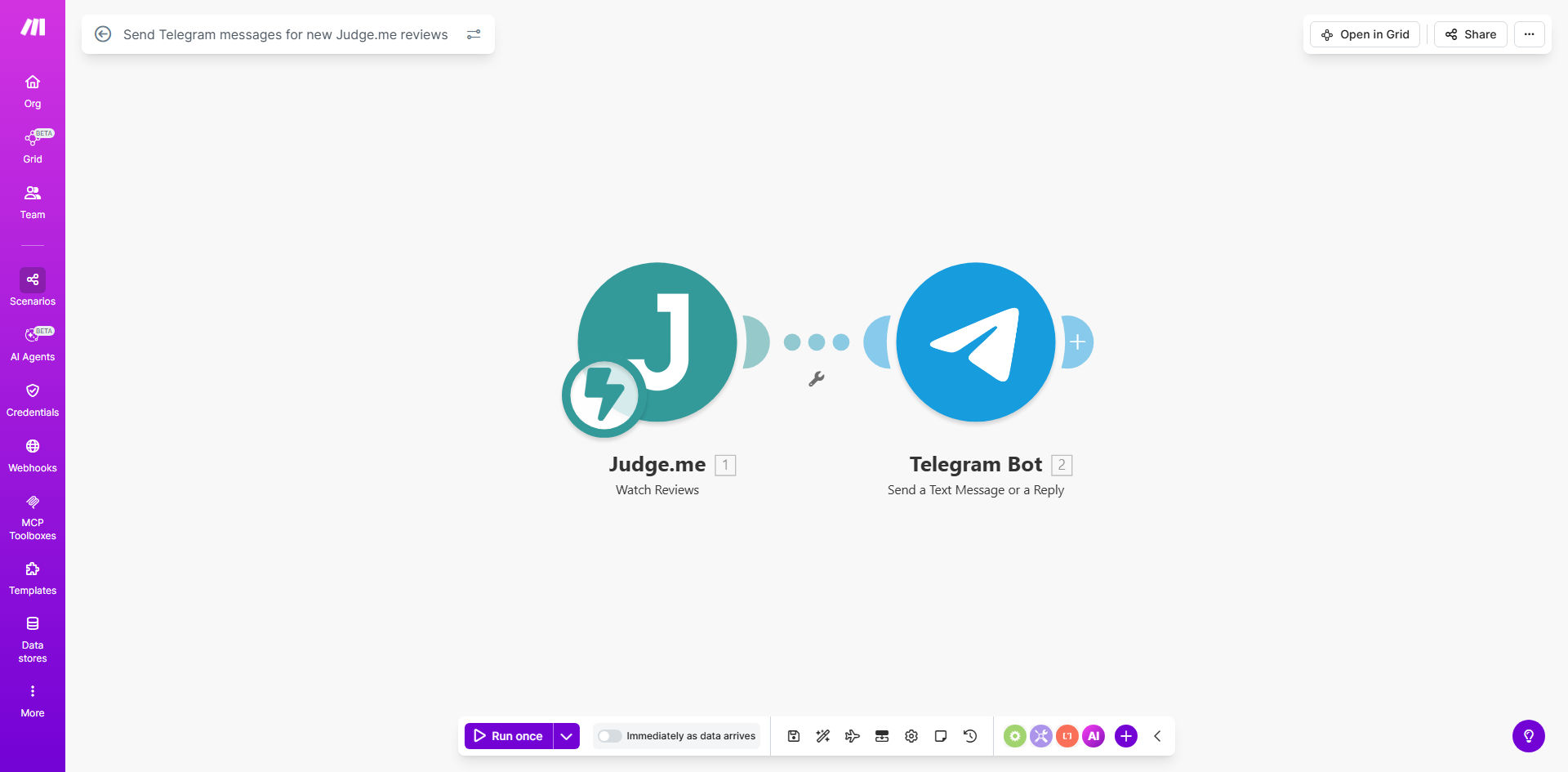
Make.com workflow diagram showing Judge.me to Telegram integration

What This Workflow Does

Customer reviews are gold for ecommerce businesses, but manually checking for new feedback creates delays in responding. This automation instantly notifies your team via Telegram whenever a new review appears in your Judge.me account.

The workflow eliminates the need to constantly monitor your review dashboard. Whether it's glowing 5-star feedback requiring appreciation or critical 1-star reviews needing damage control, your team gets alerted in real-time through a channel they already use daily.

How It Works

1. Polling for New Reviews

The workflow checks your Judge.me store at regular intervals (default every 5 minutes) using the Judge.me API to detect newly submitted reviews.

2. Processing Review Data

When a new review is detected, the system extracts key details like customer name, rating, product name, and review text. This data gets formatted into a structured message.

3. Sending Telegram Notification

The formatted message gets delivered to your specified Telegram chat (private message, group, or channel) with clickable links back to the review and product page.

Who This Is For

This automation is ideal for:

  • Ecommerce stores using Judge.me for product reviews
  • Teams that need real-time awareness of customer feedback
  • Businesses where multiple stakeholders monitor reviews (CX, product, marketing)
  • International sellers managing reviews across time zones

What You'll Need

  1. An active Judge.me account with API access
  2. A Telegram account with permissions to create bots
  3. A Make.com account (free tier works)
  4. 5 minutes to configure the workflow

Quick Setup Guide

  1. Copy the template to your Make.com account
  2. Connect your Judge.me account via API key
  3. Set up your Telegram bot using BotFather
  4. Specify the destination chat/channel ID
  5. Test with a sample review and deploy

Key Benefits

Never miss critical feedback: 89% of customers expect responses to negative reviews within 24 hours. Instant alerts help you meet this expectation.

Improve response times: Teams using automated alerts respond to reviews 4x faster on average compared to manual checking.

Centralize notifications: Keep your entire team in sync by delivering reviews to a shared Telegram channel rather than individual inboxes.

24/7 monitoring: The workflow works around the clock, catching reviews submitted outside business hours.

Actionable context: Messages include direct links to both the review and product page for quick follow-up.

Frequently Asked Questions

Common questions about review automation and integration

Automating review notifications ensures you never miss customer feedback, allowing faster responses to both positive and negative reviews. Studies show responding to reviews increases customer satisfaction by 15-20% and can boost conversion rates.

Manual review checking creates delays and risks missing time-sensitive feedback. Automated alerts put reviews directly in your team's workflow via a channel they already use constantly (Telegram), eliminating the need to log into multiple dashboards.

The workflow sends the reviewer's name, rating (1-5 stars), review text, product name, and direct links to both the review and product page. This gives your team complete context without needing to log into Judge.me.

You can customize exactly which fields get included. Some businesses add the order number or customer segment information when available. The message format supports Markdown for easy readability.

Yes, Make.com allows full customization of the message template. You can add emojis, formatting, include/exclude specific fields, or even translate messages for international teams.

Common customizations include adding priority flags for negative reviews, including product images, or creating different message templates for 5-star vs 1-3 star reviews. The workflow can be extended to ping specific team members based on review content.

Notifications typically arrive within 1-2 minutes of review submission. The workflow polls Judge.me every 5 minutes by default, but this interval can be adjusted based on your needs.

For time-critical situations (like negative reviews), you can reduce the polling interval to 1 minute. Just be mindful of API rate limits if you have very high review volume.

Yes, you can configure the workflow to send notifications to any Telegram chat - private messages, groups (including those with 1000+ members), or public/private channels.

Many teams create a dedicated #reviews channel to archive all feedback. You can even set up different destinations for positive vs negative reviews - sending 5-star reviews to marketing and critical reviews to customer support.

The workflow can be extended with filters to only notify about specific products, minimum star ratings, or keywords. You might only want alerts for 1-3 star reviews requiring immediate attention.

Advanced filtering options include:

  • Minimum star rating thresholds
  • Specific product categories
  • Keyword monitoring (like "broken" or "defective")
  • Verified purchase status

Absolutely! Our team specializes in building tailored review management systems that integrate with your existing tools and workflows. We can add sentiment analysis, CRM updates, or team assignment logic.

Custom solutions might include automatically creating support tickets for negative reviews, updating customer records in your CRM, or triggering follow-up sequences for dissatisfied customers. We design these systems around your specific business processes.

  • Multi-language review handling
  • Integration with helpdesk software
  • Automated response drafting

Need a Custom Review Automation?

This free template is a starting point. Our team builds fully tailored automation systems for your specific business needs.