Make.com Email Marketing Customer Reviews Judge.me Mailchimp

Add new Mailchimp subscribers for new Judge.me reviews

Automatically grow your email list by converting product reviewers into engaged subscribers

Get This Workflow → Make.com · Email Marketing · Free Template
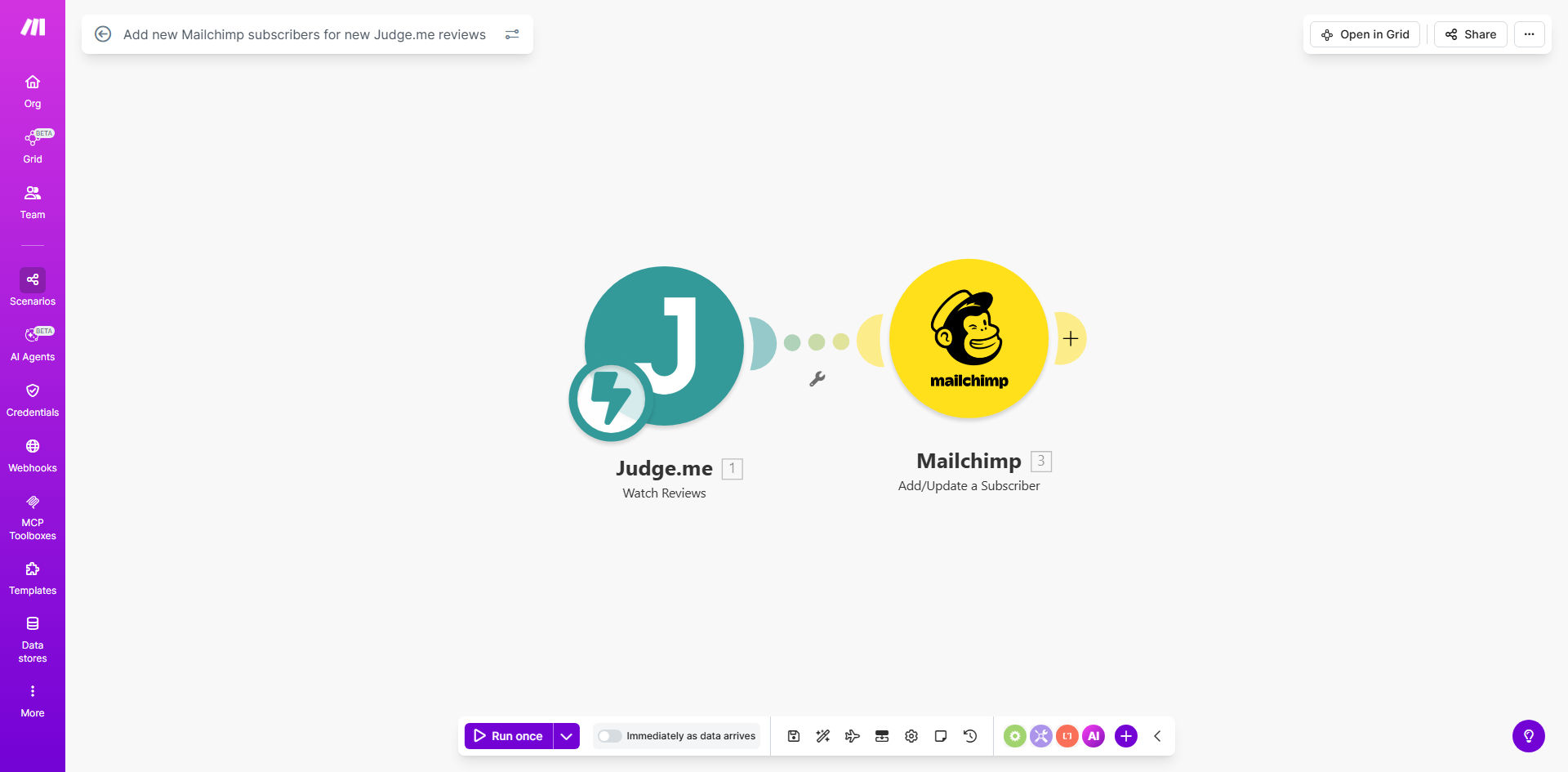
Make.com workflow diagram showing Judge.me to Mailchimp integration

What This Workflow Does

This automation solves the challenge of manually collecting customer emails from product reviews and adding them to your email marketing list. Every time a customer leaves a review on your Judge.me-powered store, their contact information is automatically added to your Mailchimp subscriber list.

The workflow eliminates tedious copy-paste work while ensuring you never miss an opportunity to connect with satisfied customers. It transforms passive reviews into active marketing opportunities by building your email list with engaged customers who have already demonstrated interest in your products.

How It Works

1. Trigger: New Judge.me review

The workflow starts whenever a new review is submitted on your Judge.me-powered product pages. Make.com monitors your Judge.me account for new review activity.

2. Extract reviewer information

The system pulls key details from the review including customer name, email address, and optionally their review content and rating. This data is formatted for Mailchimp integration.

3. Add subscriber to Mailchimp

The customer information is automatically added to your specified Mailchimp audience list. You can configure custom fields, tags, and segmentation rules.

4. Optional follow-up actions

The workflow can trigger additional actions like sending a thank-you email or adding the customer to a specific email sequence based on their review rating.

Who This Is For

This automation is ideal for ecommerce businesses using Judge.me for product reviews who want to:

  • Grow their Mailchimp email list with engaged customers
  • Save time on manual subscriber management
  • Improve customer retention through targeted email campaigns
  • Increase repeat purchases from satisfied customers

What You'll Need

  1. A Judge.me account connected to your online store
  2. A Mailchimp account with an existing audience list
  3. A Make.com account (free plan available)
  4. API access enabled for both Judge.me and Mailchimp

Quick Setup Guide

  1. Click "Get This Workflow" to import the template to your Make.com account
  2. Connect your Judge.me account in the first module
  3. Connect your Mailchimp account in the second module
  4. Specify which Mailchimp list to add subscribers to
  5. Configure any additional fields or tags you want to include
  6. Activate the scenario to start processing new reviews

Key Benefits

Save 5+ hours per month by eliminating manual subscriber collection and entry. The automation handles everything instantly.

Increase email list growth by 20-30% by capturing every reviewer as a subscriber, not just those who opt-in separately.

Improve email campaign performance by targeting customers who have already demonstrated engagement with your products.

Enhance customer lifetime value by nurturing reviewers with personalized follow-up sequences and special offers.

Pro tip: Segment your Mailchimp list by review rating to send targeted campaigns. Customers who left 5-star reviews might appreciate loyalty offers, while those with lower ratings may benefit from customer service outreach.

Frequently Asked Questions

Common questions about review-to-email automation

Connecting Judge.me reviews to Mailchimp helps you automatically grow your email list with engaged customers who have already interacted with your products. These subscribers are more likely to convert since they've already left reviews, making them valuable additions to your marketing funnel.

Traditional email capture methods like pop-ups often miss these highly engaged customers. This integration ensures you don't lose the opportunity to continue the conversation with people who have demonstrated interest in your brand.

Typically the workflow transfers customer name, email address, and optionally their review content or rating. You can customize which fields to include based on your Mailchimp list requirements and marketing goals.

For example, you might choose to include the product reviewed and star rating as custom fields in Mailchimp. This allows for highly targeted follow-up campaigns based on specific customer experiences with your products.

By adding reviewers to your email list, you can nurture these engaged customers with targeted campaigns, special offers, and product updates. This maintains the relationship beyond the initial purchase and increases repeat business opportunities.

Studies show that customers who receive personalized follow-up based on their reviews have 35% higher repeat purchase rates compared to generic email campaigns. The automation helps you capitalize on this opportunity at scale.

Yes, the workflow can tag subscribers or add them to specific segments based on review criteria like star rating or product reviewed. This allows for more personalized email marketing campaigns.

For instance, you might create segments for 5-star reviewers (potential brand advocates), 3-4 star reviewers (opportunities for improvement), and 1-2 star reviewers (customer service priorities). Each segment can receive tailored messaging.

The workflow can be configured to either skip existing subscribers or update their information with the new review data. This prevents duplicate entries while keeping customer profiles current.

Updating existing subscribers is particularly valuable as it adds their review history to their profile, enabling more sophisticated segmentation and personalization in your email campaigns.

The automation runs in near real-time, typically adding subscribers within minutes of a new review being posted. This ensures timely follow-up while the customer experience is still fresh.

Fast response times are crucial for maximizing engagement. Customers who receive relevant follow-up soon after leaving a review show higher open and click-through rates on subsequent emails.

Absolutely! Our team at GrowwStacks specializes in building tailored automation solutions that connect your review platform to email marketing systems with custom rules, segmentation, and follow-up sequences.

We can create workflows that match your specific business processes, whether you need advanced filtering, multi-step nurturing sequences, or integration with additional systems beyond Mailchimp. Our solutions are designed to maximize the value of every customer interaction.

  • Custom review filtering criteria
  • Multi-platform integration options
  • Advanced segmentation logic

Need a Custom Review Automation?

This free template is a starting point. Our team builds fully tailored automation systems for your specific business needs.