Make.com Email Marketing Customer Reviews Judge.me Mailgun

Automatically Add Judge.me Reviewers to Your Mailgun List

Capture every product reviewer as an email subscriber with this seamless Make.com automation

Get This Workflow → Make.com · Email Marketing · Free Template
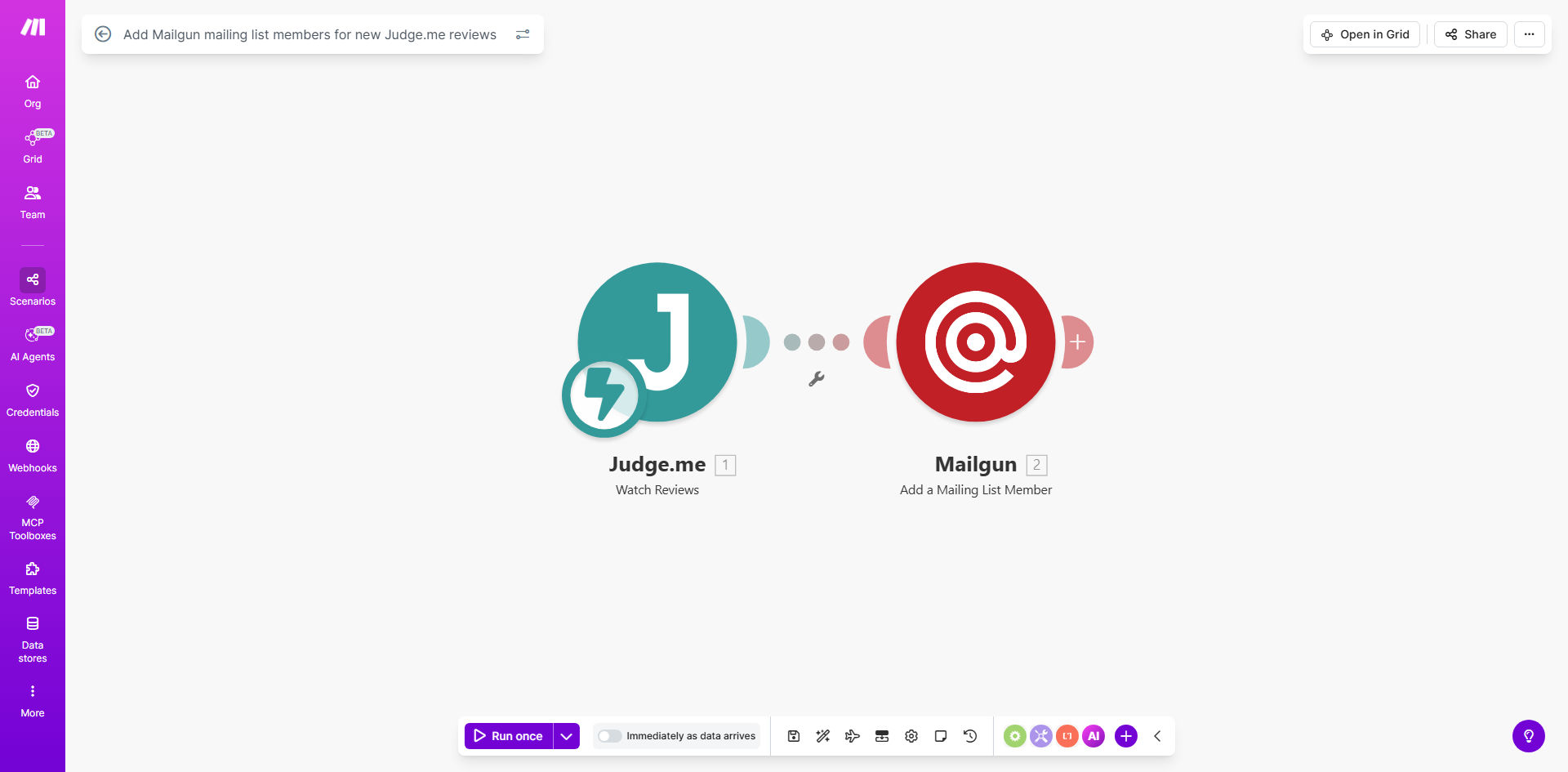
Make.com workflow diagram showing Judge.me to Mailgun integration

What This Workflow Does

This automation solves a common challenge for ecommerce businesses: converting product reviewers into engaged email subscribers. When customers leave reviews on your Judge.me platform, they've already demonstrated interest in your products—yet most businesses fail to capture these valuable leads for ongoing marketing.

The workflow automatically adds each new Judge.me reviewer to your specified Mailgun mailing list, complete with their name and any other relevant details. This eliminates manual data entry, ensures no reviewers slip through the cracks, and helps you build stronger relationships with your most engaged customers.

How It Works

1. New review trigger

The workflow monitors your Judge.me account for new reviews. As soon as a customer submits feedback, the system captures their details including email address, name, and product reviewed.

2. Data formatting

Make.com processes the review data to match Mailgun's required format. You can customize which fields to include and how they're structured for your specific email marketing needs.

3. List addition

The system adds the reviewer to your designated Mailgun mailing list as a new member. The process includes error checking to handle any issues with duplicate entries or invalid email formats.

Pro tip: Combine this with a welcome email sequence specifically for reviewers, thanking them for their feedback and offering a loyalty discount on their next purchase.

Who This Is For

This automation is ideal for:

  • Ecommerce stores using Judge.me for product reviews
  • Businesses running email marketing through Mailgun
  • Marketing teams wanting to grow their subscriber list with engaged customers
  • Store owners who currently manually transfer reviewer data to their email system

What You'll Need

  1. A Judge.me account with active product reviews
  2. A Mailgun account with API access
  3. A Make.com account (free tier available)
  4. The mailing list name in Mailgun where you want to add reviewers

Quick Setup Guide

  1. Clone the template in your Make.com account
  2. Connect your Judge.me account in the first module
  3. Add your Mailgun API credentials in the second module
  4. Specify your target mailing list name
  5. Test with a recent review to verify the data flow
  6. Activate the scenario to begin automatic processing

Key Benefits

Grow your email list with engaged subscribers: Reviewers are 3-5x more likely to make repeat purchases than regular customers. Adding them to your list creates valuable marketing opportunities.

Eliminate manual data entry: Save 2-3 hours per week that would otherwise be spent copying reviewer details between systems.

Improve email marketing relevance: Segment reviewers separately to send them targeted content about new products or requests for future reviews.

Enhance customer relationships: Automated follow-ups make reviewers feel valued, increasing brand loyalty and repeat business.

Never miss a marketing opportunity: The system works 24/7 to capture every new reviewer, even during weekends and holidays.

Frequently Asked Questions

Common questions about review-to-email automation

Customers who leave reviews are highly engaged with your brand and more likely to make repeat purchases. Adding them to your email list lets you nurture these valuable relationships with targeted content, special offers, and product updates.

Research shows that customers who leave reviews have a 68% higher lifetime value than those who don't. By capturing them in your email system, you gain ongoing access to this valuable audience.

Manual data transfer between review platforms and email services is time-consuming and prone to errors. This integration ensures every reviewer is automatically added to your mailing list with their correct details, saving hours of admin work each month.

The automated connection also maintains data consistency. You'll never misspell an email address or forget to add a reviewer because you were busy with other tasks.

Yes, Mailgun allows you to tag or categorize subscribers. You can create a 'Product Reviewers' segment to send them tailored content like exclusive previews of new products or requests for future reviews.

Effective segmentation strategies include:

  • By product category reviewed
  • By review rating (5-star vs. 3-4 star)
  • By purchase frequency

By immediately adding reviewers to your email list, you can follow up with thank-you messages, loyalty rewards, or requests for feedback on their experience. This builds stronger relationships and increases repeat purchase rates.

One ecommerce store saw a 42% increase in repeat purchases from reviewers after implementing this automation and a targeted email sequence.

The workflow typically transfers the reviewer's name, email address, and product reviewed. You can customize which fields to include based on your Judge.me setup and Mailgun list requirements.

Common additional fields businesses include:

  • Review rating (stars)
  • Review submission date
  • Product category

Make.com workflows have high reliability with error handling capabilities. The system will retry failed additions and can notify you of any issues, ensuring your mailing list stays updated without manual oversight.

The workflow includes built-in safeguards like duplicate checking and email validation to maintain list hygiene. You can also configure error notifications to alert you if any problems occur.

Absolutely. Our team at GrowwStacks can create a tailored solution that connects Judge.me with your specific email service (Mailgun, Mailchimp, etc.), adds custom data fields, and implements your preferred follow-up sequences.

We'll work with you to:

  • Map all relevant data fields
  • Design optimal email sequences
  • Set up reporting and error alerts

Need a Custom Review-to-Email Automation?

This free template is a starting point. Our team builds fully tailored automation systems for your specific business needs.