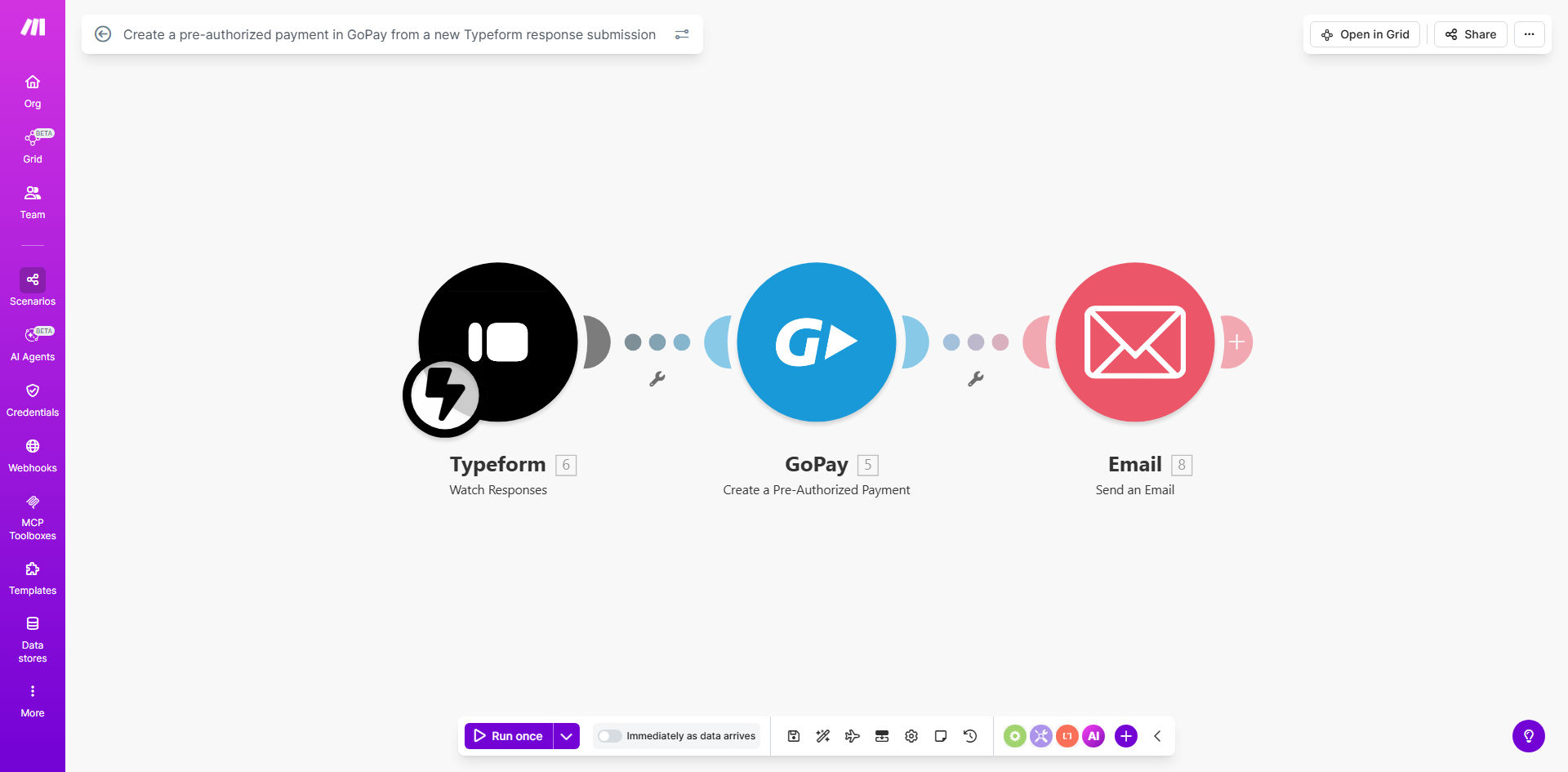
What This Workflow Does
This automation solves the common business challenge of collecting payments after receiving customer information through online forms. Traditionally, staff would need to manually create payment requests after reviewing form submissions - a time-consuming process prone to delays and errors.
The workflow automatically triggers a pre-authorized payment in GoPay whenever someone submits your Typeform. This creates an immediate payment request sent directly to the customer's email, significantly reducing the payment collection cycle. Businesses using this automation typically see payments completed 2-3 days faster on average.
How It Works
1. New Typeform submission triggers the workflow
The automation monitors your Typeform for new responses. When someone completes your form, the workflow instantly begins processing their information.
2. Payment details are prepared
The system extracts relevant information from the form response, including customer details, payment amount (which can be calculated dynamically), and any special instructions.
3. GoPay payment authorization is created
Using GoPay's API, the workflow generates a pre-authorized payment with the specified amount. This reserves the payment without immediately charging the customer.
4. Payment link is sent to customer
The customer receives an email with a secure link to complete their payment in GoPay's system. You can customize the email template to match your branding.
Pro tip: Add conditional logic to handle different payment scenarios. For example, you might offer installment options for larger amounts or apply discounts for certain responses.
Who This Is For
This automation is ideal for:
- E-commerce businesses collecting orders through Typeform
- Service providers taking bookings with payments
- Event organizers selling tickets through forms
- Nonprofits processing donations
- Educational institutions handling course registrations
What You'll Need
- A Typeform account with your payment collection form
- GoPay merchant account with API access
- Make.com account (free plan works)
- Email service for sending payment notifications
Quick Setup Guide
- Copy this template to your Make.com account
- Connect your Typeform account in the first module
- Configure your GoPay API credentials
- Map form fields to payment details
- Set up your email notification template
- Test with sample form submissions
- Activate the workflow
Key Benefits
Reduce payment delays by 60-80% by eliminating manual processing steps between form submission and payment request.
Improve cash flow visibility with immediate payment authorization rather than waiting for staff to process forms.
Enhance customer experience through instant, professional payment requests that match your brand.
Minimize errors by automating data transfer between systems instead of manual entry.
Scale operations effortlessly - the system handles 100 payments as easily as 1, with no additional staff time.