Make.com Payment Automation Google Sheets GoPay Recurring Billing

Automate GoPay Payments from Google Sheets

Charge pre-authorized payments automatically when new rows appear in your spreadsheet

Get This Workflow → Make.com · Payment Processing · Free Template
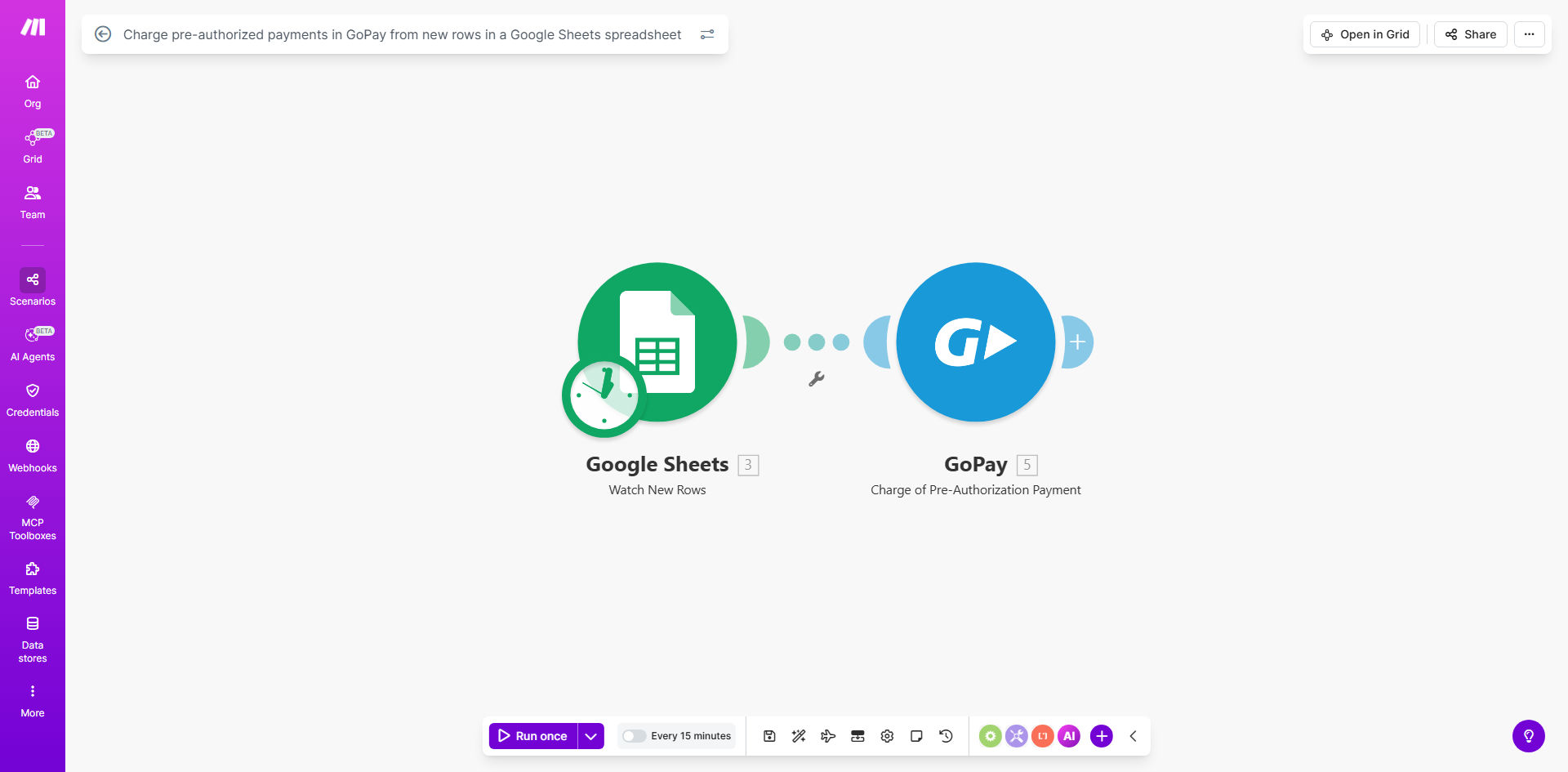
Make.com workflow diagram showing Google Sheets to GoPay payment automation

What This Workflow Does

This automation solves the problem of manually processing recurring or batch payments in GoPay. Many businesses waste hours each week copying payment details from spreadsheets to payment gateways, risking human error and delayed transactions.

The workflow automatically detects new rows in your Google Sheets spreadsheet and processes the corresponding payments in GoPay. It runs on a schedule (default every 15 minutes) to ensure timely processing while maintaining a complete audit trail in your spreadsheet.

How It Works

1. Monitor Google Sheets for new rows

The workflow checks your designated spreadsheet at regular intervals, identifying new rows that haven't been processed yet.

2. Extract payment details

For each new row, the system reads the customer's pre-authorized payment token, amount, and any reference information you've included.

3. Process payments in GoPay

Using GoPay's API, the workflow securely charges each payment with the specified amounts and records the transaction details.

4. Update spreadsheet with results

The system marks processed rows and records payment statuses, timestamps, and any transaction IDs for complete reconciliation.

Pro tip: Add conditional formatting to your spreadsheet to highlight failed payments for quick visibility.

Who This Is For

This automation is ideal for:

  • Subscription businesses with recurring billing
  • Companies processing installment payments
  • Marketplaces handling batch payouts to vendors
  • Businesses with pre-approved payment plans
  • Teams wanting to eliminate manual payment processing

What You'll Need

  1. A GoPay merchant account with API access
  2. A Google Sheets spreadsheet with payment details
  3. Make.com account (free plan works)
  4. Pre-authorized payment tokens from your customers
  5. Columns for amount, customer reference, and payment status

Quick Setup Guide

  1. Duplicate the sample spreadsheet to your Google Drive
  2. Connect your Google account in Make.com
  3. Authenticate with your GoPay API credentials
  4. Map your spreadsheet columns to the payment fields
  5. Test with small amounts before full deployment
  6. Adjust the schedule frequency as needed

Key Benefits

Reduce payment processing time by 90%: What used to take hours of manual work now happens automatically in minutes.

Eliminate costly errors: Automated processing removes typos, duplicate charges, and missed payments that plague manual methods.

Improve cash flow: Payments process immediately according to your schedule, not when someone remembers to do them.

Full audit trail: Every payment is automatically logged with timestamps and status updates directly in your spreadsheet.

Scale effortlessly: Process 10 or 10,000 payments with the same reliability and no additional staff time.

Frequently Asked Questions

Common questions about payment automation and integration

Pre-authorized payments allow merchants to charge customers after obtaining initial payment permission. The customer authorizes future charges up to a certain amount, which you can then process automatically without requiring additional approval for each transaction.

This model is common for subscriptions, retainers, and installment plans where payment amounts may vary. The initial authorization typically includes a maximum charge amount and expiration timeframe to protect consumers.

Automating payments from spreadsheets eliminates manual processing errors, ensures timely billing, and reduces administrative overhead. It's ideal for businesses with recurring billing models or batch payment processing needs.

For example, a membership business can maintain all member payment details in one master sheet while automatically collecting dues. The spreadsheet serves as both the payment database and audit log.

  • No more missed or late payments
  • Real-time payment status visibility
  • Easy to update payment details

The workflow maintains security by using OAuth for Google Sheets access and GoPay's secure API. Payment data isn't stored in Make.com, and you can implement additional spreadsheet permissions for sensitive information.

For enhanced security, we recommend restricting spreadsheet access, using separate sheets for sensitive payment tokens, and implementing two-factor authentication on all connected accounts.

This works well for subscription renewals, installment payments, membership fees, or any scenario where you have pre-approved payment amounts that trigger based on spreadsheet updates.

A fitness studio might use it to process monthly membership fees, while a wholesaler could automate vendor payouts based on delivered orders tracked in their spreadsheet.

  • Recurring billing with variable amounts
  • Milestone-based payments
  • Batch processing of multiple payments

Yes, the spreadsheet serves as your control panel where you can specify different amounts, payment dates, and customer references. The automation simply executes based on your spreadsheet data.

You can create sophisticated logic with formulas - for example, calculating prorated amounts, applying discounts, or processing payments only when certain conditions are met in other spreadsheet columns.

The workflow can be extended to handle failures by logging them in a separate sheet, sending notifications, or retrying according to your business rules.

Common enhancements include automatic retry logic for temporary failures, email alerts to accounting staff, and integration with your CRM to flag accounts needing follow-up.

Our team can build fully customized payment automation systems tailored to your specific business processes, payment gateways, and spreadsheet structures.

We've created solutions for complex scenarios like multi-vendor marketplaces, tiered subscription models, and international payment routing. Custom automations typically pay for themselves within weeks through reduced errors and staff time savings.

  • Support for multiple payment processors
  • Advanced failure handling logic
  • Integration with your existing systems

Need a Custom Payment Automation?

This free template is a starting point. Our team builds fully tailored automation systems for your specific business needs.