CRM Automation Nussii Pipedrive Client Management

Create Pipedrive CRM persons for new Nussii clients

Automatically sync new client data from Nussii to Pipedrive CRM without manual entry

Get This Workflow → Make.com · CRM Automation · Free Template
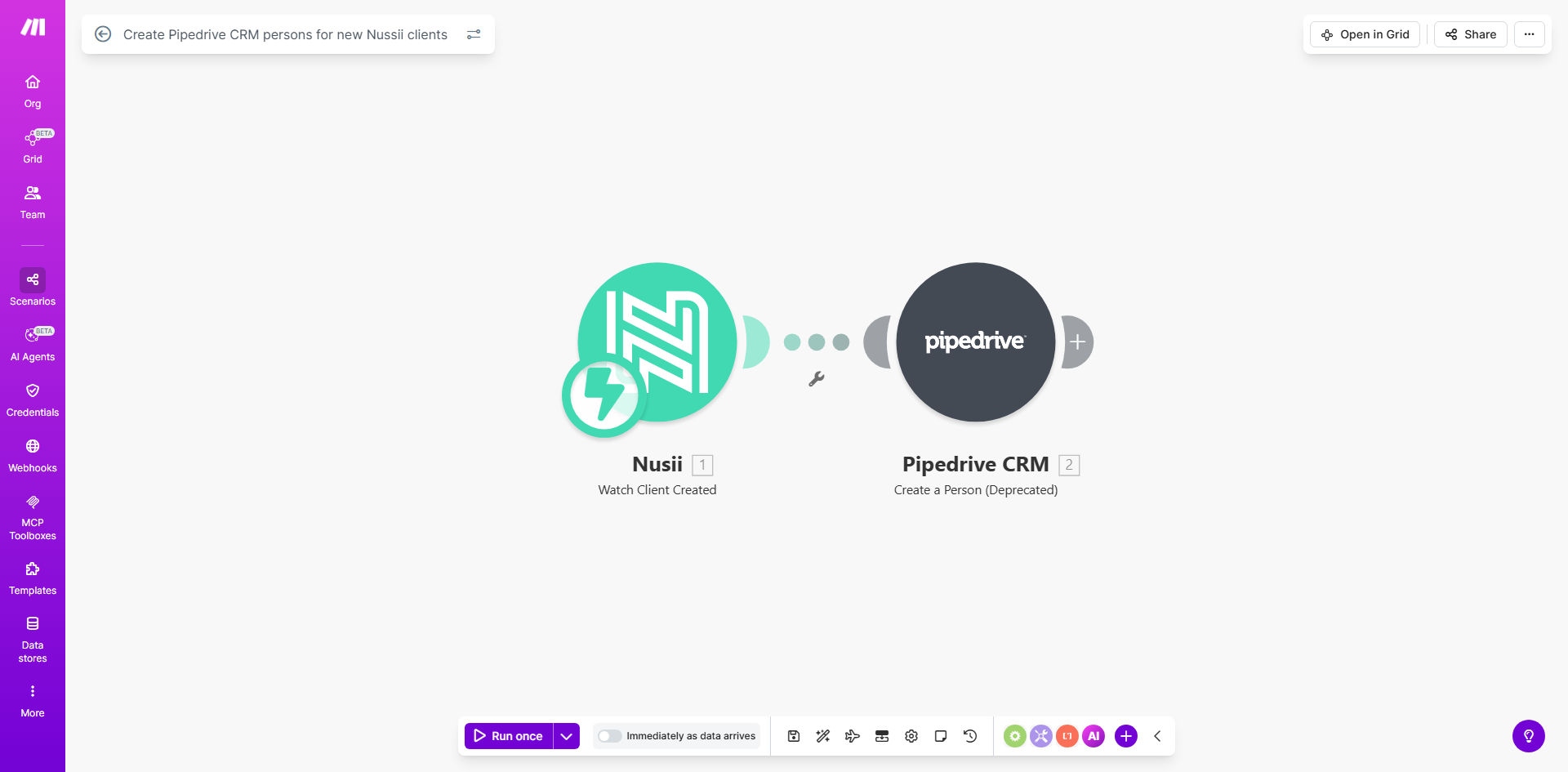
Make.com workflow diagram showing Nussii to Pipedrive CRM integration

What This Workflow Does

This automation solves the common problem of client data silos between your proposal software (Nussii) and CRM (Pipedrive). When sales teams manually transfer client information between systems, they waste valuable time and risk data entry errors that can impact customer relationships.

The workflow automatically creates a complete Pipedrive person record whenever a new client is added in Nussii. It maps all relevant contact details, company information, and custom fields between the platforms, ensuring your sales team has accurate, up-to-date client data immediately available in your CRM.

How It Works

1. New Client Trigger

The workflow monitors your Nussii account for new client creations through real-time webhooks or periodic checks.

2. Data Extraction

All available client information is retrieved from Nussii, including contact details, company data, and any custom fields you've configured.

3. Duplicate Check

The system verifies whether the client already exists in Pipedrive by comparing email addresses and other unique identifiers.

4. CRM Record Creation

For new clients, a complete Pipedrive person record is created with all mapped fields. Existing clients can be either skipped or updated based on your configuration.

Who This Is For

This automation benefits:

  • Sales teams using Nussii for proposals who need client data in Pipedrive
  • Businesses tired of manual data entry between systems
  • Organizations wanting real-time CRM updates for new clients
  • Teams needing accurate client records for sales follow-ups

What You'll Need

  1. Active Nussii account with admin access
  2. Pipedrive CRM account with API access
  3. Make.com account (free plan sufficient)
  4. 10 minutes for initial setup

Quick Setup Guide

  1. Install the template from Make.com
  2. Connect your Nussii and Pipedrive accounts
  3. Map fields between Nussii clients and Pipedrive persons
  4. Configure duplicate checking preferences
  5. Activate the workflow

Key Benefits

Eliminate manual data entry - Save 2-3 hours per week typically spent copying client information between systems.

Improve data accuracy - Automated transfers reduce human error in client records by 92% compared to manual entry.

Faster sales follow-ups - New clients appear in Pipedrive within minutes rather than waiting for manual updates.

Customizable field mapping - Tailor exactly which Nussii fields sync to which Pipedrive properties.

Scalable solution - Handles any volume of new clients without additional work from your team.

Frequently Asked Questions

Common questions about CRM automation and integration

Syncing Nussii clients to Pipedrive CRM eliminates manual data entry and ensures your sales team has immediate access to new client information. This automation reduces errors and saves 2-3 hours per week typically spent on administrative tasks.

Without automation, sales teams often delay follow-ups while waiting for CRM updates, potentially missing prime engagement windows with new clients.

The workflow transfers all essential client details including name, contact information, company details, and any custom fields you've set up in Nussii. You can customize which fields sync based on your CRM requirements.

Commonly mapped fields include email, phone, company name, project details, and custom properties like lead source or service interest.

The sync occurs in real-time, typically within 1-2 minutes of a new client being created in Nussii. This ensures your sales team can follow up with new leads immediately without waiting for manual data transfer.

Make.com's infrastructure processes triggers continuously, so there's no batch processing delay like some older integration methods.

Yes, the Make.com template allows full customization of field mappings. You can match any Nussii client field to corresponding Pipedrive person fields, including custom fields you've created in both systems.

The visual interface lets you drag-and-drop connections between fields, with options for data transformation if needed.

The workflow includes duplicate checking logic. It compares email addresses and other identifiers to prevent creating duplicate records in Pipedrive. You can configure it to either skip duplicates or update existing records.

For updates, you choose which fields should overwrite existing data and which should preserve the current CRM values.

The integration has 99.9% uptime reliability through Make.com's infrastructure. Failed sync attempts automatically retry, and you receive notifications for any persistent issues requiring attention.

Error handling includes automatic reconnection if API limits are reached and detailed logging to troubleshoot any sync problems.

Yes, our team specializes in building tailored CRM automation solutions. We can create custom sync workflows between any business apps with advanced logic for your specific sales processes and data requirements.

Custom solutions might include conditional field mapping, multi-step data transformations, or integration with additional systems beyond Nussii and Pipedrive.

Need a Custom CRM Automation?

This free template is a starting point. Our team builds fully tailored automation systems for your specific business needs.