Make.com HubSpot Nusii CRM Sync Automation

Create HubSpot CRM Contacts for New Nusii Clients

Automatically sync new client data from Nusii proposals to HubSpot CRM contacts

Get This Workflow → Make.com · HubSpot · Free Template
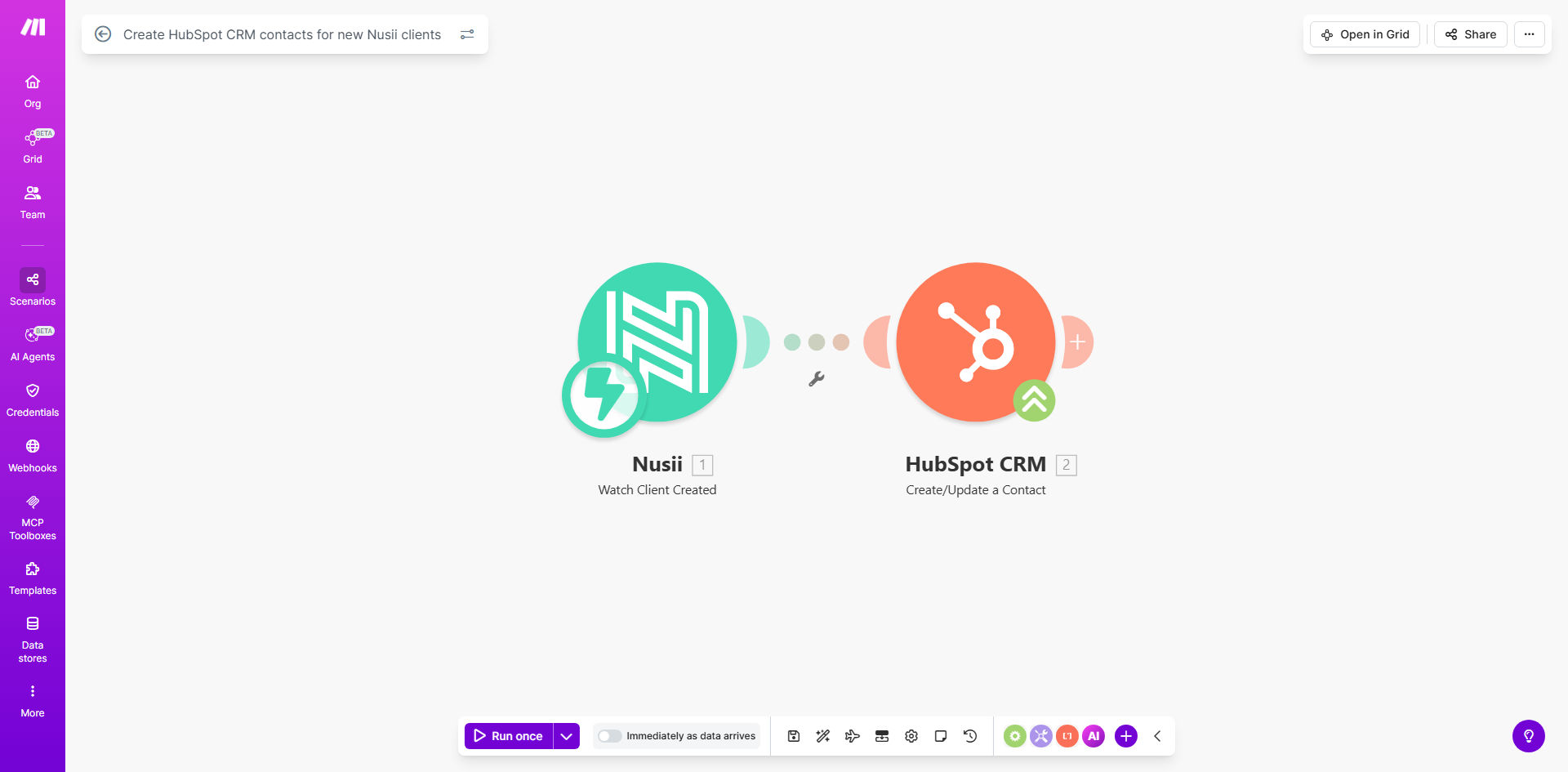
Make.com workflow diagram showing Nusii to HubSpot CRM contact sync

What This Workflow Does

This automation solves a critical gap in the sales-to-CRM handoff process for businesses using Nusii for proposals and HubSpot as their CRM. Every time a client accepts your proposal in Nusii, their contact information is automatically created as a new record in HubSpot without any manual data entry.

The workflow eliminates the risk of missed follow-ups or incomplete CRM records that often happen when sales teams must manually transfer client information between systems. It ensures your entire team has immediate access to new client details in HubSpot, where you can trigger nurturing sequences, assign tasks, and track the full customer journey.

How It Works

1. New Client Trigger in Nusii

The workflow monitors your Nusii account for new client creations. When a proposal is accepted and a client record is established, Make.com detects this event instantly.

2. Data Extraction and Mapping

The automation extracts all relevant client information from Nusii including name, email, company details, and any custom fields you've configured. This data is formatted to match HubSpot's contact field structure.

3. HubSpot Contact Creation

Make.com uses HubSpot's API to create a new contact record with all the mapped information. The workflow can be configured to add contacts to specific lists or apply tags for segmentation.

4. Error Handling and Logging

If any issues occur during the sync, the workflow includes built-in error handling with retry logic and detailed logging for troubleshooting.

Who This Is For

This automation is ideal for agencies, consultants, and professional service providers who:

  • Use Nusii for client proposals and contracts
  • Manage customer relationships in HubSpot CRM
  • Want to eliminate manual data entry between systems
  • Need real-time visibility into new clients across teams
  • Want to trigger automated follow-ups in HubSpot immediately after proposal acceptance

What You'll Need

  1. An active Nusii account with admin access
  2. A HubSpot CRM account with API access enabled
  3. A Make.com account (free plan sufficient for basic usage)
  4. Approximately 15 minutes for initial setup

Quick Setup Guide

  1. Clone the template in your Make.com account
  2. Connect your Nusii account via API key
  3. Authenticate with your HubSpot account
  4. Map Nusii fields to corresponding HubSpot contact properties
  5. Test with a sample Nusii client record
  6. Activate the scenario for automatic syncing

Key Benefits

Eliminate manual data entry - Save 5-10 minutes per client by automatically transferring information instead of copying/pasting between systems.

Improve data accuracy - Remove human error from the equation with 100% consistent field mapping between platforms.

Accelerate follow-ups - Sales teams can begin nurturing new clients immediately since contacts appear in HubSpot within seconds.

Maintain complete CRM records - Every Nusii client becomes a fully-tracked HubSpot contact with complete history from first interaction.

Scale your operations - The automation works consistently whether you add 5 or 500 new clients per month.

Frequently Asked Questions

Common questions about Nusii-HubSpot integration and automation

Automating client data sync eliminates manual entry errors and ensures your sales team always has updated contact information. This creates a seamless handoff from proposal to CRM, improving follow-up speed and customer experience.

For example, marketing agencies using this automation report 30% faster response times to new clients because contacts immediately appear in HubSpot workflows instead of waiting for manual entry.

The workflow transfers all standard contact fields including name, email, company, and any custom fields you've mapped. This creates complete HubSpot contact records with the same details as your Nusii client profiles.

You can customize exactly which fields sync based on your business needs. Common additional fields include project value, service type, proposal terms, and custom questionnaire responses collected during the Nusii proposal process.

Contacts are created in HubSpot within seconds of being added to Nusii. The real-time sync ensures no delay in your sales team accessing new client information.

This immediate transfer is particularly valuable for time-sensitive services where early engagement impacts customer satisfaction and retention rates.

Yes, you can add filters in the Make scenario to only sync clients meeting specific criteria like project type, deal size, or custom Nusii fields.

This selective syncing helps maintain CRM hygiene by excluding test proposals, internal projects, or clients below a certain threshold from cluttering your HubSpot database.

The workflow can be configured to either update existing HubSpot contacts or skip duplicates, preventing data overwrites while maintaining CRM integrity.

Most businesses choose to update existing records to ensure proposal details and recent interactions are always current in HubSpot, while preserving historical data and activity logs.

Make.com's platform provides enterprise-grade reliability with automatic retries for failed syncs and detailed logs for troubleshooting any issues that may occur.

The workflow includes multiple safeguards including data validation before transfer, API error handling, and notification alerts if any sync attempts fail after multiple retries.

Yes, GrowwStacks specializes in building tailored automation solutions that match your specific business processes and tech stack requirements.

Our team can create custom workflows that incorporate additional steps like assigning sales reps, triggering onboarding sequences, or syncing data to other systems beyond HubSpot. We handle all the technical implementation so you get a turnkey solution.

  • Custom field mapping for your unique data
  • Multi-system integrations beyond HubSpot
  • Automated notifications and alerts

Need a Custom Client Sync Automation?

This free template is a starting point. Our team builds fully tailored automation systems for your specific business needs.