Make.com Tally Forms Nusii Client Onboarding Proposal Automation

Automatically Create Nusii Clients from Tally Responses

Eliminate manual data entry between your lead forms and proposal software

Get This Workflow → Make.com · Free Template
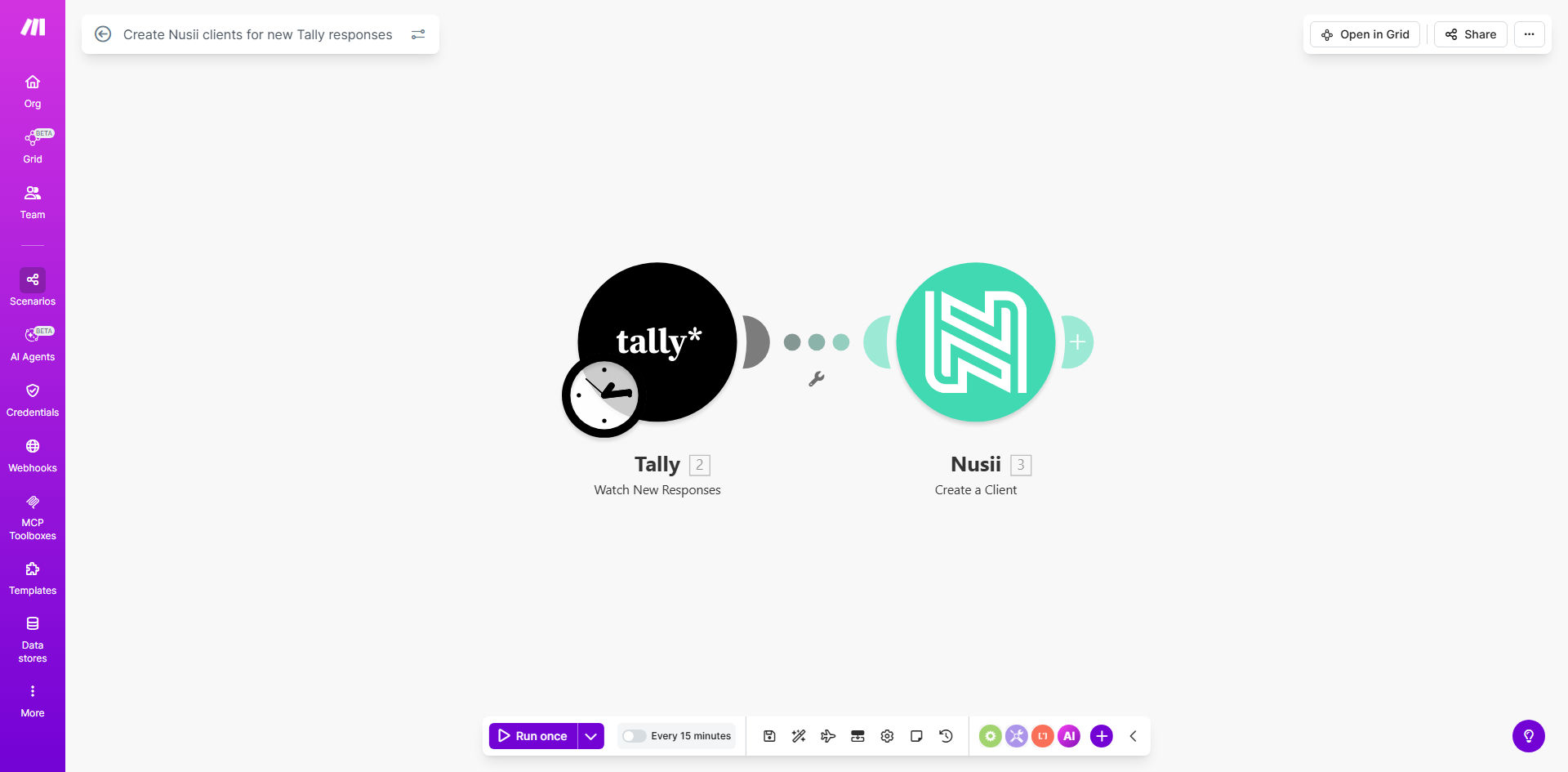
Make.com workflow diagram showing Tally to Nusii integration

What This Workflow Does

This automation solves a common pain point for service businesses using Tally forms for lead capture and Nusii for proposals. Manually transferring client information between these systems wastes valuable time and introduces errors. The workflow automatically creates new Nusii client records whenever someone submits your Tally form, ensuring seamless handoff from lead to proposal.

By connecting these platforms, you eliminate duplicate data entry while ensuring no potential client falls through the cracks. The automation runs continuously in the background, checking for new form submissions at regular intervals and populating all relevant client details directly into Nusii.

How It Works

1. Monitors Tally for new responses

The workflow periodically checks your Tally form for new submissions based on your preferred schedule (default: every 30 minutes). It identifies any responses that haven't been processed yet.

2. Extracts relevant client information

For each new response, the automation pulls key details like name, email, company, and any custom fields from your Tally form that are relevant for proposals.

3. Creates Nusii client records

The system maps the Tally form data to corresponding fields in Nusii, automatically generating properly formatted client records ready for proposal creation.

Pro tip: Customize the field mappings to ensure all information you need for proposals transfers accurately between systems.

Who This Is For

This automation delivers the most value for:

  • Freelancers and consultants who send frequent proposals
  • Creative agencies handling multiple client inquiries
  • Service businesses using Tally for lead capture
  • Teams that want to reduce administrative work
  • Businesses experiencing growth in client inquiries

What You'll Need

  1. An active Tally account with at least one published form
  2. A Nusii Proposals account
  3. Make.com account (free plan sufficient)
  4. API connections between these services
  5. Clear understanding of which form fields should map to Nusii

Quick Setup Guide

  1. Click "Get This Workflow" to copy the template to your Make.com account
  2. Connect your Tally and Nusii accounts via OAuth
  3. Select which Tally form to monitor
  4. Map your Tally form fields to corresponding Nusii client fields
  5. Set your preferred polling interval (how often to check for new responses)
  6. Test with a form submission to verify the client creation works
  7. Turn on the scenario to run automatically

Key Benefits

Save 5-15 minutes per client by eliminating manual data transfer between systems. For businesses handling 20 proposals/month, this adds up to 20+ hours saved annually.

Reduce proposal turnaround time by having client records ready in Nusii immediately after form submission, allowing you to start proposals faster.

Improve data accuracy by removing human error from copying information between platforms.

Never miss a lead with automatic processing of all form submissions, even during busy periods.

Customizable to your workflow with adjustable field mappings and processing rules to match your specific proposal process.

Frequently Asked Questions

Common questions about Tally-Nusii automation and integration

Automating client creation saves significant time by eliminating manual data entry between systems. When a prospect submits your Tally form, their information automatically flows into Nusii as a client record, reducing errors and ensuring proposals start faster.

This creates a seamless experience from lead capture to proposal generation. Businesses typically see proposal turnaround times improve by 30-50% after implementing this automation.

Service businesses that frequently send proposals benefit most, especially agencies, consultants, and freelancers. These professionals often receive inquiries through forms but waste time recreating client details in proposal software.

The automation ensures every lead becomes a properly tracked client opportunity in Nusii. Teams handling multiple concurrent projects see the greatest efficiency gains from eliminating this repetitive administrative task.

The workflow runs at customizable intervals (typically every 15-60 minutes) to check for new submissions. You can adjust the frequency based on your proposal volume - more frequent checks for high-volume businesses, less frequent for those with fewer leads to optimize system resources.

Most users find checking every 30 minutes provides the right balance between responsiveness and system efficiency. The interval doesn't affect form submission time - leads still reach you immediately when submitted.

The template maps common Tally form fields like name, email, company, and project details to corresponding Nusii client fields. You can customize which specific fields transfer based on your form structure and proposal needs.

Typical mappings include contact information, project requirements, budget ranges, and timeline preferences. The automation preserves all form response data while only pushing relevant details to Nusii.

Yes, you can add conditional logic to only create clients for qualified leads. For example, you might only proceed with responses that include budget information or specific project requirements.

Common filters include minimum budget thresholds, required fields being completed, or specific service selections. This prevents cluttering your Nusii client list with unqualified inquiries while ensuring promising leads get immediate attention.

The workflow can be configured to either create new client records each time or update existing ones. Most businesses prefer updating existing records to maintain clean client data.

When configured for updates, the system merges new information from subsequent submissions while preserving existing proposal history. This gives you a complete view of all client interactions while avoiding duplicate records.

Absolutely. GrowwStacks specializes in building tailored automation solutions that match your specific workflow. We can customize field mappings, add conditional logic, integrate additional systems, and optimize the automation for your unique proposal process.

Our clients typically see ROI within 1-2 months from reduced administrative time and faster proposal cycles. Common customizations include adding CRM integration, automatic follow-up sequences, and proposal status tracking.

  • Free consultation to assess your needs
  • Custom field mapping configuration
  • Integration with your existing tools

Need a Custom Tally-Nusii Automation?

This free template is a starting point. Our team builds fully tailored automation systems for your specific business needs.