Make.com CRM Automation Nusii Integration Bullet CRM Client Sync

Automatically Create Bullet Clients from Nusii

Sync new clients between your proposal software and CRM instantly - no manual data entry required

Get This Workflow → Make.com · Nusii to Bullet · Free Template
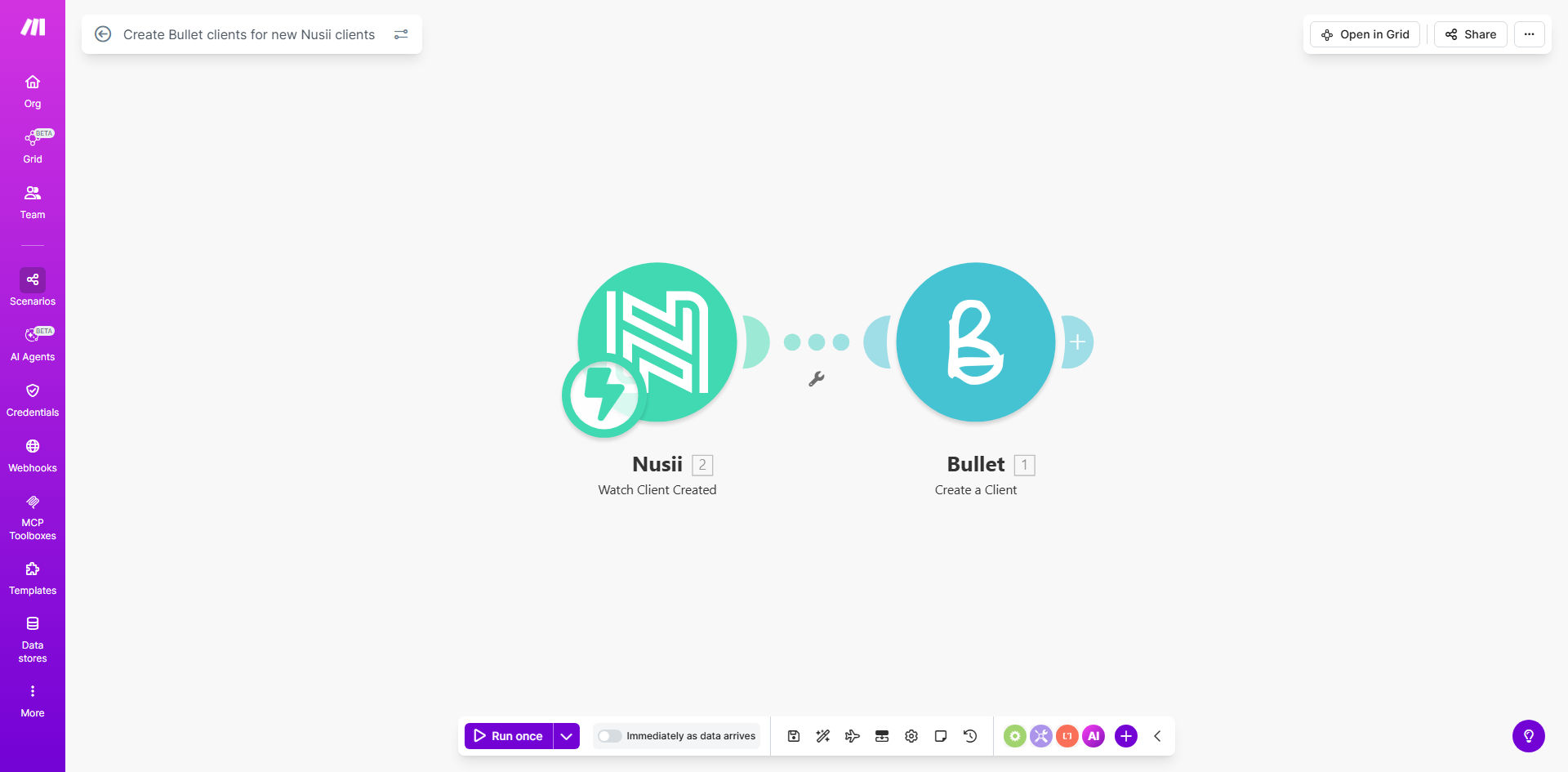
Make.com workflow diagram showing Nusii to Bullet client sync automation

What This Workflow Does

This automation solves a critical gap in many service businesses' operations - the disconnect between proposal tools and CRM systems. When you win a new client in Nusii (your proposal software), their information needs to flow into Bullet (your CRM) to kickstart your client onboarding and project management processes.

Without automation, this requires manual copy-pasting of client details between systems - a time-consuming process prone to errors. This workflow eliminates that friction by automatically creating identical client records in Bullet the moment they're added to Nusii, ensuring your sales and delivery teams always work with up-to-date information.

How It Works

1. New client detection

The workflow monitors your Nusii account for new client creations using Make.com's real-time triggers. As soon as a client record appears, the automation captures all available details including contact information, company data, and custom fields.

2. Data transformation

Make.com processes the Nusii client data to match Bullet's expected format. This step handles field mapping, data cleaning, and any necessary transformations to ensure seamless integration between the different systems.

3. Bullet client creation

The processed data gets sent to Bullet via its API, creating a new client record with all the transferred information. The workflow can be configured to include additional default values or tags specific to your Bullet setup.

Pro tip: Add a custom field in Bullet to track which clients came from Nusii proposals. This helps measure your proposal conversion rates directly in your CRM.

Who This Is For

This automation delivers the most value for service businesses that:

  • Use Nusii for client proposals and Bullet as their CRM
  • Handle 5+ new clients per month (saving 30-60 minutes weekly)
  • Have teams that need immediate access to new client information
  • Want to eliminate manual data transfer errors between systems
  • Need to trigger downstream processes based on new clients

What You'll Need

  1. A Make.com account (free plan works for basic usage)
  2. Active Nusii and Bullet accounts with admin access
  3. API keys for both Nusii and Bullet (typically found in account settings)
  4. Basic understanding of your client data fields in both systems

Quick Setup Guide

  1. Click "Get This Workflow" to copy the template to your Make.com account
  2. Connect your Nusii account in the first module
  3. Connect your Bullet account in the output module
  4. Map the fields between Nusii and Bullet (default mappings are provided)
  5. Test with a sample client to verify the sync works correctly
  6. Turn on the scenario to begin automatic processing

Key Benefits

Eliminate manual data entry - Save 5-10 minutes per new client by automatically transferring information instead of copying and pasting between systems.

Reduce human errors - Automated syncs prevent typos, missed fields, and other mistakes that commonly occur during manual data transfer.

Faster team onboarding - Sales, account managers, and delivery teams get immediate access to new client information in Bullet without waiting for manual updates.

Better data consistency - Maintain identical client records across both systems, ensuring everyone works with the same up-to-date information.

Scalable processes - Handle client volume growth without adding administrative overhead to your proposal-to-CRM handoff process.

Frequently Asked Questions

Common questions about Nusii-Bullet automation and integration

Automating client sync between Nusii and Bullet eliminates manual data entry errors and ensures your CRM always has the latest client information. This saves 5-10 minutes per new client while maintaining data consistency across systems.

For agencies handling multiple new clients weekly, this automation can recover 4+ hours monthly of previously wasted administrative time that can now be spent on higher-value activities.

The workflow transfers all essential client details including name, email, company information, and any custom fields you've set up in Nusii. You can customize which fields get mapped during setup to match your Bullet CRM structure.

Common additional fields include proposal value, project scope, and custom tags that help categorize clients in your Bullet pipeline. The template includes mappings for standard fields with easy options to add more.

The automation typically processes new Nusii clients within 1-2 minutes. Make.com's real-time triggers ensure immediate processing, though occasional delays may occur during peak system loads.

For time-sensitive processes, you can add priority tagging in Nusii that triggers instant syncs for high-value clients while others process in the normal queue.

Yes, you can add conditional logic to only sync clients meeting specific criteria like project type, budget threshold, or custom tags. This prevents your Bullet CRM from getting cluttered with unqualified leads.

For example, many users set filters to only sync clients with approved proposals or minimum contract values that match their ideal customer profile.

The workflow can be configured to either skip duplicates or update existing records. Most users choose to update only specific fields to maintain historical data while refreshing contact information.

Advanced setups can even create activity records in Bullet noting when client information was updated from Nusii, providing a complete audit trail of changes.

Make.com's platform maintains 99.9% uptime for API connections. The workflow includes error handling to retry failed syncs and notify you of any issues, ensuring reliable data transfer between systems.

For additional reliability, the template includes options to log all sync attempts and send daily summary reports of successful/unsuccessful transfers for your review.

Absolutely. Common additions include sending welcome emails, creating follow-up tasks, or triggering internal notifications when high-value clients come through from Nusii proposals.

The modular design makes it easy to insert steps like creating project templates in Bullet, assigning team members, or initiating onboarding sequences - all automatically triggered by the new client sync.

Yes, GrowwStacks specializes in building tailored automation solutions. We can create custom workflows that match your specific business processes, add conditional logic, and integrate with other tools in your stack.

Our automation consultants will analyze your Nusii and Bullet usage patterns to design a solution that fits your exact requirements, whether you need complex field mappings, multi-step onboarding sequences, or integration with additional tools like your accounting software or project management system.

  • Custom field mappings for your unique data structure
  • Conditional workflows based on proposal value or type
  • Multi-system integrations beyond just Nusii and Bullet

Need a Custom Nusii-Bullet Automation?

This free template is a starting point. Our team builds fully tailored automation systems for your specific business needs.