Make.com Service Business Task Automation Service Provider Pro Amazing Marvin

Automate Service Provider Pro to Amazing Marvin Task Creation

Never miss a client order again with automatic task creation in your project management system

Get This Workflow → Make.com · Service Provider Pro · Free Template
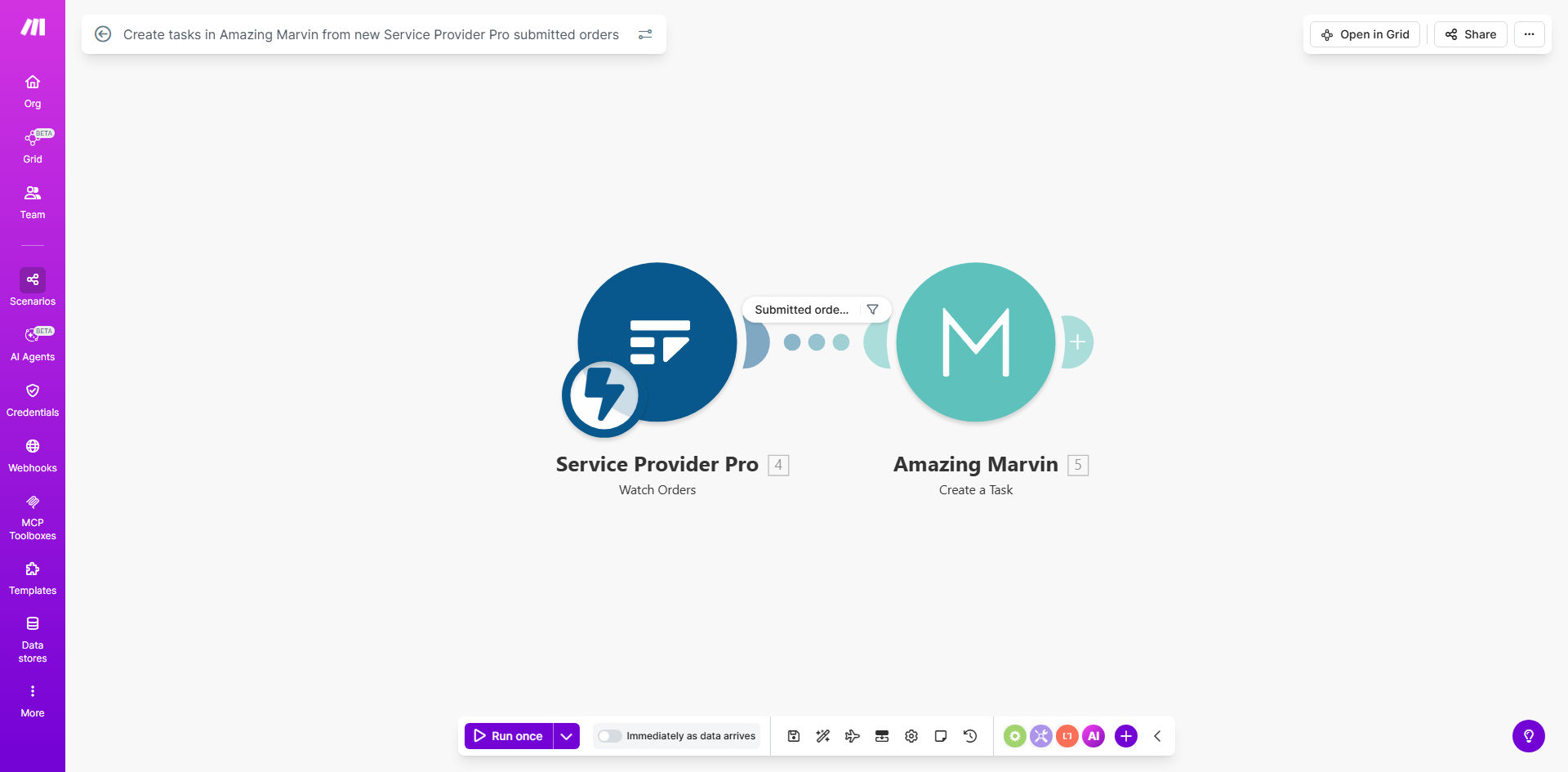
Service Provider Pro to Amazing Marvin integration workflow diagram

What This Workflow Does

This automation solves a critical pain point for service businesses using Service Provider Pro for client management and Amazing Marvin for task organization. Every time a client submits a new order in Service Provider Pro, this workflow automatically creates a corresponding task in Amazing Marvin with all relevant details.

The integration eliminates manual data entry, reduces errors, and ensures no client requests fall through the cracks. Service teams can focus on delivering excellent service rather than administrative task management.

How It Works

1. New order detection

The workflow continuously monitors Service Provider Pro for newly submitted orders through API connections or webhook triggers.

2. Data extraction

Key order details like client name, service type, due date, and special instructions are extracted from the Service Provider Pro order.

3. Task creation

The workflow formats the extracted data into Amazing Marvin's task structure and creates a new task in the appropriate project or category.

4. Confirmation

The system verifies successful task creation and can optionally notify team members or update Service Provider Pro with task status.

Who This Is For

This workflow is ideal for:

  • Service businesses using Service Provider Pro for client management
  • Teams that track work in Amazing Marvin
  • Businesses processing 10+ client orders weekly
  • Teams struggling with manual task entry errors
  • Companies wanting to improve client response times

What You'll Need

  1. Active Service Provider Pro account with API access
  2. Amazing Marvin account with API keys
  3. Make.com account (free tier works)
  4. List of field mappings between systems
  5. Standardized naming conventions in Service Provider Pro

Quick Setup Guide

  1. Clone the template in your Make.com account
  2. Connect your Service Provider Pro account
  3. Authenticate with Amazing Marvin
  4. Map Service Provider Pro fields to Amazing Marvin task properties
  5. Test with a sample order
  6. Activate the workflow

Pro tip: Create standardized service codes in Service Provider Pro that map directly to Amazing Marvin categories for automatic task sorting.

Key Benefits

Eliminate manual data entry - Save 5-15 minutes per order that would normally be spent copying information between systems.

Reduce errors - Automated transfers have near-zero error rates compared to manual entry which averages 5-10% mistake rates.

Faster response times - Tasks appear in Amazing Marvin within seconds rather than waiting for manual processing.

Improved accountability - Every client request gets tracked from initial order through completion.

Scalable operations - Handle order volume increases without adding administrative staff.

Frequently Asked Questions

Common questions about Service Provider Pro and Amazing Marvin integration

Connecting Service Provider Pro with Amazing Marvin eliminates manual task creation, reduces errors, and ensures all client orders immediately appear in your task management system. This saves 2-3 hours per week for most service businesses while improving client response times.

For example, a cleaning service company reduced their order-to-task processing time from 4 hours daily to just minutes, allowing staff to focus on customer service rather than data entry.

The workflow transfers client details, order specifics, due dates, and priority levels. You can customize exactly which fields map between systems to match your workflow requirements.

Common mappings include client name → task title, service description → task notes, due date → task deadline, and special instructions → task checklist items.

Tasks appear in Amazing Marvin within 30-60 seconds of order submission in Service Provider Pro. The integration runs in real-time, ensuring no delays in your workflow.

This near-instant transfer means your team can begin working on new orders immediately without waiting for manual processing or daily batch updates.

Yes, you can customize task titles, descriptions, categories, and priority levels. The template includes mapping options to format tasks exactly how your team needs them.

Popular customizations include adding client tags, setting default durations for service types, and automatically assigning tasks to specific team members based on service category.

The template can be configured to either create a new task or update the existing one. Most businesses choose to update existing tasks to maintain a single source of truth.

For order updates, the workflow can highlight changed fields in Amazing Marvin, notify assigned team members, or trigger approval workflows if the changes are significant.

Yes, tasks can be automatically assigned to specific team members based on service type, client, or other criteria from Service Provider Pro.

The workflow supports complex assignment rules like round-robin distribution, geographic assignments, or skill-based routing. You can also set default assignees for different service categories.

Absolutely! GrowwStacks specializes in building custom integrations between Service Provider Pro and Amazing Marvin tailored to your specific business processes and team workflows.

Our automation consultants can design a solution that handles your unique requirements like special approval workflows, multi-step service processes, or integration with additional tools in your stack.

  • Free initial consultation
  • Custom field mappings
  • Ongoing support included

Need a Custom Service Provider Pro Automation?

This free template is a starting point. Our team builds fully tailored automation systems for your specific business needs.