Make.com Service Business Task Automation Todoist Service Provider Pro

Automatically Create Todoist Tasks from Service Provider Pro Orders

Eliminate manual data entry and ensure no service order falls through the cracks

Get This Workflow → Make.com · Service Provider Pro · Free Template
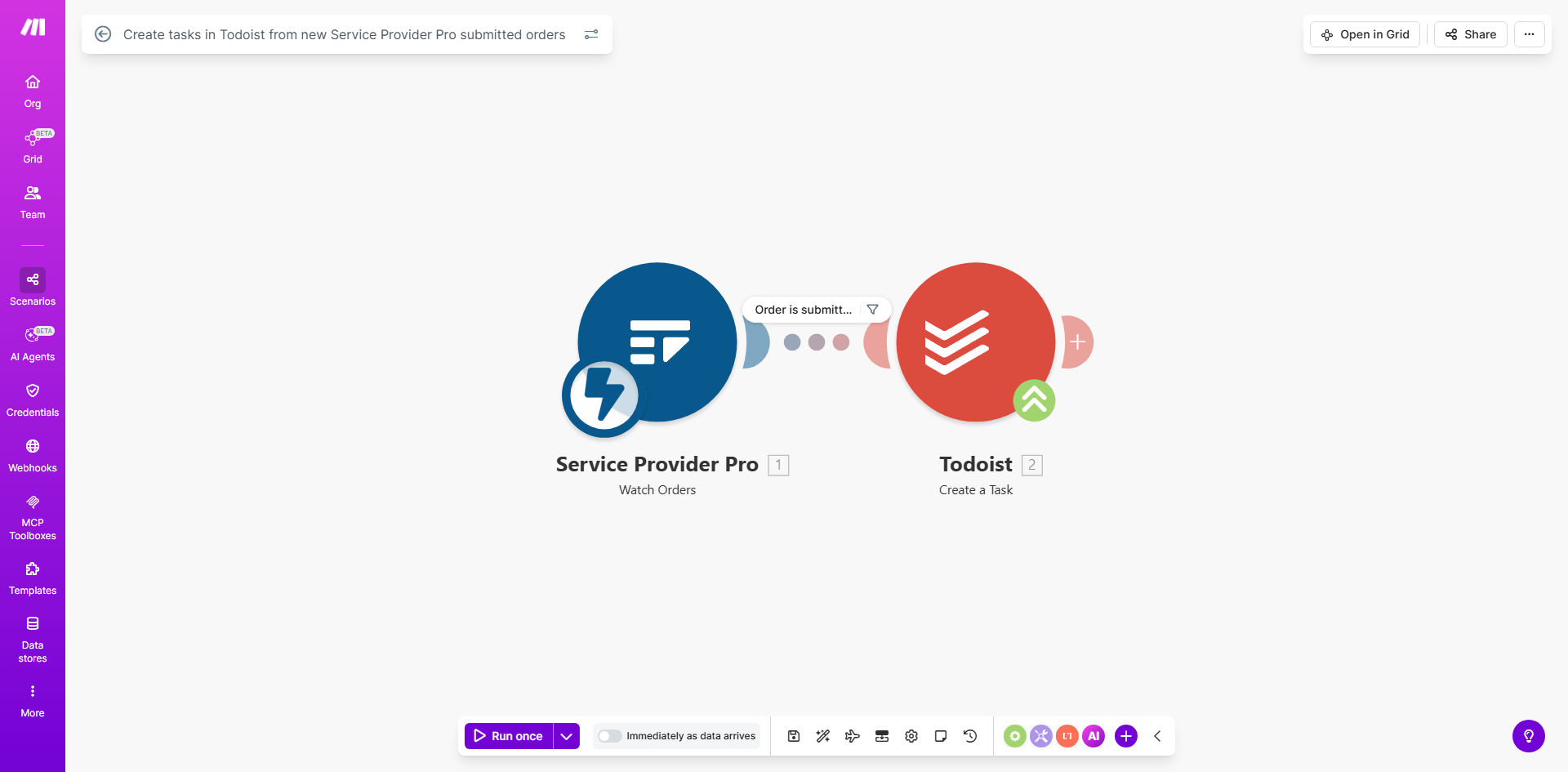
Service Provider Pro to Todoist automation workflow diagram

What This Workflow Does

This automation bridges Service Provider Pro (a field service management platform) with Todoist (popular task management tool) to eliminate manual data entry between systems. Whenever a new service order gets submitted in Service Provider Pro, Make.com automatically creates a corresponding task in Todoist with all relevant details.

Field service businesses often struggle with manual task creation delays that lead to missed appointments or rushed service calls. This workflow ensures technicians receive assignments instantly while maintaining accurate records of what work needs to be done, by whom, and by when.

How It Works

1. New order detection

The workflow monitors Service Provider Pro for newly submitted service orders through real-time webhooks or periodic API checks.

2. Data extraction

Key order details like customer information, service type, priority level, and due date are extracted from the Service Provider Pro record.

3. Task creation

Make.com formats the extracted data into a Todoist-compatible structure and creates a new task in the specified project with all relevant details.

4. Optional assignments

The workflow can automatically assign tasks to specific team members based on service type, location, or technician availability rules.

Pro tip: Add a custom field in Todoist to store the original Service Provider Pro order ID for easy cross-referencing later.

Who This Is For

This automation is ideal for:

  • Field service businesses using Service Provider Pro
  • HVAC, plumbing, electrical, or other trade service companies
  • Businesses that want to eliminate manual task entry between systems
  • Teams using Todoist for technician scheduling and task management
  • Companies needing better visibility into order-to-task completion rates

What You'll Need

  1. Active Service Provider Pro account with API access
  2. Todoist account with API permissions
  3. Make.com account (free plan sufficient)
  4. Basic understanding of your service order workflow

Quick Setup Guide

  1. Connect your Service Provider Pro account in Make.com
  2. Authorize access to your Todoist account
  3. Map Service Provider Pro fields to Todoist task properties
  4. Specify which Todoist project should receive new tasks
  5. Test with sample orders to verify field mapping
  6. Activate the scenario for live order processing

Key Benefits

Eliminate manual data entry - Save 2-3 hours per week by automatically creating tasks instead of copying information between systems.

Faster response times - Technicians receive assignments within seconds of order submission rather than waiting for manual processing.

Improved accuracy - Automated transfers eliminate human errors in copying customer details or service requirements.

Better accountability - Every service order gets tracked as a Todoist task with clear ownership and deadlines.

Scalable operations - Handle increased order volume without adding administrative staff to process tasks.

Frequently Asked Questions

Common questions about service order automation and integration

Automating task creation eliminates manual data entry errors and ensures no service orders fall through the cracks. Field service businesses using this integration report 30-50% faster task assignment and improved customer response times.

A plumbing company reduced missed appointments by 72% after implementing this automation, as technicians received assignments immediately rather than waiting for office staff to manually create tasks.

The workflow transfers key order details like customer name, service type, due date, and priority level. You can customize which fields to include based on your team's needs and Todoist project structure.

Common mappings include service address → task location, estimated duration → task time allocation, and special instructions → task description. The system preserves all original Service Provider Pro order references for tracking.

By automatically creating tasks from new orders, technicians receive assignments faster while office staff save 2-3 hours weekly on manual scheduling. The system also creates an audit trail connecting orders to completed tasks.

Service managers gain real-time visibility into workload distribution across teams. The automation also enables better reporting on order-to-completion timelines and technician productivity metrics.

Yes, the workflow can assign tasks based on service type, location, or technician availability rules you configure. Advanced setups can even factor in travel time between appointments.

For example, HVAC companies often assign jobs by:

  • Technician certification (commercial vs residential)
  • Geographic territory assignments
  • Equipment specialization
  • Current workload balance

The workflow can be extended to update existing Todoist tasks when order details change. This ensures your team always works with current information without manual updates.

Common updates include rescheduled appointment times, changed service requirements, or modified customer contact information. The system can even notify assigned technicians about priority changes.

Make.com processes triggers within seconds, making it ideal for urgent service requests. The system includes error handling to retry failed connections and notify administrators of any issues.

For emergency services, you can configure priority alerts that bypass normal assignment queues. The workflow also supports SLA tracking to ensure urgent requests meet response time targets.

Absolutely. GrowwStacks specializes in tailored service business automations that connect your specific software stack. We can build custom workflows with advanced features like dynamic scheduling, inventory checks, and customer notifications.

Our automation consultants will analyze your current processes to design a solution that:

  • Integrates with your existing tools
  • Matches your business rules and workflows
  • Includes error handling and notifications
  • Provides performance analytics

Need a Custom Service Order Automation?

This free template is a starting point. Our team builds fully tailored automation systems for your specific business needs.