Task Management Team Productivity Project Sync

Create ProofHub Tasks for New Hubstaff Tasks

Automatically sync tasks between Hubstaff and ProofHub to streamline your project management workflow

Get This Workflow Make.com · Free Template
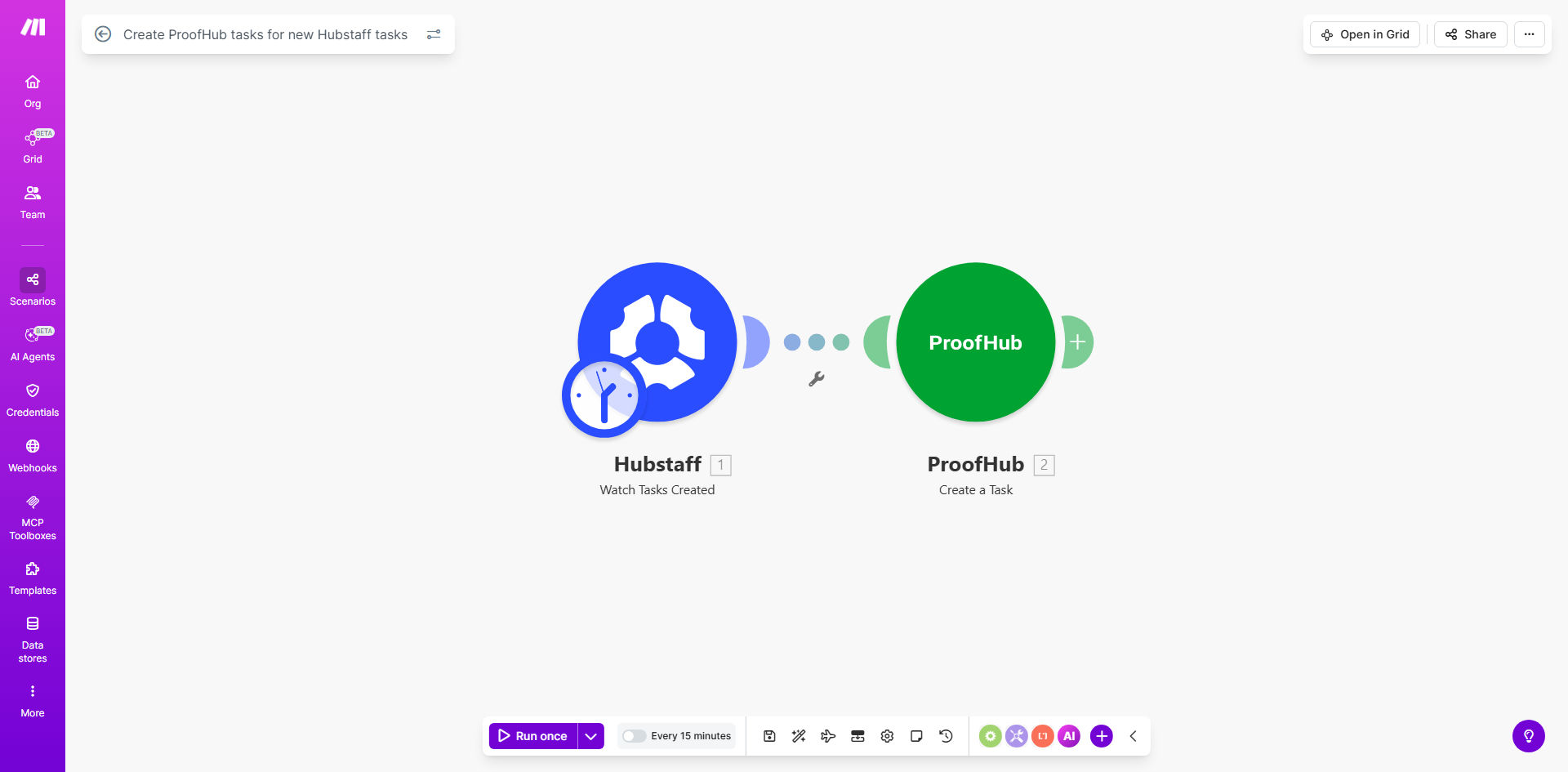
Hubstaff to ProofHub task synchronization workflow diagram

What This Workflow Does

This automation bridges two essential project management tools: Hubstaff for time tracking and task management, and ProofHub for comprehensive project collaboration. Whenever a new task gets created in Hubstaff, the workflow automatically creates a corresponding task in ProofHub with all relevant details.

Teams using both platforms no longer need to manually recreate tasks or risk inconsistencies between systems. The automation ensures your ProofHub projects always reflect the current task list from Hubstaff, saving significant time while improving data accuracy across your toolstack.

How It Works

1. Monitoring Hubstaff for New Tasks

The workflow regularly checks your Hubstaff account for newly created tasks using Make.com's Hubstaff module. You can configure the check frequency based on your team's workflow tempo.

2. Extracting Task Details

For each new task found, the automation extracts key information including task name, description, due date, assignee, and any custom fields you've configured to sync.

3. Creating ProofHub Tasks

The workflow then uses ProofHub's API to create matching tasks in the appropriate project, preserving all the important details from Hubstaff. Assignees receive notifications in ProofHub just as if the task was created manually.

Pro tip: Add a custom field in ProofHub to store the original Hubstaff task ID. This creates a reference link between the systems for future tracking.

Who This Is For

This automation delivers the most value for:

  • Teams using Hubstaff for time tracking but ProofHub as their primary project management tool
  • Managers who need to ensure task consistency across multiple platforms
  • Companies with remote teams that rely on both time tracking and collaborative project management
  • Operations teams tired of duplicate data entry between systems

What You'll Need

  1. Active accounts in both Hubstaff and ProofHub
  2. Make.com account (free plan sufficient for basic usage)
  3. API access enabled in both Hubstaff and ProofHub
  4. Admin permissions to connect these services in Make.com

Quick Setup Guide

  1. Click "Get This Workflow" to open the template in Make.com
  2. Connect your Hubstaff and ProofHub accounts when prompted
  3. Configure which Hubstaff projects to monitor
  4. Map how Hubstaff task fields should translate to ProofHub fields
  5. Set your preferred sync frequency (start with hourly if unsure)
  6. Turn on the scenario and test with a new Hubstaff task

Key Benefits

Eliminate duplicate data entry between Hubstaff and ProofHub, saving each team member 30+ minutes per week previously spent recreating tasks manually.

Maintain perfect synchronization between your time tracking and project management systems, ensuring everyone works from the same updated task list.

Reduce human error that occurs when copying task details between platforms, improving data reliability for reporting and accountability.

Scale your operations without proportional growth in administrative overhead, as the automation handles the repetitive sync work.

Frequently Asked Questions

Common questions about Hubstaff and ProofHub integration

Automating task sync between Hubstaff and ProofHub eliminates manual data entry, reducing errors and saving 2-3 hours per week. Teams stay aligned with real-time task updates across both platforms, improving accountability and project visibility.

The automation ensures consistency between your time tracking and project management systems, giving managers confidence that reports reflect actual work being done.

The automation transfers task names, descriptions, due dates, and assignees. You can customize which fields to sync based on your team's workflow requirements.

Additional fields like priority levels, labels, or custom properties can also be mapped if your workflow requires them. The template provides a foundation you can extend.

The workflow checks Hubstaff at intervals you configure (typically every 15-60 minutes). More frequent checks ensure faster sync but may increase your Make.com operation count.

For most teams, checking every 30 minutes provides a good balance between responsiveness and efficient use of your Make.com plan allowances.

Yes, you can set filters to only sync tasks matching specific criteria like project, priority, or labels. This prevents cluttering ProofHub with irrelevant tasks.

Common filters include syncing only tasks from certain Hubstaff projects or those assigned to specific team members who actively use ProofHub.

The basic template creates new tasks only. For updates, you'd need to extend the automation to watch for task modifications and sync those changes to ProofHub.

This advanced configuration requires additional Make.com modules to compare task versions and selectively update only changed fields in ProofHub.

Make.com's integration is highly reliable with 99.9% uptime. Failed syncs automatically retry, and you receive notifications if persistent errors occur.

The platform includes error handling for common issues like temporary API outages or authentication token expirations, minimizing disruption to your workflow.

Absolutely. GrowwStacks specializes in building tailored integrations that handle complex workflows, custom field mappings, and multi-directional syncs between Hubstaff and ProofHub.

Our automation experts can design a solution that matches your exact business processes, including handling task updates, custom fields, and conditional logic beyond what the template provides.

  • Bidirectional sync capabilities
  • Custom field mapping between platforms
  • Advanced error handling and notifications

Need a Custom Hubstaff-ProofHub Automation?

This free template is a starting point. Our team builds fully tailored automation systems for your specific business needs.