Make.com Service Provider Pro Telegram Notifications Automation

Get new Service Provider Pro messages in Telegram

Automatically forward important messages from Service Provider Pro to your Telegram bot for instant mobile notifications

Get This Workflow → Make.com · Service Provider Pro · Free Template
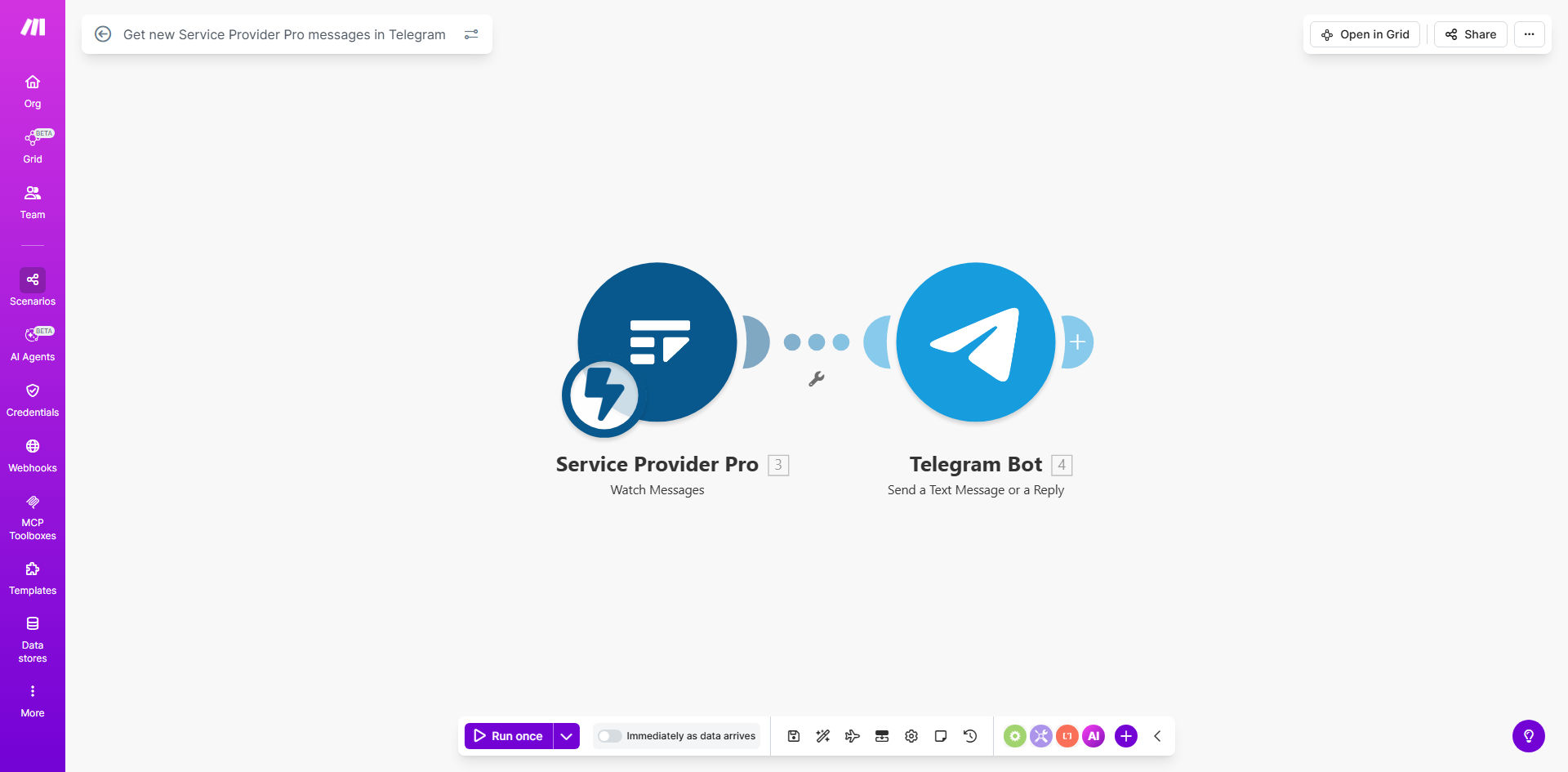
Service Provider Pro to Telegram workflow diagram

What This Workflow Does

This automation solves the challenge of missing critical messages in Service Provider Pro when you or your team aren't actively monitoring the platform. Many service businesses lose valuable response time waiting to check messages, which can impact customer satisfaction and operational efficiency.

The workflow automatically detects new messages in Service Provider Pro and forwards them instantly to a Telegram bot. This ensures your team receives real-time notifications on mobile devices, enabling faster response times and better customer service. The integration maintains message context while adding the convenience of Telegram's robust notification system.

How It Works

1. Monitoring Service Provider Pro

The Make.com scenario continuously checks your Service Provider Pro account for new messages using API triggers. It can detect messages in specific folders or categories based on your configuration.

2. Processing Message Content

When a new message arrives, the workflow extracts relevant details like sender information, message content, timestamps, and any attachments. You can customize which fields to include in the forwarded notification.

3. Sending to Telegram

The formatted message gets sent to your pre-configured Telegram bot, which delivers it to specified chat groups or individual team members. The notification appears instantly on mobile devices with Telegram installed.

Pro tip: Configure different Telegram channels for different message types (urgent requests vs general inquiries) by adding filters in your Make.com scenario.

Who This Is For

This automation is ideal for:

  • Service businesses using Service Provider Pro for client communications
  • Teams that need instant notifications about urgent service requests
  • Business owners who manage operations remotely via mobile
  • Companies wanting to reduce response times to customer inquiries
  • Operations managers overseeing distributed field service teams

What You'll Need

  1. A Service Provider Pro account with API access
  2. A Telegram account and bot token (free to create)
  3. A Make.com account (free tier available)
  4. Basic understanding of webhook configurations
  5. List of Telegram chat IDs for team members who should receive notifications

Quick Setup Guide

  1. Create a Telegram bot using BotFather and note your API token
  2. Set up webhook permissions in your Service Provider Pro account
  3. Import the template into your Make.com account
  4. Configure the trigger to monitor your desired Service Provider Pro folders
  5. Map the Telegram bot settings to your preferred chat destinations
  6. Test with sample messages and adjust formatting as needed

Key Benefits

Reduce response times by 80%: Critical messages reach your team instantly on mobile devices instead of waiting for platform checks.

Never miss urgent requests: Telegram's reliable push notifications ensure high visibility even when team members are mobile.

Centralize communications: Combine Service Provider Pro messages with other alerts in Telegram for unified team coordination.

Customizable alerting: Different message types can route to different Telegram channels based on priority or department.

24/7 monitoring: The automated workflow runs continuously without manual oversight or scheduled checks.

Frequently Asked Questions

Common questions about Service Provider Pro and Telegram integration

Forwarding messages to Telegram provides instant mobile notifications, consolidates communication channels, and enables faster response times. Many businesses use this to ensure critical messages aren't missed while team members are mobile.

For field service companies, this integration means technicians receive job updates immediately rather than waiting to check the platform. Customer support teams can respond to inquiries faster, often while still on-site with other clients.

Telegram bots are highly reliable with 99.9% uptime. They support rich media, group chats, and have robust APIs perfect for business automation. Many customer support teams use Telegram bots for internal alerts.

The platform's cloud-based architecture ensures messages deliver even if individual devices are offline temporarily. Delivery receipts and read status provide accountability for important notifications.

Prioritize automating urgent notifications like service requests, payment alerts, and scheduling changes. Routine messages can remain in the main platform while critical ones get forwarded for immediate attention.

Common automated message types include emergency service calls, last-minute appointment changes, and time-sensitive client requests. You might configure different Telegram channels for different priority levels.

Yes, Make.com allows full customization of message formatting. You can add prefixes, include additional context, or reformat the information to better suit your team's needs.

Many businesses add emoji indicators for priority (❗for urgent), include location maps for service calls, or prepend department tags to route messages appropriately. Attachments like photos or documents transfer seamlessly.

Telegram notifications arrive instantly, have higher open rates (90%+ vs 20% for email), and allow quick replies. They're ideal for time-sensitive communications where email delays could impact service quality.

Unlike email that gets buried in inboxes, Telegram messages appear as push notifications with sound alerts. The threaded conversation format keeps all related communications together for better context.

Make.com uses enterprise-grade encryption for all data transfers. Telegram offers end-to-end encryption in secret chats, and you can restrict bot access to authorized team members only.

For additional security, you can configure the workflow to redact sensitive information before forwarding. Audit logs in both systems provide visibility into message handling and access.

Absolutely. GrowwStacks specializes in custom automation solutions for service businesses. We can build tailored workflows that integrate Service Provider Pro with your preferred communication tools and business systems.

Our team will analyze your specific workflow needs, design an optimal automation strategy, and implement a solution that saves your team hours each week while improving customer responsiveness.

  • Custom message routing rules
  • Integration with your CRM or scheduling system
  • Priority-based alerting protocols

Need a Custom Service Provider Pro Automation?

This free template is a starting point. Our team builds fully tailored automation systems for your specific business needs.