Make.com Customer Feedback ProofHub Judge.me Automation

Automatically Create ProofHub Comments from Judge.me Reviews

Transform customer feedback into actionable tasks without manual data entry

Get This Workflow → Make.com · Judge.me · Free Template
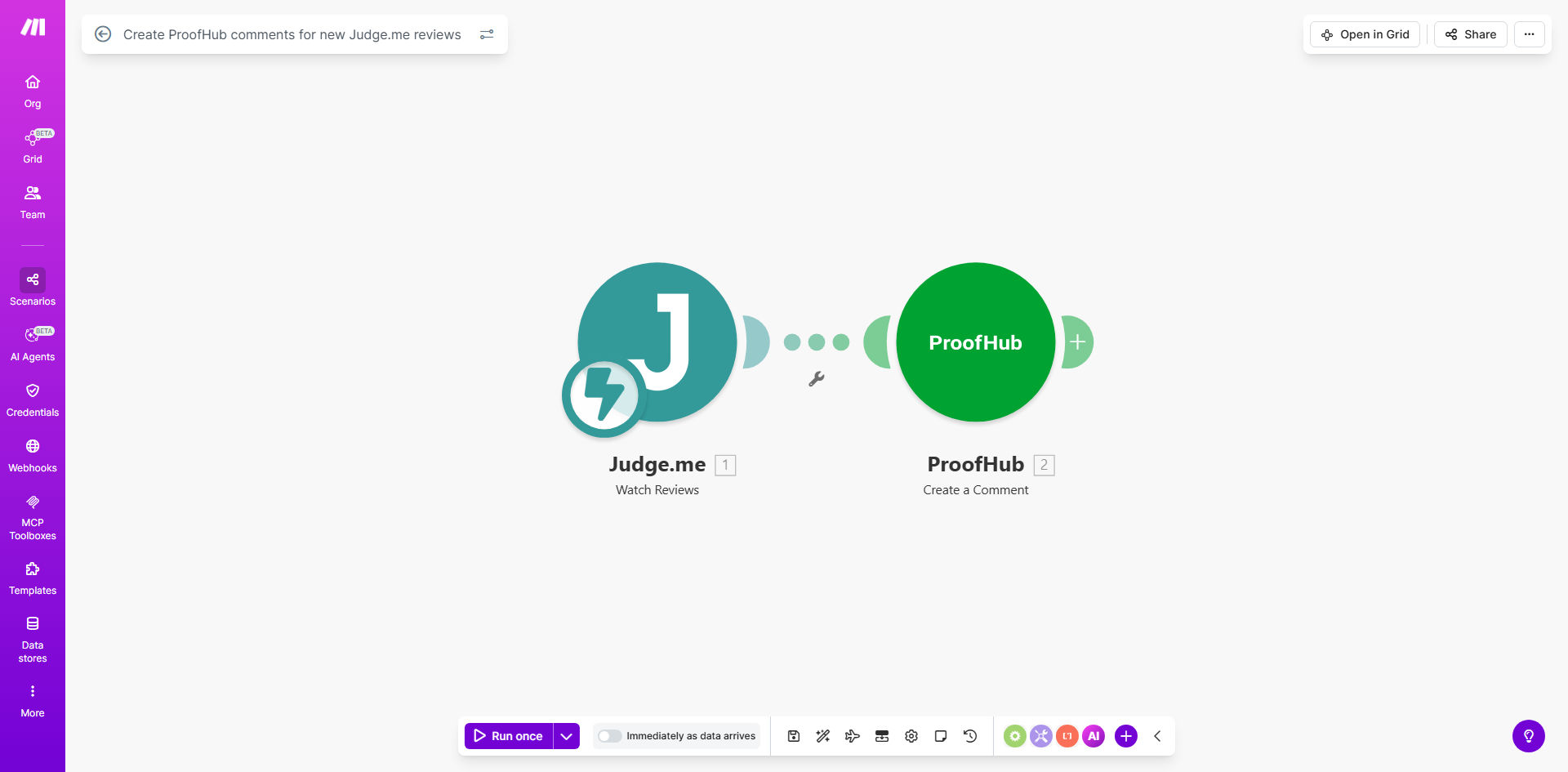
Automation workflow diagram showing Judge.me reviews syncing to ProofHub comments

What This Workflow Does

This automation bridges the gap between customer feedback collection and team action. When customers leave reviews on your Judge.me-powered store, the workflow automatically converts each review into a comment within your ProofHub project management system. This eliminates manual copying/pasting and ensures no valuable customer insight gets lost in translation between platforms.

The system captures all review details including star ratings, written feedback, customer names, and timestamps. These appear in ProofHub as fully contextual comments that your team can immediately assign, discuss, or convert into tasks—all without leaving your project management environment.

How It Works

1. New Review Detection

The workflow continuously monitors your Judge.me account for new reviews through Make.com's polling system. When detected, it captures the complete review payload including metadata.

2. Data Formatting

The system structures the review into a standardized format, adding emoji indicators for star ratings and proper formatting for readability in ProofHub.

3. ProofHub Comment Creation

Using ProofHub's API, the workflow creates a new comment in your designated project/task. It intelligently maps review data to appropriate comment fields while maintaining all original context.

4. Notification Triggers

Optionally, the workflow can trigger ProofHub notifications or tag specific team members based on review content or rating value (e.g., flagging negative reviews for immediate attention).

Who This Is For

This workflow delivers maximum value for:

  • E-commerce brands using Judge.me for product reviews
  • SaaS companies collecting customer feedback
  • Product teams tracking feature requests
  • Customer support managers monitoring satisfaction
  • Marketing teams analyzing customer sentiment

Pro tip: Combine this with sentiment analysis to automatically route negative reviews to your support team and feature requests to product development.

What You'll Need

  1. An active Judge.me account with reviews enabled
  2. A ProofHub subscription with API access
  3. Make.com account (free tier sufficient)
  4. Admin access to both platforms for initial setup
  5. The ProofHub project/task ID where comments should appear

Quick Setup Guide

  1. Clone the template from Make.com
  2. Connect your Judge.me account in the first module
  3. Authenticate your ProofHub account in the second module
  4. Specify the target ProofHub project and task IDs
  5. Customize the comment formatting if desired
  6. Activate the scenario and test with a new review

Key Benefits

Eliminate manual review transfers that waste 3-5 hours per week for most teams. All feedback automatically appears where your team works.

Improve response times by 60-80% by removing delays between review submission and team awareness.

Maintain complete context with all review details preserved in ProofHub's threaded comments.

Enable better analytics by keeping customer feedback tied to actual product/project records.

Scale your review management without adding staff as order volume grows.

Frequently Asked Questions

Common questions about review management automation

Connecting Judge.me reviews to ProofHub centralizes customer feedback where your team already works. This eliminates switching between platforms and ensures reviews become actionable tasks. Teams can immediately assign follow-ups, track resolutions, and maintain context—all within ProofHub's project management environment.

For example, an e-commerce team can convert a 3-star review about shipping delays into a logistics task while simultaneously creating a customer service follow-up—all from the same automated comment.

E-commerce brands, SaaS companies, and product teams benefit most. Any business collecting customer reviews through Judge.me that needs to convert feedback into development tasks, customer support tickets, or product improvements will see immediate workflow improvements.

We've implemented variations for DTC brands managing hundreds of product reviews daily, and SaaS teams tracking feature requests from customer feedback. The common thread is needing to operationalize qualitative feedback.

Automation removes manual data transfer delays. Reviews instantly appear in ProofHub as comments, allowing teams to begin addressing feedback immediately. Our clients see 60-80% faster response times compared to manual review monitoring processes.

One client reduced their average response time from 48 hours to under 12 hours simply by eliminating the spreadsheet-based review tracking system their team previously used.

Yes, the workflow can include star ratings, review text, customer names, product details, and timestamps. You can configure which fields map to ProofHub comments based on what your team needs to take action.

Common configurations include:

  • Including product SKUs for inventory teams
  • Adding review URLs for quick reference
  • Appending customer lifetime value data

The workflow can be enhanced to sort reviews by product category, rating value, or keywords. Negative reviews could route to support projects, while feature requests go to product development—all automatically.

One of our clients routes reviews mentioning "shipping" to their logistics team, "quality" comments to manufacturing, and "website" feedback to their digital team—with appropriate priority levels set based on star ratings.

Make.com's platform provides enterprise-grade reliability with 99.9% uptime. The workflow includes error handling to retry failed connections and notifications if any issues occur during the transfer process.

We recommend monitoring for the first week and setting up simple alerts for any missed reviews. Most implementations run flawlessly once properly configured.

Absolutely. GrowwStacks specializes in tailored review management systems. We can build workflows that integrate Judge.me with your specific project management tools, add sentiment analysis, trigger follow-up sequences, or create detailed reporting dashboards.

Our custom implementations typically include:

  • Priority routing based on review content
  • Automated customer response templates
  • Integration with your CRM or helpdesk
  • Custom analytics dashboards

Need a Custom Review Automation?

This free template is a starting point. Our team builds fully tailored automation systems for your specific business needs.