URL Shortening Marketing Automation Link Tracking Make.com Airtable

Automate URL Shortening with YOURLS and Airtable

Create branded short links and automatically log them in Airtable for centralized tracking and analytics

Get This Workflow Make.com · Free Template
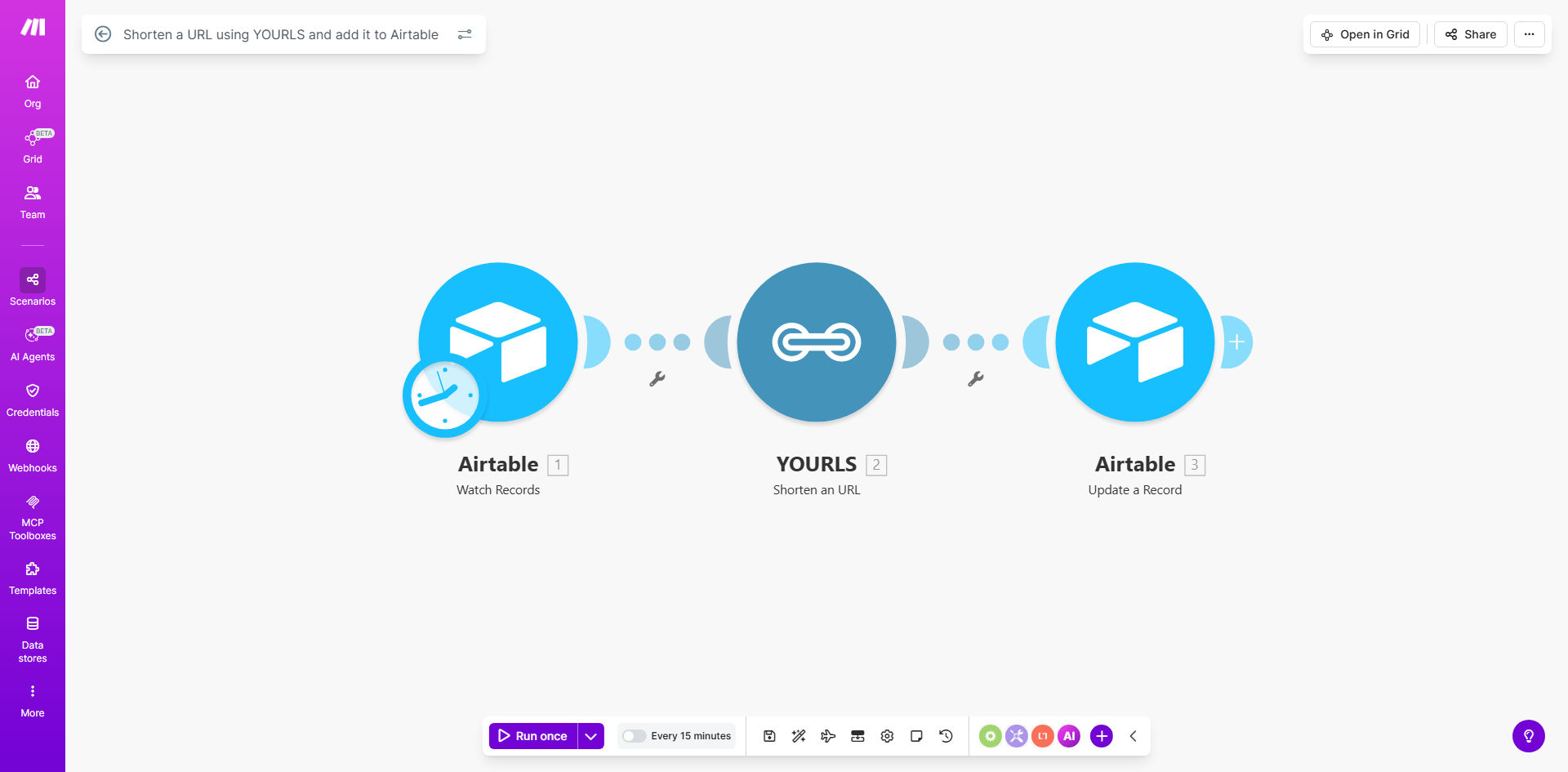
Make.com workflow diagram showing YOURLS and Airtable integration for URL shortening

What This Workflow Does

This automation solves the time-consuming process of manually shortening URLs and maintaining tracking records. Marketing teams often waste hours each week creating short links across various campaigns and documenting them in spreadsheets. The workflow automatically:

1. Takes any long URL from your source (email campaigns, social media, etc.)
2. Creates a branded short version using YOURLS
3. Logs both versions in Airtable with timestamps and metadata
4. Makes the shortened link immediately available for team use

Pro tip: Configure your YOURLS instance with custom domains to reinforce brand recognition in all shared links.

How It Works

Step 1: URL Submission

The workflow triggers when a new URL is added to your designated source, whether through a webhook, form submission, or direct database entry.

Step 2: YOURLS Processing

Make.com connects to your YOURLS instance through its API, sending the original URL and receiving back the shortened version with your custom domain.

Step 3: Airtable Logging

The system creates a new record in your specified Airtable base, storing both URL versions, creation timestamp, and any relevant campaign metadata.

Step 4: Notification & Distribution

Optionally, the workflow can notify team members via Slack or email, or make the shortened link available through other integrated apps.

Who This Is For

This automation delivers the most value for:

  • Marketing teams running multiple campaigns with numerous trackable links
  • Social media managers who need branded short URLs for platforms
  • Content creators distributing links across various channels
  • Support teams sharing standardized resource links with customers
  • Any business wanting centralized control over shared URLs

What You'll Need

  1. A Make.com account (free tier available)
  2. YOURLS instance with API access configured
  3. Airtable account with a prepared base for link tracking
  4. Source of URLs (could be manual entry, form submissions, etc.)

Quick Setup Guide

  1. Duplicate the template in your Make.com account
  2. Connect your YOURLS instance by entering API credentials
  3. Configure the Airtable module with your base and table details
  4. Set up your trigger (webhook, form, or other input method)
  5. Test with sample URLs to verify the end-to-end flow
  6. Deploy and start automating your URL shortening process

Key Benefits

Time savings: Eliminates 5-15 minutes per link that teams typically spend on manual shortening and documentation.

Brand consistency: Ensures all shared links use your branded YOURLS domain rather than generic shorteners.

Centralized tracking: Provides single-source visibility into all shortened links with their original destinations.

Reduced errors: Automatically logs accurate timestamps and prevents manual entry mistakes in your link database.

Scalability: Handles hundreds of links as easily as one, perfect for large campaigns or frequent sharing needs.

Frequently Asked Questions

Common questions about URL shortening automation and integration

Automating URL shortening saves significant time for marketing teams by eliminating manual processes. It ensures brand consistency in shared links while providing centralized tracking of click-through rates and engagement metrics through Airtable integration.

For example, a marketing team running three campaigns per week with 20 links each would save 5-7 hours monthly just on link management tasks. The automation also reduces human error in documentation.

  • Maintains consistent branding across all shared links
  • Provides accurate analytics for campaign performance
  • Eliminates spreadsheet maintenance overhead

YOURLS integration allows marketing teams to create branded short URLs at scale. This maintains professional appearance across all channels while enabling detailed analytics on which campaigns drive the most traffic and conversions.

Unlike generic URL shorteners, YOURLS lets you use custom domains like yourbrand.co/offer that reinforce brand recognition. The integration automatically applies your preferred settings for each shortened link.

  • Builds brand awareness with every shared link
  • Tracks geographic and temporal engagement patterns
  • Allows keyword-based short URLs for better recall

The Airtable integration creates a comprehensive link database with timestamps, original URLs, shortened versions, and campaign metadata. This centralized repository enables performance analysis and simplifies reporting across multiple marketing initiatives.

Teams can add custom fields to track campaign names, target audiences, or performance metrics. This transforms your Airtable base into a powerful analytics dashboard for all shared links.

  • Historical record of every shortened link
  • Custom fields for campaign-specific tracking
  • Easy filtering and sorting by any parameter

Yes, the workflow can process multiple URLs simultaneously when configured properly. This is particularly valuable for email campaigns or social media blasts where dozens of links need consistent shortening and tracking.

The template can be modified to accept CSV uploads or process lists from spreadsheets. Bulk operations maintain the same branding and tracking standards as single URL processing.

  • Process hundreds of links in minutes
  • Maintain consistent formatting in bulk operations
  • Apply campaign tags to entire batches

The workflow includes validation steps to prevent malicious links. However, businesses should implement additional security measures like domain whitelisting and regular audits of shortened URLs in their Airtable database.

Consider adding moderation steps for user-submitted URLs, and implement expiration policies for temporary campaign links. The Airtable integration makes it easy to identify and disable suspicious links.

  • Validate URLs against blacklists
  • Set expiration dates for sensitive links
  • Monitor for unusual click patterns

The shared Airtable database allows multiple team members to access shortened links while maintaining version control. Marketing, sales, and support teams can all reference the same authoritative link repository.

Teams can implement approval workflows where certain links require manager review before shortening. Comment fields in Airtable enable collaboration notes about specific links or campaigns.

  • Eliminates duplicate link creation
  • Provides audit trail of link usage
  • Enables cross-department visibility

Absolutely. GrowwStacks specializes in creating tailored URL management systems that integrate with your existing marketing stack. We can build custom solutions with additional features like expiration dates, geo-targeting, and advanced analytics.

Our team will assess your specific needs around volume, security requirements, and integration points to design an automation system that saves your team time while providing superior link tracking capabilities.

  • Custom domain configuration
  • Advanced analytics integrations
  • Role-based access controls

Need a Custom URL Shortening Automation?

This free template is a starting point. Our team builds fully tailored automation systems for your specific business needs.