Make.com Wave EZOfficeInventory Automated Onboarding Payment Processing

Automatically Create EZOfficeInventory Users from Paid Wave Invoices

Eliminate manual data entry by automatically adding customers to your inventory system when they complete payment in Wave.

Get This Workflow → Make.com · EZOfficeInventory · Free Template
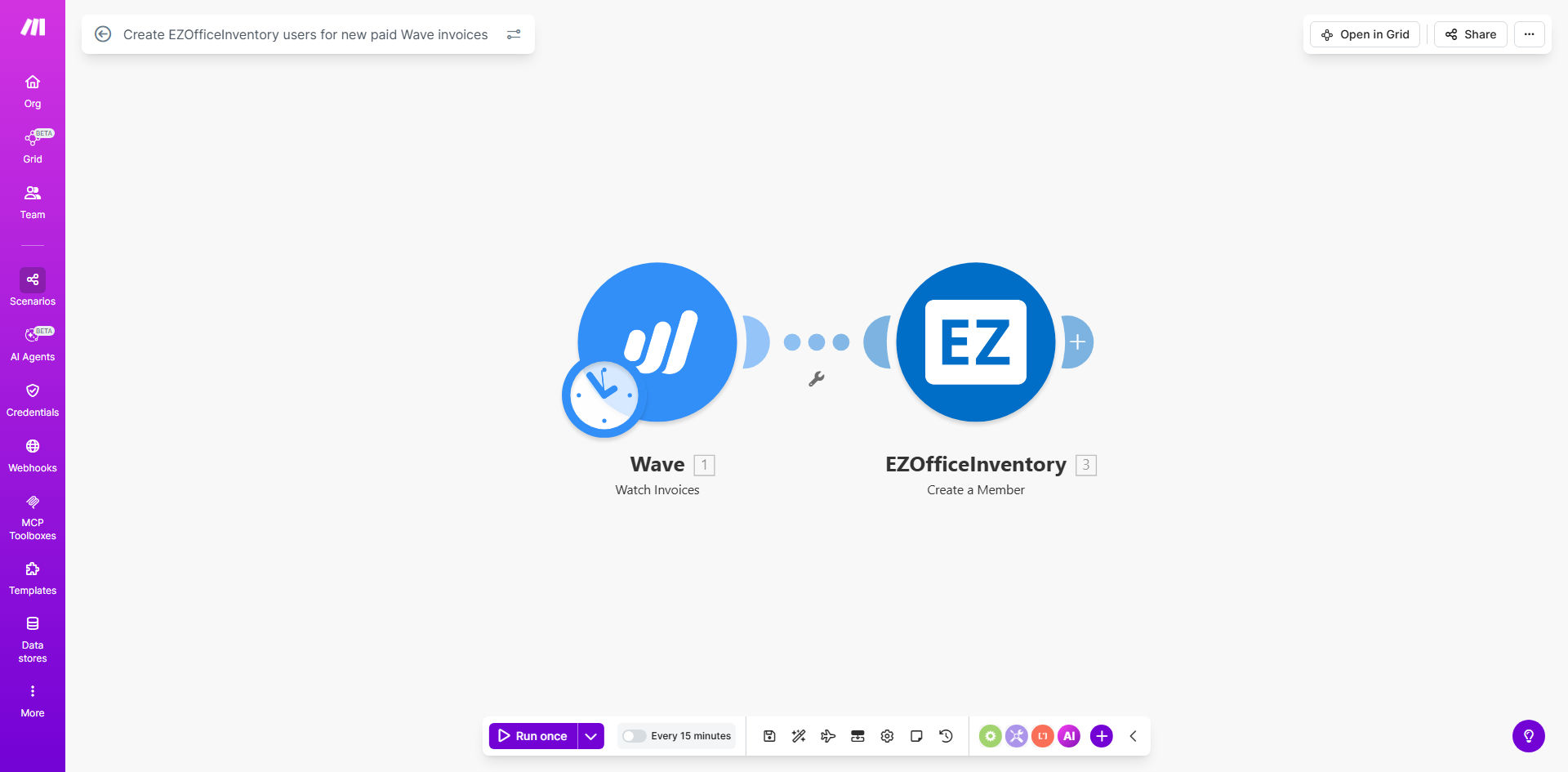
Make.com workflow diagram showing Wave to EZOfficeInventory integration

What This Workflow Does

This automation solves a critical operational bottleneck for businesses using Wave for invoicing and EZOfficeInventory for asset management. Every time a customer pays an invoice in Wave, the workflow automatically creates a corresponding user account in EZOfficeInventory with all relevant customer details.

Manual data entry between these systems typically takes 5-7 minutes per customer and is prone to human error. This workflow eliminates that repetitive work while ensuring 100% accuracy in user provisioning. It's particularly valuable for equipment rental businesses, coworking spaces, and any organization that needs to grant inventory access upon payment.

How It Works

1. Payment Detection in Wave

The workflow continuously monitors your Wave account for invoice status changes. When an invoice transitions to "paid" status, it triggers the automation sequence.

2. Customer Data Extraction

Make.com retrieves the customer's full details from the paid invoice, including name, email, phone number, and any custom fields you've configured in Wave.

3. EZOfficeInventory User Creation

The system creates a new user in EZOfficeInventory using the customer's information. You can configure default permissions, groups, and access levels during setup.

4. Confirmation & Error Handling

The workflow verifies successful user creation and can notify your team if any issues occur. Failed attempts automatically retry before escalating to manual review.

Who This Is For

This automation delivers the most value for:

  • Equipment rental companies needing to grant inventory access upon payment
  • Coworking spaces automating member onboarding
  • Tool libraries managing member checkouts
  • Any business using Wave for billing and EZOfficeInventory for asset tracking
  • Teams processing 10+ new customers weekly who want to eliminate manual data entry

What You'll Need

  1. An active Wave account with invoicing enabled
  2. EZOfficeInventory subscription with admin access
  3. Make.com account (free plan sufficient for basic use)
  4. API keys for both Wave and EZOfficeInventory
  5. List of required customer fields to transfer between systems

Quick Setup Guide

  1. Install the template in your Make.com account
  2. Connect your Wave and EZOfficeInventory accounts
  3. Map the customer fields between systems
  4. Configure default user permissions in EZOfficeInventory
  5. Set up error notifications (email/Slack)
  6. Test with a sample invoice payment
  7. Activate the workflow for live processing

Pro tip: Add a custom field in Wave for "Inventory Access Level" to control what equipment categories new users can access in EZOfficeInventory.

Key Benefits

Save 2-3 hours weekly by eliminating manual customer data entry between Wave and EZOfficeInventory. What used to take minutes per customer now happens automatically in seconds.

100% data accuracy with automated transfers versus manual entry that typically has a 5-8% error rate. Never deal with misspelled names or incorrect emails again.

Faster customer onboarding with immediate access to your inventory system upon payment. No more delays between payment and service activation.

Scalable operations that handle 10 or 1,000 new customers with zero additional staff effort. The workflow processes each payment with identical efficiency.

Audit-ready documentation with automatic logs of all user creations, including timestamps and source invoice references for complete traceability.

Frequently Asked Questions

Common questions about Wave and EZOfficeInventory automation

Automating user creation eliminates manual data entry errors and ensures new customers get immediate access to your inventory system as soon as they pay. This improves customer experience while saving your team 2-3 hours per week on administrative tasks.

Manual processes often create bottlenecks in customer onboarding. With automation, the moment payment clears, the customer can immediately access your equipment or services without waiting for staff to manually create their account.

The workflow transfers customer name, email, and contact details from paid Wave invoices to create corresponding user accounts in EZOfficeInventory. You can customize which fields to include based on your business requirements.

Standard fields include first/last name, email, phone number, and billing address. The template also supports custom fields like membership levels, access permissions, or equipment certifications that might be captured in your Wave invoices.

The workflow triggers immediately when an invoice status changes to 'paid' in Wave, typically creating the EZOfficeInventory user within 1-2 minutes. This near real-time sync ensures no delays in customer onboarding.

For time-sensitive services like equipment rentals or facility access, this rapid provisioning means customers can begin using your services immediately after payment without waiting for manual processing during business hours.

Yes, the workflow template includes settings to define default permissions for new users. You can specify access levels, equipment check-out privileges, and other role-based permissions during setup.

For example, you might create different permission sets for monthly members versus daily renters, or restrict certain equipment categories based on customer certifications captured in Wave.

The workflow includes duplicate checking logic. If a customer with the same email exists, it can either skip creation, update existing records, or notify your team based on your configuration preferences.

This prevents duplicate accounts while ensuring customer information stays current. For subscription businesses, it's common to configure the workflow to update membership expiration dates when recurring payments are received.

Make.com workflows have 99.9% uptime with error handling and retry mechanisms. For additional reliability, we recommend setting up email notifications for any failed attempts so your team can manually intervene if needed.

The template includes built-in error logging and automatic retries for temporary issues like API timeouts. For complete peace of mind, you can add a secondary notification channel like SMS or Slack alerts for critical failures.

Absolutely! Our team at GrowwStacks specializes in building tailored automation solutions. We can customize this workflow to match your specific business rules, add additional integrations, or create entirely new automations between your systems.

Common customizations include adding multi-location support, integrating with additional systems like access control or CRM platforms, and creating advanced permission structures based on payment tiers or customer segments.

  • Custom field mapping for unique business needs
  • Multi-system integration beyond Wave and EZOfficeInventory
  • Advanced error handling and notification workflows

Need a Custom Wave to EZOfficeInventory Automation?

This free template is a starting point. Our team builds fully tailored automation systems for your specific business needs.