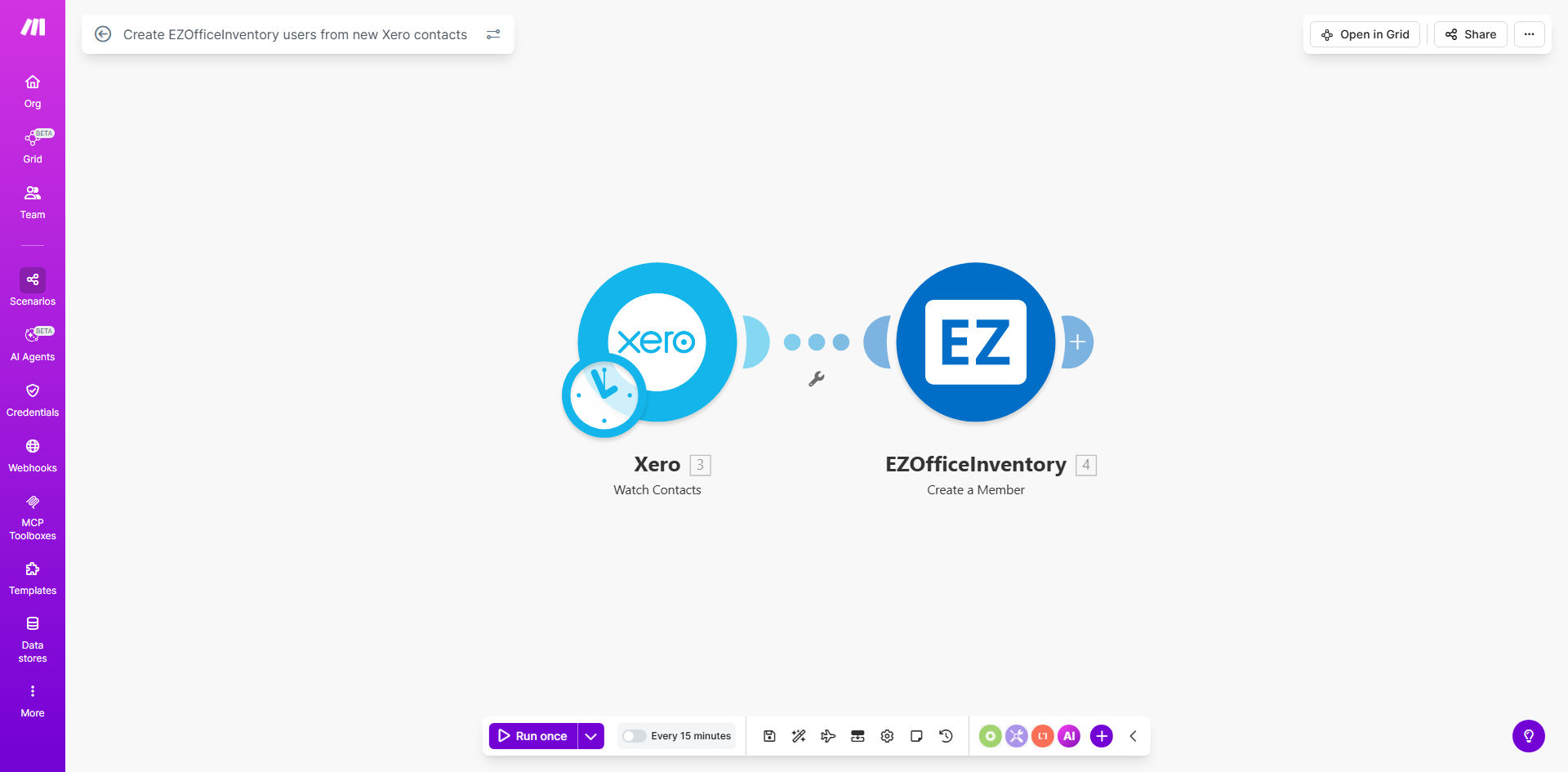
What This Workflow Does
This automation bridges the gap between your accounting system (Xero) and asset management platform (EZOfficeInventory). Every time a new contact is created in Xero - whether it's a customer, vendor, or employee - the workflow automatically provisions them as a user in EZOfficeInventory with all relevant contact information.
Manual user creation in asset management systems often falls through the cracks, leading to delays when employees or clients need to check out equipment. This workflow ensures that happens instantly and accurately, with no human intervention required. The integration maintains data consistency across both platforms while saving your team hours of administrative work each week.
How It Works
1. New Contact Detection
The workflow monitors your Xero account for new contact creations using Make.com's Xero connector. It can be configured to watch for specific types of contacts (customers, suppliers, etc.) based on your business needs.
2. Data Formatting
Contact information from Xero is formatted to match EZOfficeInventory's user profile requirements. This includes proper name formatting, address standardization, and mapping custom fields between the two systems.
3. User Creation
The formatted data is sent to EZOfficeInventory via API, creating a new user account with appropriate permissions. The workflow can be customized to assign default groups, locations, or access levels in EZOfficeInventory.
4. Verification & Error Handling
The workflow confirms successful user creation and logs any errors for review. It includes safeguards against duplicate entries and missing required fields.
Pro tip: Extend this workflow to send welcome emails with EZOfficeInventory login instructions when new users are created, creating a complete onboarding automation.
Who This Is For
This automation is ideal for businesses that use Xero for accounting/finance and EZOfficeInventory for equipment or asset management. It's particularly valuable for:
- Equipment rental companies needing to quickly provision client access
- Businesses with large employee bases requiring asset access
- Organizations managing many vendors/suppliers who need facility access
- Companies experiencing rapid growth with frequent new hires
- IT departments wanting to automate user provisioning workflows
What You'll Need
- Active accounts in both Xero and EZOfficeInventory
- Admin access to both systems to configure API connections
- Make.com account (free plan sufficient for basic implementation)
- List of required user fields in EZOfficeInventory
- Understanding of which Xero contacts should become users
Quick Setup Guide
- Copy the template from Make.com to your account
- Connect your Xero account in the first module
- Connect your EZOfficeInventory account in the user creation module
- Map the contact fields from Xero to EZOfficeInventory user fields
- Set any filters for which contacts should create users
- Test with a sample contact and verify the user appears in EZOfficeInventory
- Activate the scenario to run automatically
Key Benefits
Eliminate manual data entry - Save 5-15 minutes per user creation that would normally be spent copying information between systems.
Ensure immediate access - New contacts become available in EZOfficeInventory the moment they're created in Xero, with no waiting period.
Reduce errors - Automated field mapping prevents typos and inconsistencies that occur with manual entry.
Maintain compliance - Keep accurate records of who has access to your assets with automatically synchronized user profiles.
Scale effortlessly - Handle hundreds or thousands of user creations without additional administrative overhead.