Zendesk EZOfficeInventory User Provisioning IT Automation Make.com

Automatically Create EZOfficeInventory Users from Zendesk

Eliminate manual data entry by automatically syncing new users between Zendesk and EZOfficeInventory

Get This Workflow → Make.com · User Sync · Free Template
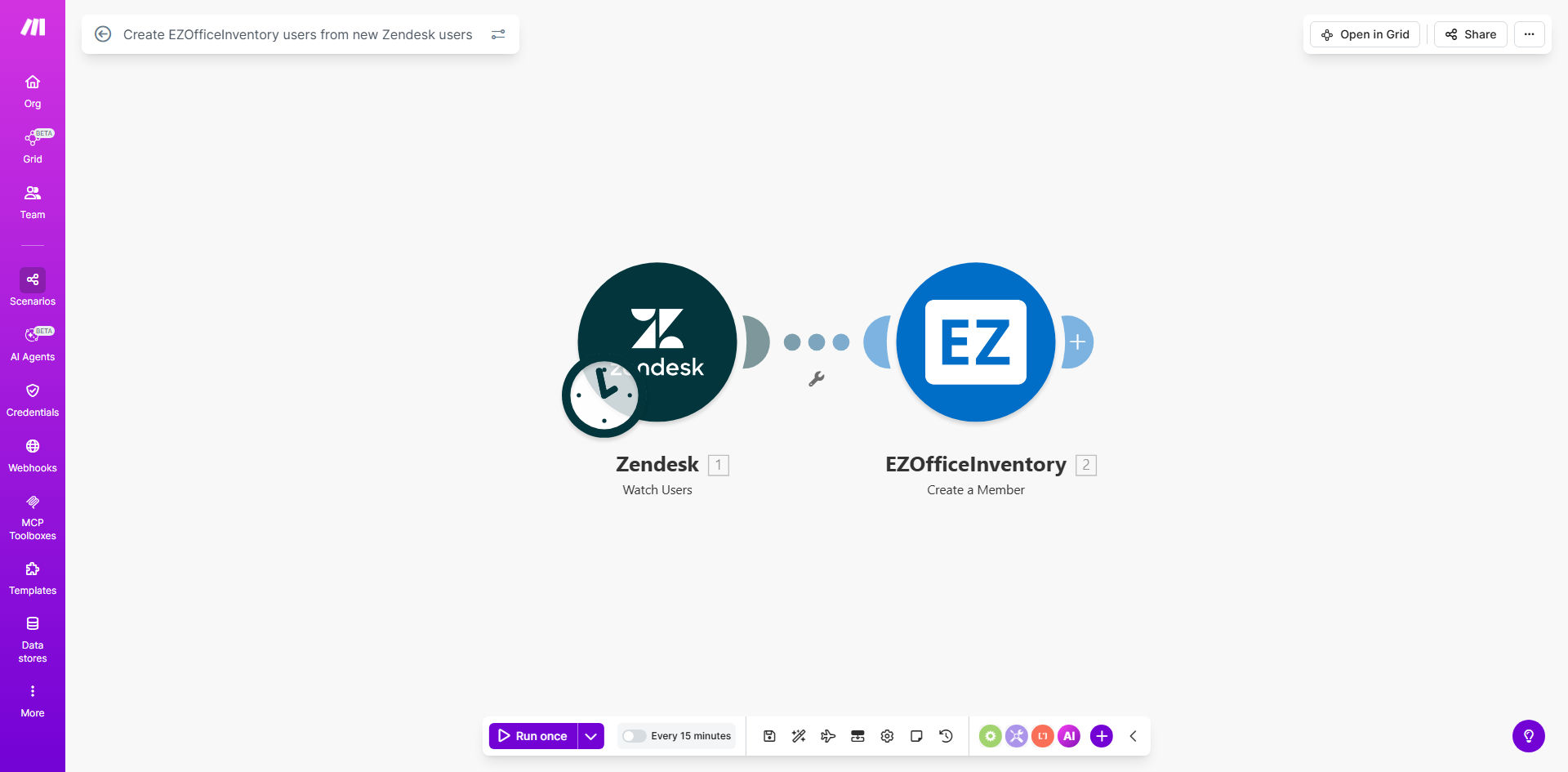
Workflow diagram showing Zendesk to EZOfficeInventory user sync automation

What This Workflow Does

This automation solves a common pain point for IT and operations teams managing both Zendesk for support and EZOfficeInventory for equipment tracking. Whenever a new employee or team member is added to your Zendesk account, this workflow automatically creates a corresponding user in EZOfficeInventory with all the necessary details.

Manual user provisioning between these systems often leads to delays in equipment access, duplicate data entry errors, and security risks when former employees retain access. This automated solution ensures perfect synchronization between your helpdesk and asset management systems.

How It Works

1. New User Detection

The workflow monitors your Zendesk account for new user creation events through real-time webhooks or periodic checks.

2. Data Extraction

Essential user information like name, email, department, and role is extracted from the Zendesk user profile.

3. EZOfficeInventory Account Creation

The workflow uses EZOfficeInventory's API to automatically create a new user account with the extracted data, applying the appropriate permissions and access levels.

4. Error Handling

If any issues occur during the sync process, the workflow can notify your IT team via email or Slack while automatically retrying the operation.

Pro tip: Extend this workflow to automatically deactivate EZOfficeInventory accounts when users are removed from Zendesk, completing the full user lifecycle management.

Who This Is For

This automation is ideal for:

  • IT teams managing employee access to equipment and assets
  • Companies using Zendesk for internal support and EZOfficeInventory for IT asset management
  • Organizations with frequent new hires who need immediate equipment access
  • Teams looking to eliminate manual data entry between systems
  • Companies concerned about security and proper access revocation

What You'll Need

  1. An active Zendesk account with admin privileges
  2. An EZOfficeInventory subscription with API access
  3. A Make.com account (formerly Integromat)
  4. Basic information about your user permission structure in both systems

Quick Setup Guide

  1. Copy the template to your Make.com account
  2. Connect your Zendesk account in the "Watch Users" module
  3. Configure your EZOfficeInventory API connection
  4. Map the user fields between systems (name, email, department, etc.)
  5. Set up error notifications to your preferred channel
  6. Test with a new Zendesk user to verify the sync works

Key Benefits

Eliminate manual data entry errors that occur when copying user information between systems. The automated transfer ensures 100% accuracy in user provisioning.

Reduce equipment access delays for new hires. Instead of waiting for IT to manually create accounts, employees get immediate access to request needed equipment.

Maintain perfect system synchronization between your helpdesk and asset management platforms, ensuring all user records match across both systems.

Improve security compliance by automatically removing EZOfficeInventory access when employees leave the company (with extended workflow).

Save 5-10 minutes per new hire that your IT team would normally spend creating accounts manually.

Frequently Asked Questions

Common questions about Zendesk and EZOfficeInventory integration

Automating user creation eliminates manual data entry errors and ensures both systems stay perfectly synchronized. This prevents access issues when employees need equipment but their EZOfficeInventory account wasn't created after their Zendesk onboarding.

For example, a new marketing hire might need a camera kit for content creation. With automation, their EZOfficeInventory access is ready immediately after Zendesk onboarding, rather than waiting for IT to manually create the account.

The workflow typically transfers essential user details like name, email, department, and role. You can customize which fields to sync based on your organization's requirements for equipment tracking and access control.

Additional fields like office location, manager information, or cost center can be included to support advanced asset management policies and approval workflows in EZOfficeInventory.

By automatically provisioning EZOfficeInventory accounts, you ensure all employees have immediate access to request equipment while maintaining accurate records of who checked out what assets. This reduces IT support tickets for access issues.

The automation also creates an audit trail showing exactly when each user was provisioned, helping with compliance reporting and security audits of your asset management system.

Yes, the workflow can map Zendesk user roles to corresponding EZOfficeInventory permission levels. For example, managers might get approval rights while regular employees only get checkout privileges.

You can configure the workflow to assign different permission templates based on department, location, or other attributes from Zendesk, creating a granular access control system without manual configuration.

You can extend this workflow to automatically suspend EZOfficeInventory access when users are deactivated in Zendesk, preventing former employees from checking out equipment.

For security-sensitive organizations, the workflow can also trigger equipment return reminders or automatically generate reports of checked-out items when an account is deactivated.

Make.com provides enterprise-grade reliability with error handling and retries. The workflow includes validation steps to ensure data integrity before creating EZOfficeInventory accounts.

The system maintains transaction logs and can automatically reconcile any discrepancies between the platforms, giving you confidence in your asset management data.

Absolutely! Our team specializes in building tailored integrations between Zendesk and EZOfficeInventory with custom field mappings, approval workflows, and reporting features specific to your IT asset management needs.

We can create enhanced versions that include equipment request approvals based on department budgets, automatic assignment of standard equipment kits to new hires, or integration with your HR system for complete employee lifecycle management.

  • Custom field mappings for your specific data structure
  • Multi-level approval workflows for high-value equipment
  • Automated reporting on equipment utilization

Need a Custom Zendesk-EZOfficeInventory Automation?

This free template is a starting point. Our team builds fully tailored automation systems for your specific business needs.