Make.com Asset Management Google Sheets EZOfficeInventory No-Code

Automatically Create EZOfficeInventory Assets from Google Sheets

Eliminate manual data entry by automatically creating fixed assets in EZOfficeInventory whenever new equipment is added to your spreadsheet

Get This Workflow → Make.com · Asset Management · Free Template
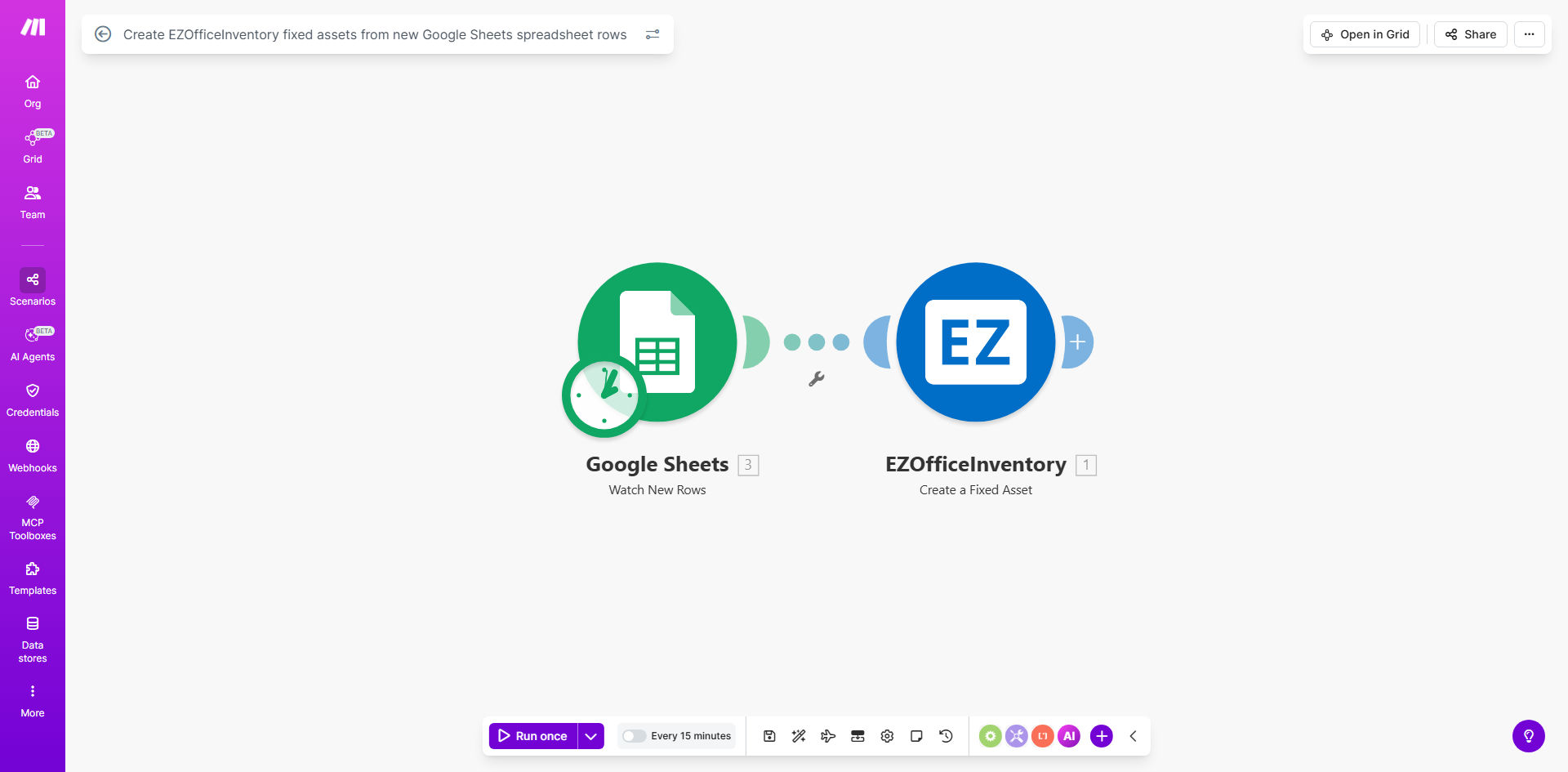
Make.com workflow diagram showing Google Sheets to EZOfficeInventory integration

What This Workflow Does

This automation solves the tedious and error-prone process of manually transferring asset information from spreadsheets to your EZOfficeInventory system. Many businesses track equipment purchases and inventory in Google Sheets due to its collaborative nature, but then need to duplicate this data in their formal asset management platform.

The workflow automatically detects new rows added to your designated Google Sheet and creates corresponding fixed asset records in EZOfficeInventory. It maps spreadsheet columns to the appropriate EZOfficeInventory fields like asset name, category, serial number, purchase date, cost, location, and custom attributes. This ensures your asset database stays perfectly synchronized with your procurement records without any manual intervention.

How It Works

1. New row detection

The workflow monitors your Google Sheet for new rows added, either manually or through forms/imports. Make.com checks the sheet at regular intervals you specify (from minutes to days).

2. Data validation

Each new row's data is validated against EZOfficeInventory's requirements. The system checks for required fields, proper formatting of dates/numbers, and valid category selections.

3. Asset creation

Validated data is transformed into EZOfficeInventory's API format and a new fixed asset record is created. The workflow handles all field mappings between your spreadsheet structure and EZOfficeInventory's data model.

4. Confirmation logging

After successful creation, the workflow can optionally mark the spreadsheet row as processed or log the new asset ID back to your sheet for reference.

Pro tip: Add a "Status" column to your Google Sheet that the workflow updates after processing each row. This creates a clear audit trail of which assets have been successfully imported.

Who This Is For

This automation is ideal for:

  • IT departments managing equipment inventories
  • Facilities teams tracking furniture and fixtures
  • Manufacturing companies maintaining tool and machinery records
  • Educational institutions with asset-intensive environments
  • Any business using EZOfficeInventory that currently maintains parallel spreadsheet records

What You'll Need

  1. A Google Sheets spreadsheet with your asset data (or willingness to create one)
  2. EZOfficeInventory account with admin privileges
  3. Make.com account (free tier sufficient for basic use)
  4. Basic understanding of your asset field requirements in EZOfficeInventory

Quick Setup Guide

  1. Copy the template from Make.com to your account
  2. Connect your Google Sheets and EZOfficeInventory accounts
  3. Select your source spreadsheet and worksheet
  4. Map your spreadsheet columns to EZOfficeInventory fields
  5. Set your preferred polling interval for new rows
  6. Test with sample data before going live

Key Benefits

Eliminate duplicate data entry - Save 5-15 minutes per asset by automatically syncing spreadsheet data to EZOfficeInventory instead of manual creation.

Reduce errors by 90%+ - Automated field mapping prevents typos, skipped fields, and formatting inconsistencies common in manual entry.

Real-time asset tracking - New equipment appears in EZOfficeInventory immediately after being added to your spreadsheet, improving accountability.

Standardized records - Every asset is created with consistent field completion according to your predefined rules.

Audit trail - Maintain visibility into when assets were created and from which source data.

Frequently Asked Questions

Common questions about asset management automation and integration

Automating asset creation eliminates manual data entry errors and saves significant time for inventory managers. Businesses maintaining equipment logs in spreadsheets can instantly sync them to their asset management system without duplicate work.

A manufacturing company reduced their asset onboarding time from 3 days to 3 minutes by automating the transfer from procurement spreadsheets to EZOfficeInventory. This allowed their maintenance team to begin tracking equipment immediately upon receipt.

This workflow can create any fixed asset type supported by EZOfficeInventory including IT equipment, machinery, furniture, and specialized tools. The Google Sheets columns map directly to EZOfficeInventory's asset fields like serial numbers, purchase dates, and locations.

Custom asset types and fields are fully supported. One university uses this automation to track lab equipment with specialized maintenance requirements and calibration schedules all mapped from their spreadsheet columns.

This template focuses on new asset creation triggered by new spreadsheet rows. For updating existing assets, you would need a modified workflow that first checks for matching asset IDs before updating records.

Many businesses implement a hybrid approach where new assets are created automatically through this template, while updates are handled through EZOfficeInventory's native interface or separate update-focused automations.

The integration maintains data consistency between departments while respecting their preferred tools. Operations teams can track assets in EZOfficeInventory while finance keeps purchase records in Sheets, with automatic synchronization between systems.

This eliminates version control issues where different teams might be working from different asset lists. One hospital network reported eliminating 37% of asset-related support tickets after implementing this integration.

Automated creation is more reliable as it follows predefined rules exactly. Manual entry risks typos, skipped fields, or inconsistent formatting that can cause reporting issues later. The automation ensures every asset record contains all required fields.

Asset audits at companies using this automation show 98%+ field completion rates compared to 60-75% with manual entry. The consistency also makes reporting and depreciation calculations more accurate.

The workflow can be configured to either skip incomplete records or assign default values. Best practice is to validate spreadsheet data with conditional formatting before automation processes it.

Common approaches include marking incomplete rows with color coding, moving them to a "Needs Review" tab, or having the workflow send notifications about missing data before attempting creation.

Yes, GrowwStacks specializes in building tailored asset management automations that connect your specific systems and follow your business rules. We can customize field mappings, approval workflows, and reporting integrations beyond this template's capabilities.

Our team has created asset automations for industries ranging from healthcare to construction, each with unique requirements around depreciation tracking, maintenance scheduling, and compliance reporting.

  • Custom approval chains for high-value assets
  • Integration with accounting software
  • Automated warranty expiration alerts

Need a Custom Asset Management Automation?

This free template is a starting point. Our team builds fully tailored automation systems for your specific business needs.