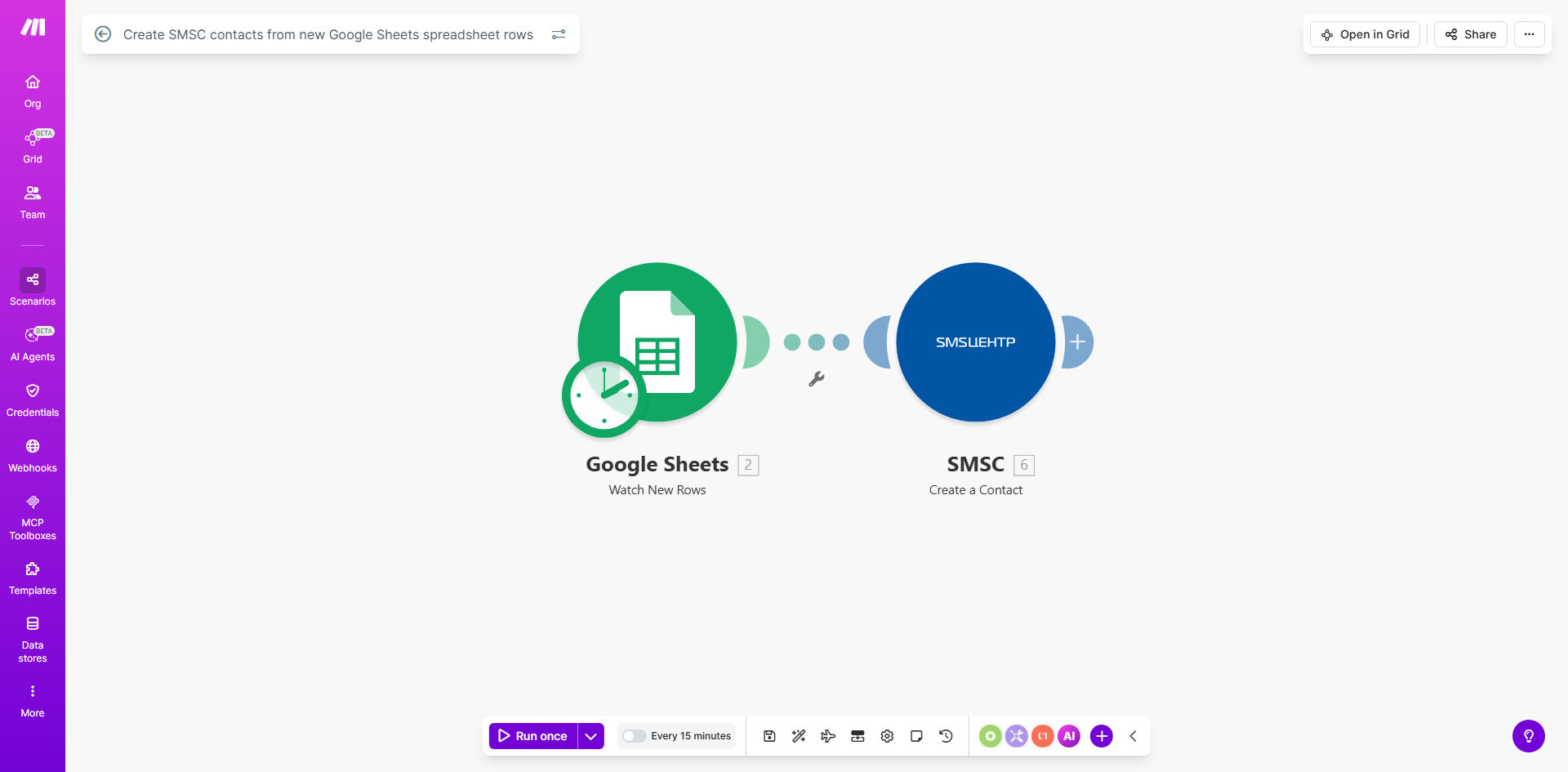
What This Workflow Does
This automation solves the tedious and error-prone process of manually transferring contact information from spreadsheets to your SMSC (Short Message Service Center) system. Every time your team adds a new row to your designated Google Sheet - whether it's a new lead, customer, or event attendee - the workflow automatically creates a corresponding contact record in SMSC.
The template handles all the field mapping between your spreadsheet columns and SMSC contact fields. You can customize which columns correspond to which contact attributes, ensuring your data transfers exactly as needed. This eliminates duplicate data entry, reduces human error, and keeps your contact lists perfectly synchronized.
How It Works
1. Monitoring Your Google Sheet
The workflow continuously checks your specified Google Sheet for new rows. You can configure how often it checks (from every few minutes to every 30 seconds) based on your needs and Make.com plan level.
2. Processing New Rows
When a new row is detected, the workflow extracts all the relevant contact information. It validates that required fields are present and formatted correctly before proceeding to the next step.
3. Creating SMSC Contacts
The workflow connects to your SMSC account via API and creates a new contact using the data from the spreadsheet row. All field mappings are preserved according to your configuration.
4. Error Handling and Notifications
If any issues occur during contact creation (like missing required fields or API errors), the workflow can notify your team via email or Slack and optionally skip or retry the record.
Who This Is For
This automation is perfect for:
- Sales teams managing lead lists in spreadsheets
- Marketing teams running SMS campaigns
- Event organizers tracking attendees
- Businesses collecting customer data through forms
- Teams with multiple members adding contacts to shared lists
What You'll Need
- A Make.com account (free plan available)
- Google Sheets with edit permissions
- SMSC account with API access
- A spreadsheet with consistent column headers
- Basic understanding of field mapping concepts
Quick Setup Guide
- Copy the template to your Make.com account
- Connect your Google Sheets and SMSC accounts
- Select your source spreadsheet and worksheet
- Map spreadsheet columns to SMSC contact fields
- Test with sample data to verify the mapping
- Activate the workflow to begin processing
Key Benefits
Save 5-10 hours per month by eliminating manual contact entry and reducing data reconciliation tasks.
Improve data accuracy with automated transfers that avoid human typos and missed entries.
Real-time updates ensure your sales and marketing teams always work with current contact information.
Scalable solution that handles hundreds or thousands of contacts without additional effort.
Customizable field mapping accommodates your specific spreadsheet structure and SMSC fields.