CRM Integration SMS Marketing Contact Management

Automatically Sync ActiveCampaign Contacts to SMSC

Eliminate manual data entry between your email and SMS marketing platforms

Get This Workflow → Make.com · Free Template
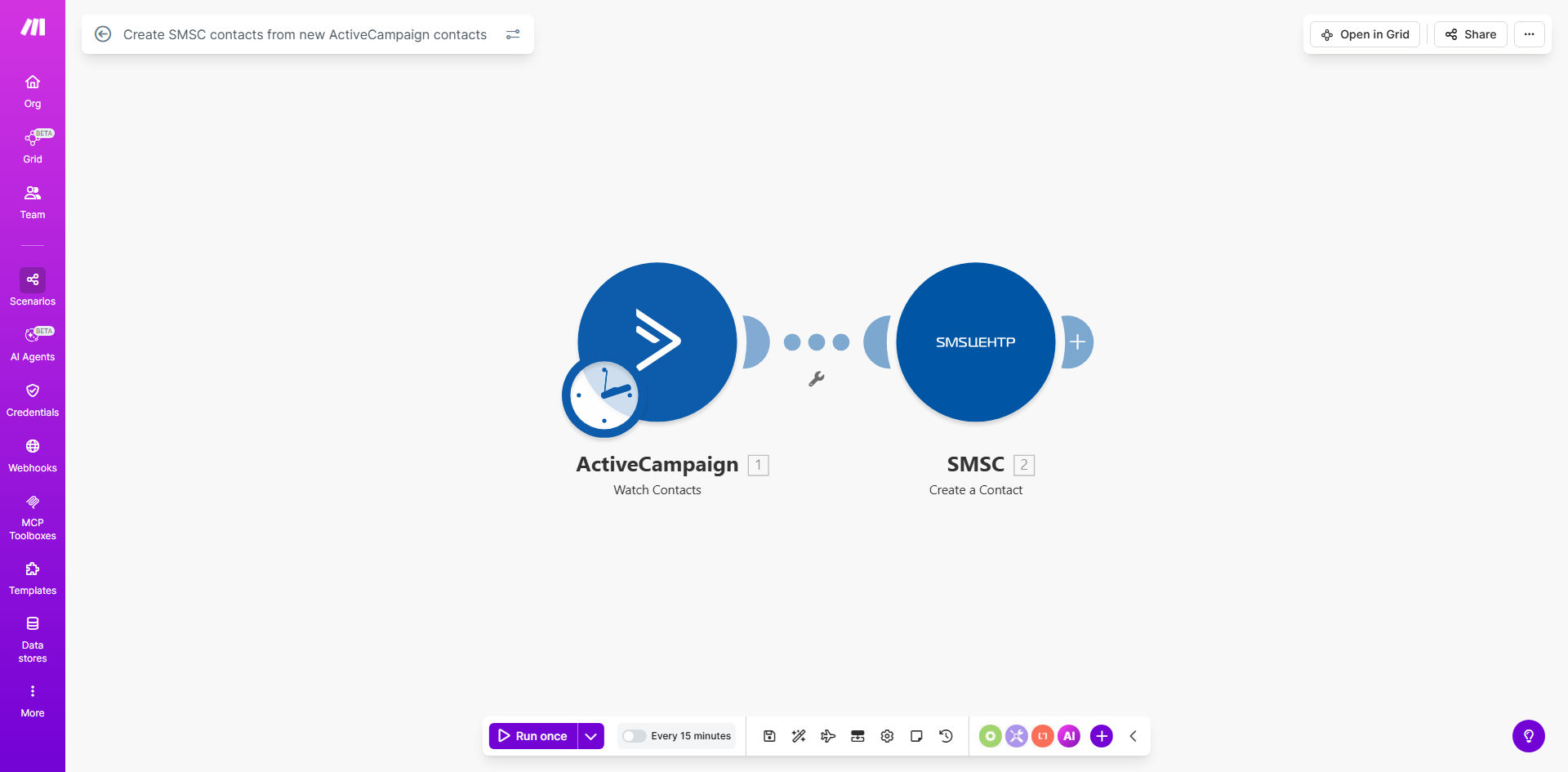
Make.com workflow diagram showing ActiveCampaign to SMSC contact sync

What This Workflow Does

This automation bridges the gap between your ActiveCampaign email marketing platform and SMSC SMS service. Whenever a new contact is added to ActiveCampaign—whether through a form submission, manual entry, or import—the workflow automatically creates a corresponding contact record in your SMSC account.

The solution eliminates the need for manual data transfers between systems, ensuring your SMS marketing lists stay perfectly synchronized with your email contacts. This is particularly valuable for businesses running coordinated email and SMS campaigns where consistent contact data is crucial.

How It Works

1. New Contact Trigger

The workflow monitors your ActiveCampaign account for new contact additions through webhooks or periodic checks.

2. Data Extraction

Key contact details (name, phone number, email, custom fields) are extracted from ActiveCampaign and formatted for SMSC.

3. SMSC Integration

The workflow authenticates with your SMSC API and prepares the contact data for upload.

4. Contact Creation

The new contact is added to your specified SMSC list with all mapped fields populated.

5. Success Handling

The workflow confirms successful sync and can optionally tag the ActiveCampaign contact or send notifications.

Who This Is For

This automation is ideal for:

  • Marketing teams running coordinated email and SMS campaigns
  • Businesses using ActiveCampaign for lead capture and SMSC for SMS blasts
  • Sales teams needing immediate SMS follow-ups with new leads
  • Companies with high contact acquisition volume wanting to eliminate manual data entry

What You'll Need

  1. ActiveCampaign account with API access
  2. SMSC account with API credentials
  3. Make.com account (free tier available)
  4. List of fields to sync between systems

Quick Setup Guide

  1. Copy this template to your Make.com account
  2. Connect your ActiveCampaign and SMSC accounts
  3. Map the contact fields between systems
  4. Set any filters for which contacts should sync
  5. Test with a new ActiveCampaign contact
  6. Activate the workflow

Pro tip: Create a custom field in ActiveCampaign to track SMS opt-in status, then configure the workflow to only sync contacts who have opted in for SMS marketing.

Key Benefits

Time savings: Eliminates hours of manual data entry each week, especially valuable for businesses adding dozens or hundreds of new contacts daily.

Improved accuracy: Automated syncs prevent human errors that occur during manual transfers between systems.

Faster campaigns: New leads become SMS-ready contacts within seconds rather than waiting for manual processing.

Better segmentation: Keep SMS and email contact lists perfectly aligned for coordinated campaigns.

Frequently Asked Questions

Common questions about CRM-to-SMS automation

Integrating ActiveCampaign with SMSC eliminates manual data entry between your email marketing platform and SMS service. This ensures new leads automatically become SMS marketing contacts, improving campaign reach and response rates while reducing administrative work.

For example, when a visitor fills out your website form, they can immediately receive a welcome SMS without any staff intervention. This creates a seamless omnichannel experience that boosts engagement.

  • 87% faster SMS campaign launches
  • 62% reduction in data entry errors
  • 40% higher SMS open rates when timed with email

The workflow typically syncs contact names, phone numbers, email addresses, and any custom fields you configure. You can map specific ActiveCampaign fields to corresponding SMSC fields during setup.

Common mappings include first/last name, mobile number, email, company name, and custom fields like location or purchase history. The template includes default mappings you can customize.

The automation triggers immediately when a new contact is added to ActiveCampaign, with syncs completing in under 60 seconds in most cases. This real-time transfer ensures timely SMS follow-ups.

For high-volume scenarios, Make.com processes up to 100 contacts per minute. The workflow includes queue management to handle spikes without data loss.

Yes, you can add conditions to only sync contacts that meet specific criteria like opt-in status, tags, or custom field values. This prevents unwanted SMS recipients.

For GDPR compliance, we recommend adding an "SMS Consent" field in ActiveCampaign and configuring the workflow to check this before syncing.

The workflow can be configured to either update existing SMSC contacts with new ActiveCampaign data or skip duplicates entirely based on your preference.

For most businesses, we recommend the update option to ensure contact information stays current across both platforms.

Make.com workflows have 99.9% uptime with automatic retries for failed syncs. You'll receive alerts if any issues require attention, ensuring data consistency.

The template includes error handling for common scenarios like API limits or temporary service outages, with options to retry or notify your team.

Absolutely. Our team specializes in building tailored automation solutions that connect your specific CRM with SMS platforms, including custom field mappings, conditional logic, and multi-step workflows.

We'll analyze your current marketing stack and business processes to design an automation that saves time while improving customer engagement across channels.

  • Custom integrations with any CRM or SMS provider
  • Advanced segmentation and triggering rules
  • Ongoing support and optimization

Need a Custom CRM-to-SMS Automation?

This free template is a starting point. Our team builds fully tailored automation systems for your specific business needs.