CRM SMS Marketing Contact Sync Make.com Automation

Automatically Sync Pipedrive Contacts to SMSC

Eliminate manual data entry and ensure new CRM leads are instantly available for SMS campaigns

Get This Workflow → Make.com · Free Template
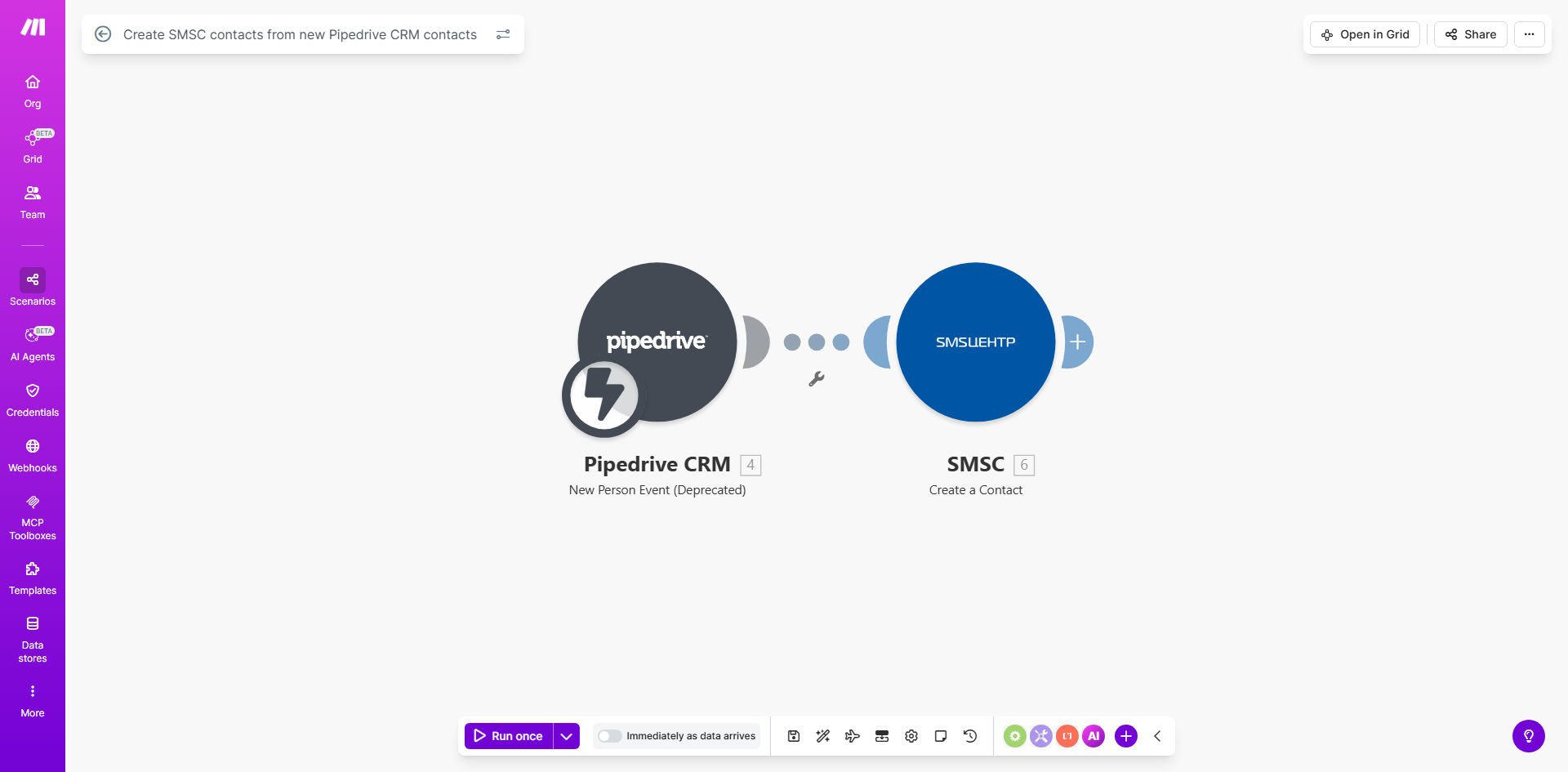
Make.com workflow diagram showing Pipedrive to SMSC contact sync automation

What This Workflow Does

This automation solves a critical gap between sales and marketing teams by ensuring every new contact added to Pipedrive CRM automatically becomes available in your SMSC (SMS marketing platform). Instead of manually exporting and importing contacts—a process prone to errors and delays—this workflow handles the transfer seamlessly in the background.

The moment a sales rep adds a new lead in Pipedrive, the system captures all relevant contact information and pushes it to SMSC with proper field mappings. This means your marketing team can launch SMS campaigns to fresh leads immediately, while sales benefits from having all communication history in one place.

Pro tip: Combine this with a welcome SMS automation to engage new leads within minutes of them entering your CRM, significantly improving conversion rates.

How It Works

1. New Contact Trigger

The workflow monitors Pipedrive for new contact creations through Make.com's instant webhook or polling mechanism. No need for manual exports or scheduled syncs.

2. Data Formatting

Contact details are transformed to match SMSC's expected format. Phone numbers are standardized, custom fields are mapped, and any CRM-specific data is filtered or reformatted as needed.

3. SMSC Integration

Using SMSC's API, the workflow creates a new contact record with all transferred data. The system handles authentication and any required API rate limiting automatically.

4. Error Handling

If any step fails (like an invalid phone number), the workflow logs the error and can be configured to retry or notify administrators while allowing other contacts to process successfully.

Who This Is For

This automation delivers the most value for businesses that:

  • Use Pipedrive as their primary CRM system
  • Run SMS marketing campaigns through SMSC or similar platforms
  • Have sales teams adding 10+ new contacts daily
  • Need to act quickly on new leads with time-sensitive offers
  • Want to eliminate manual data transfer between systems

What You'll Need

  1. An active Pipedrive account with administrator access
  2. SMSC API credentials (usually found in your account settings)
  3. A Make.com account (free tier available)
  4. List of which Pipedrive fields should map to which SMSC fields
  5. Optional: Filters for which contact types/statuses should sync

Quick Setup Guide

  1. Copy this template to your Make.com account
  2. Connect your Pipedrive account in the first module
  3. Enter your SMSC API credentials in the appropriate module
  4. Map Pipedrive fields to corresponding SMSC fields
  5. Test with a new Pipedrive contact to verify the sync works
  6. Turn on the scenario to begin automatic processing

Key Benefits

Time Savings: Eliminates 5-10 hours per week of manual contact transfers between systems, allowing staff to focus on higher-value activities.

Improved Data Quality: Automated sync reduces human errors in contact information that commonly occur during manual data entry.

Faster Campaigns: Marketing can target new leads within minutes of them entering the CRM, rather than waiting for the next manual import.

Better Reporting: With all communication centralized, you get clearer analytics on how SMS impacts your sales pipeline.

Scalability: The system handles contact volume increases effortlessly, whether you're adding 10 or 1,000 new leads daily.

Frequently Asked Questions

Common questions about CRM to SMS automation

Automating contact sync between Pipedrive and SMSC eliminates manual data entry errors and ensures all new leads are immediately available in your SMS marketing system. This saves 5-10 hours per week for sales teams while improving campaign response rates by having fresher contact data.

Manual transfers often lead to delays where hot leads go cold before being added to campaigns. Automation ensures no lead falls through the cracks while maintaining data consistency across platforms.

  • Reduces human error in contact details
  • Enables real-time SMS follow-ups
  • Creates audit trail of all sync activity

The workflow typically transfers contact names, phone numbers, email addresses, and custom fields you specify. You can configure which Pipedrive contact fields map to which SMSC fields during setup. Common mappings include company name to tags and lead status to custom attributes.

For compliance, the system can be configured to only sync contacts who have explicitly opted in to SMS communications, with their consent status carried over from Pipedrive custom fields.

  • Standard fields: Name, phone, email
  • Custom fields: Lead source, status, tags
  • Optional: Deal value, last activity date

The sync triggers instantly whenever a new contact is created in Pipedrive. For existing contacts, you can set up periodic syncs (daily/weekly) through Make.com's scheduling features. Real-time sync ensures SMS campaigns can target leads immediately after they enter your CRM.

For businesses with high contact volumes, we recommend batching updates every few hours rather than processing each change individually to avoid API rate limits while still maintaining near-real-time data.

  • New contacts: Instant sync
  • Existing contacts: Scheduled updates
  • Configurable batch processing

Yes, you can add filters in the Make.com scenario to only sync contacts meeting specific criteria like lead status, deal stage, or custom field values. This prevents SMS campaigns from reaching unqualified leads or contacts who shouldn't receive marketing messages.

Common filters include excluding contacts marked "Do Not Contact" or only syncing leads that have progressed past initial qualification. These rules help maintain compliance while ensuring your SMS list remains targeted and effective.

  • Filter by lead status or deal stage
  • Exclude based on custom fields
  • Compliance-focused opt-in checks

The workflow can be configured to either skip duplicates, update existing records, or create new entries. Most businesses choose to update existing contacts to keep phone numbers and other details current while preserving SMS campaign history and opt-in status.

For advanced use cases, you can set up rules to only update specific fields (like job title) while protecting others (like opt-in date), giving you granular control over how data merges between systems.

  • Update existing records by default
  • Option to skip or overwrite
  • Field-level merge rules available

Make.com provides 99.9% uptime for workflows and automatic retries for failed operations. The platform logs all sync attempts and notifies you of any errors. For critical operations, you can add error handling steps to retry or send alerts when issues occur.

In production environments, we recommend adding secondary validations like checking SMSC for successful contact creation and setting up dashboard monitoring to track sync health over time.

  • Automatic retries for failed attempts
  • Detailed activity logs
  • Custom alerting options

Absolutely. GrowwStacks specializes in building tailored automation solutions that connect your specific CRM with SMS marketing platforms. We handle complex field mappings, compliance requirements, and custom business logic to create a system perfectly suited to your sales and marketing workflows.

Our team can integrate additional features like two-way SMS sync, automated follow-up sequences based on CRM activity, and custom reporting dashboards that combine data from both systems for complete visibility.

  • Custom field mappings and transformations
  • Compliance with SMS regulations
  • Advanced workflow logic and error handling

Need a Custom CRM to SMS Automation?

This free template is a starting point. Our team builds fully tailored automation systems for your specific business needs.