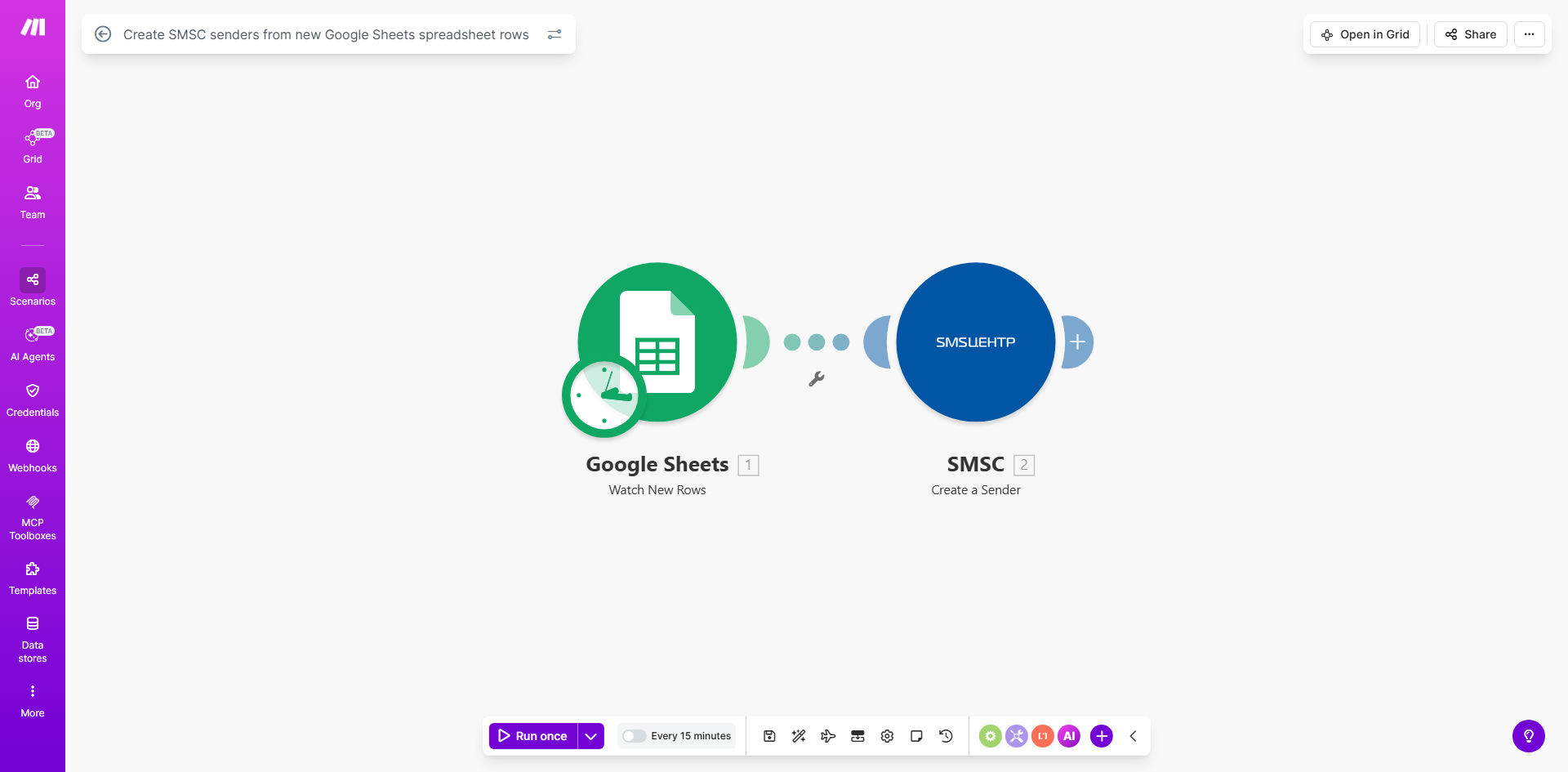
What This Workflow Does
This automation eliminates the tedious manual process of creating SMS senders in SMSC whenever you add new contacts or campaigns to your Google Sheets spreadsheet. It automatically detects new rows and instantly provisions corresponding senders in your SMSC account with all the required details.
Marketing teams and customer support departments benefit most from this workflow. It ensures your SMS sending capabilities scale instantly with your contact list growth, without any delay for manual setup. The automation maintains data consistency between your spreadsheet records and SMSC configuration.
How It Works
1. New row detection
The workflow monitors your designated Google Sheet for new row additions. It can watch specific columns or the entire sheet depending on your configuration.
2. Data validation
Each new row's data is validated against SMSC requirements. The system checks for required fields, proper formatting, and any business rules you've implemented.
3. SMSC API integration
Validated data is sent to SMSC's API to create a new sender. The workflow handles authentication and formats the request according to SMSC's specifications.
4. Confirmation logging
Successful sender creations are logged back to your Google Sheet, while failures trigger notification alerts for your team to review.
Pro tip: Add a timestamp column to track when each sender was created. This helps with auditing and troubleshooting.
Who This Is For
This workflow is ideal for:
- SMS marketing teams managing large contact lists
- Customer support departments sending transactional SMS
- Businesses running time-sensitive SMS campaigns
- Organizations requiring audit trails for sender creation
- Teams wanting to reduce manual data entry errors
What You'll Need
- A Google Sheets spreadsheet with your sender data
- SMSC account with API access enabled
- Make.com account (free tier works)
- Basic understanding of your SMSC sender requirements
Quick Setup Guide
- Connect your Google Sheet to Make.com using OAuth
- Configure the SMSC module with your API credentials
- Map spreadsheet columns to SMSC sender fields
- Set up error handling and notifications
- Test with sample data before going live
Key Benefits
Save 5-10 minutes per sender by eliminating manual copy-paste between systems. For teams creating dozens of senders weekly, this adds up to significant time savings.
Reduce errors by 90%+ compared to manual entry. The automation ensures consistent formatting and complete data for every sender.
Instant scalability for your SMS operations. New campaigns can launch immediately without waiting for sender setup.
Centralized management through your Google Sheet. Maintain all sender data in one familiar interface while the automation handles the technical integration.
Audit trail of all sender creations with timestamps and status indicators directly in your spreadsheet.