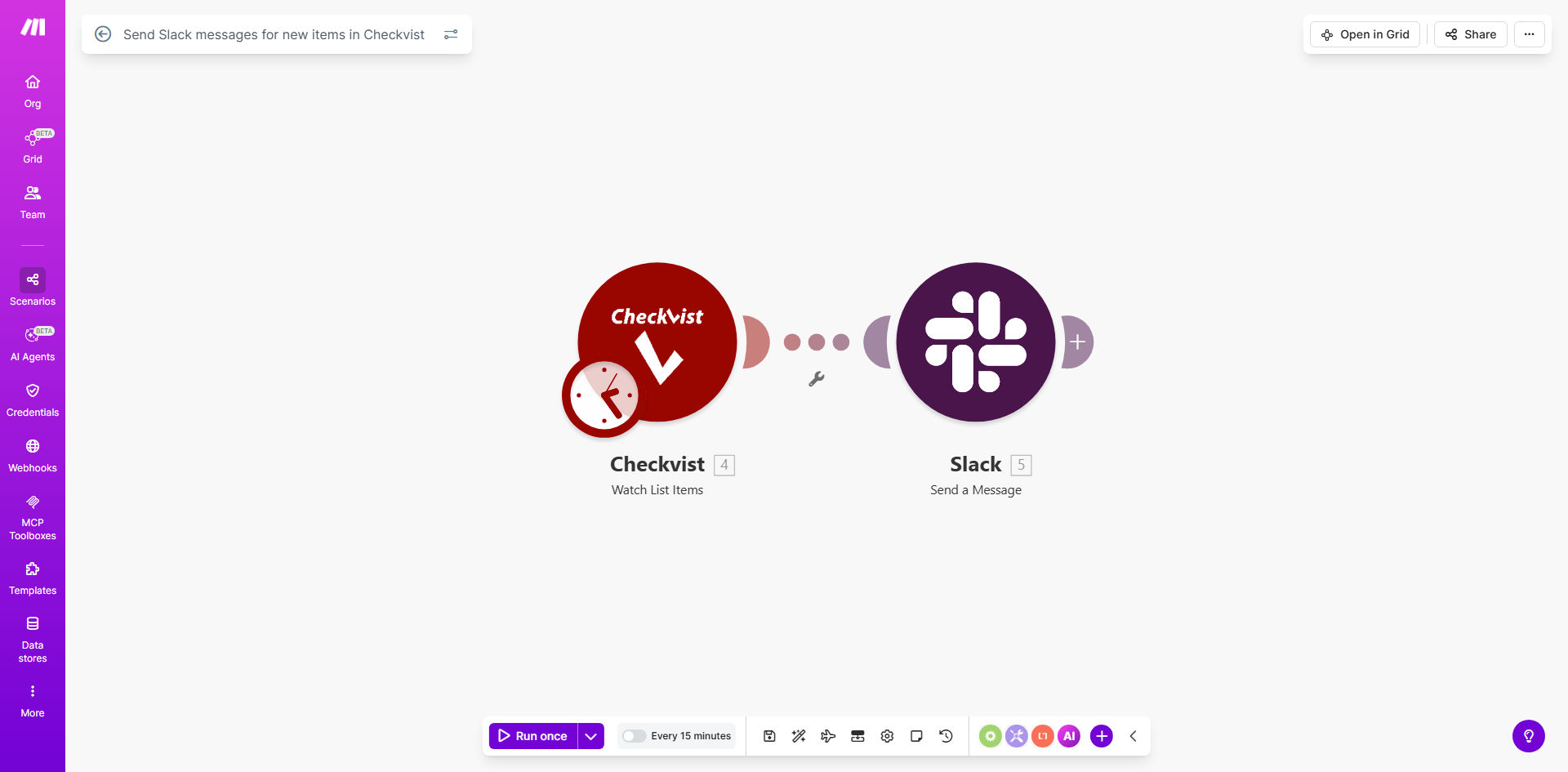
What This Workflow Does
This automation bridges the gap between task creation in Checkvist and team communication in Slack. Every time a team member adds a new item to your shared Checkvist list—whether it's a task, subtask, or note—the workflow instantly sends a formatted notification to your designated Slack channel.
Manual task notifications waste valuable time and often lead to missed updates. This solution eliminates those inefficiencies by creating a real-time connection between your task management system and team communication platform. The automation captures all relevant task details from Checkvist and delivers them directly to where your team collaborates.
How It Works
1. Checkvist Trigger
The workflow monitors your specified Checkvist list for new items using Make.com's instant trigger. As soon as an item appears, the automation captures all its details including title, description, assignee, due date, and any custom fields.
2. Data Processing
Make.com processes the Checkvist item data, allowing you to add conditional logic. You can filter notifications based on priority levels, specific lists, or custom criteria to prevent notification overload.
3. Slack Notification
The workflow formats the collected information into a clean Slack message using blocks and attachments. You can customize the message layout to highlight key details like due dates or assignees, and even include direct @mentions for specific team members.
Pro tip: Add emoji reactions or action buttons to your Slack notifications so team members can quickly acknowledge tasks or mark them complete without leaving Slack.
Who This Is For
This automation delivers the most value for:
- Remote teams using Checkvist for task management and Slack for daily communication
- Project managers who need to ensure critical tasks get immediate visibility
- Support teams tracking customer requests or bugs in Checkvist
- Marketing/creative teams managing content calendars and editorial workflows
- Any team that struggles with tasks being added but not acted upon quickly enough
What You'll Need
- A Make.com account (free plan works for basic usage)
- Admin access to your Checkvist account
- Slack workspace permissions to create webhook integrations
- The specific Checkvist list ID you want to monitor
- The Slack channel name where notifications should appear
Quick Setup Guide
- Clone the template in your Make.com account
- Connect your Checkvist account in the first module
- Specify which list to monitor for new items
- Connect your Slack account in the notification module
- Customize the message format with the Checkvist fields you want to display
- Test by creating a sample item in Checkvist and verifying the Slack notification
- Turn on the scenario to begin automatic notifications
Key Benefits
Eliminates manual notification work - No more copying task details from Checkvist to Slack messages, saving 5-15 minutes per task.
Ensures immediate task visibility - Team members see new tasks in their primary communication channel within seconds of creation.
Reduces missed tasks - Automated notifications create an audit trail and prevent important items from being overlooked.
Customizable alerts - Tailor notifications to highlight priority items or specific details your team needs most.
Scalable solution - Works equally well for small teams and large organizations with hundreds of daily tasks.