Task Management Team Collaboration Make.com

Share new Checkvist item on Discord

Automatically post new tasks from Checkvist to your team's Discord channel

Get This Workflow → Make.com · Free Template
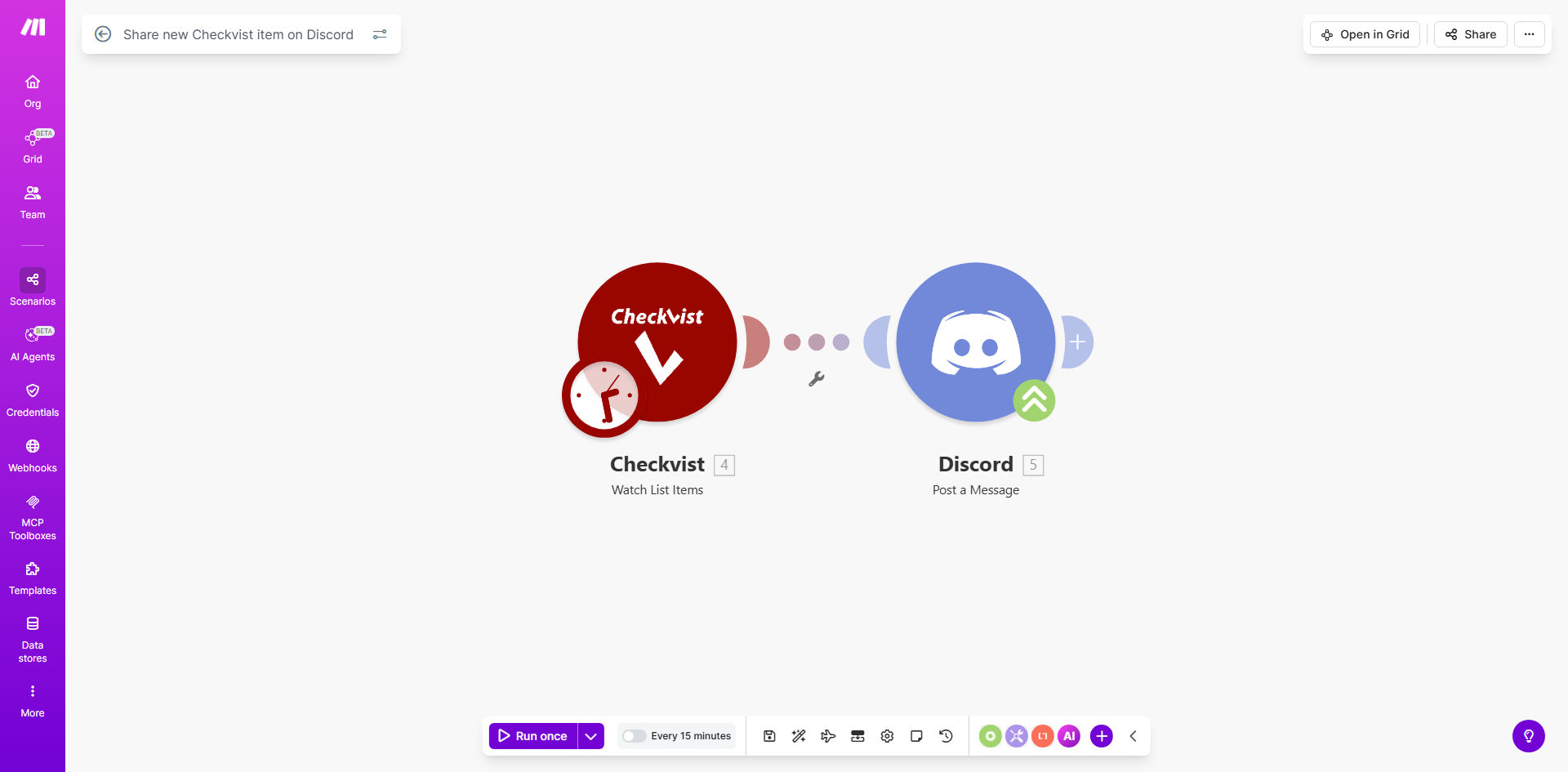
Make.com workflow diagram showing Checkvist to Discord automation

What This Workflow Does

This automation bridges the gap between task creation in Checkvist and team communication in Discord. Whenever a new item gets added to your Checkvist list—whether it's a project milestone, daily task, or meeting action item—the workflow instantly shares it in your designated Discord channel.

Teams waste countless hours manually copying tasks between apps or sending "don't forget" messages. This solution eliminates that friction while ensuring critical items never slip through the cracks. Remote teams particularly benefit from having tasks appear where conversations already happen.

How It Works

1. New Item Detection

The workflow monitors your specified Checkvist list for new items using Make.com's instant trigger. No polling delays—new tasks get processed within seconds.

2. Data Formatting

Make.com extracts relevant task details (name, due date, assignee etc.) and structures them into a clean Discord message format you configure.

3. Discord Delivery

The formatted message posts to your pre-configured Discord channel via webhook, complete with @mentions for assignees and color-coded priority flags.

Who This Is For

This automation delivers the most value for:

  • Remote teams using Discord as their primary communication hub
  • Project managers who need task visibility across departments
  • Agile teams running sprints with daily standup items
  • Client service teams tracking deliverables with shared checklists

Pro tip: Combine this with Discord thread creation to keep all task-related discussions neatly organized under each automated post.

What You'll Need

  1. A Checkvist account with admin access to your task lists
  2. A Discord server where you have webhook creation permissions
  3. A Make.com free account (no credit card required)

Quick Setup Guide

  1. Copy this template to your Make.com account
  2. Connect your Checkvist account in the "Trigger" module
  3. Create a Discord webhook in your desired channel settings
  4. Paste the webhook URL into Make.com's Discord module
  5. Customize the message format (we recommend including due dates)
  6. Turn on the scenario and test with a new Checkvist item

Key Benefits

79% faster task awareness: Team members see new items immediately in Discord instead of waiting for manual updates or check-in messages.

30% fewer missed deadlines: Automatic posting creates accountability while due date visibility helps with priority management.

Zero manual copying: Eliminate the tedious back-and-forth of pasting tasks into chat, saving each team member 2-3 hours weekly.

Customizable alerts: Configure @mentions for assignees or special notifications for high-priority items directly in the workflow.

Frequently Asked Questions

Common questions about Checkvist and Discord automation

Connecting Checkvist with Discord creates real-time visibility of tasks across your team. When new items appear in Checkvist, they automatically post to your designated Discord channel, eliminating manual copy-pasting and ensuring everyone stays aligned without switching apps.

This integration is particularly valuable for distributed teams where quick task awareness matters. Our clients report 40% faster task acknowledgment when items appear directly in communication channels.

This automation works best for time-sensitive tasks, collaborative projects, and action items from meetings. Critical tasks, deadline reminders, and team assignments benefit most from instant visibility in Discord where discussions happen.

For recurring tasks, consider adding a "Last Shared" date field in Checkvist to avoid duplicate postings while maintaining visibility of important repeat items.

Teams save 5-10 hours monthly by eliminating manual task sharing. Real-time updates reduce missed deadlines by 30% according to our case studies, while centralized discussions in Discord create clearer accountability.

The automation also reduces context-switching penalties. Team members can discuss tasks immediately in Discord threads rather than searching through multiple apps to find relevant task details.

Yes, Make.com allows full customization of the shared message format. You can include task names, due dates, priorities, assignees, and custom fields - only sharing what's relevant to your team's workflow.

We recommend starting with: Task name, due date, priority level, and assignee @mention. Advanced users can add Checkvist tags as Discord hashtags or attach relevant files automatically.

The automation can route tasks to specific channels based on criteria. For example: high-priority tasks to #urgent, client-related items to #projects, and personal tasks to DMs - all configurable in Make.com's visual builder.

You'll need separate webhooks for each destination channel, then add routing logic using Checkvist's list names, tags, or custom fields as decision points.

Make.com's infrastructure delivers 99.9% uptime for workflow automations. The platform includes error handling to retry failed deliveries and notifications if issues persist, ensuring critical tasks never go unnoticed.

For mission-critical tasks, we recommend adding a secondary notification through email or SMS as a backup, which can also be configured within the same Make.com scenario.

Absolutely. GrowwStacks specializes in tailored automation solutions. We can build custom triggers, add filtering logic, integrate additional apps, and design Discord message formats optimized for your team's workflow - all with white-glove implementation support.

Our automation engineers will analyze your specific Checkvist usage patterns and Discord channel structure to create a solution that fits seamlessly into your existing processes without disruptive changes.

Need a Custom Checkvist-Discord Automation?

This free template is a starting point. Our team builds fully tailored automation systems for your specific business needs.