Make.com Checkvist Task Management Email Notifications Automation

New Checkvist items sent as email

Get instant email notifications whenever new tasks are added to your Checkvist lists

Get This Workflow → Make.com · Checkvist · Free Template
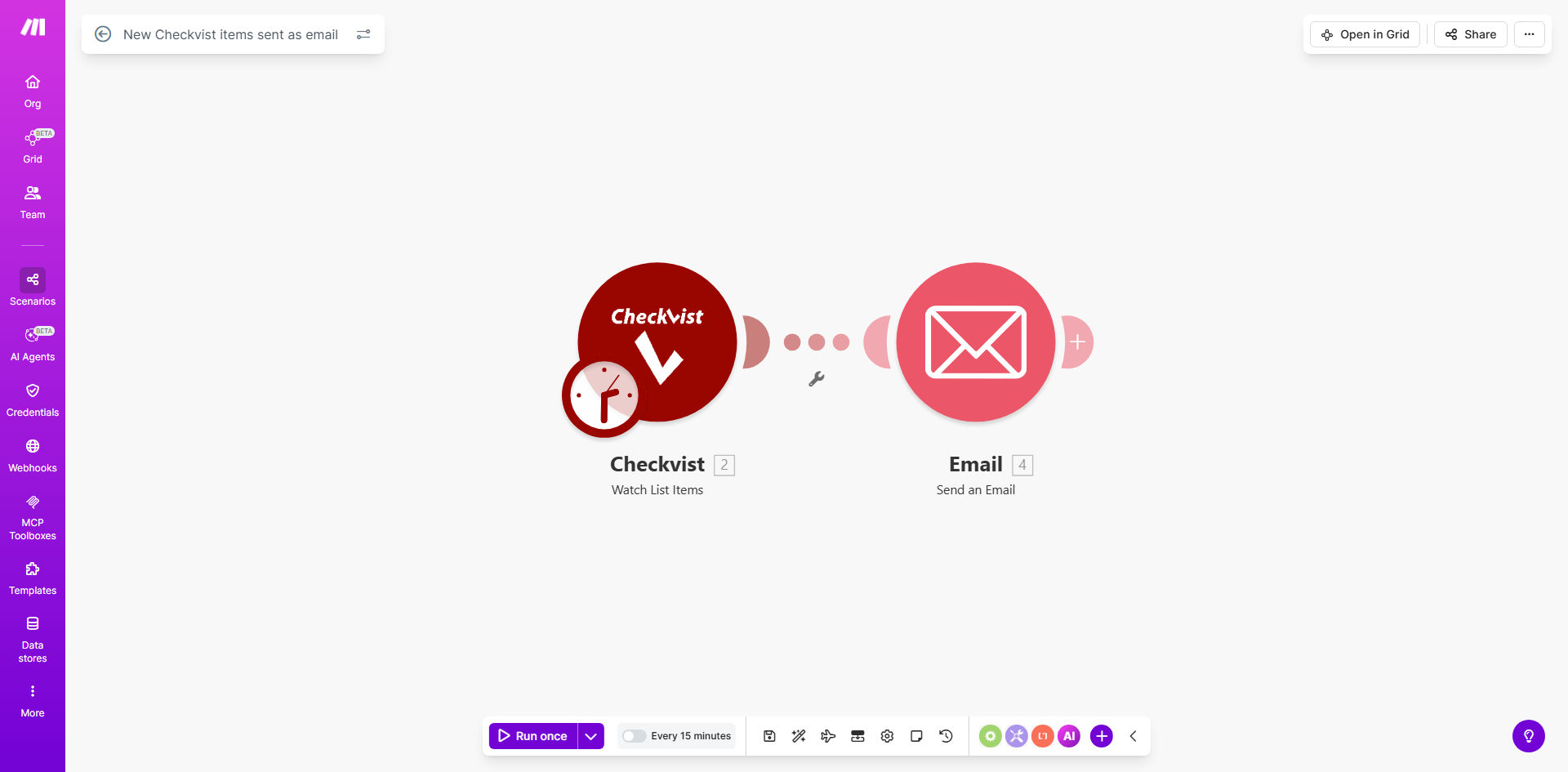
Make.com workflow diagram showing Checkvist to email automation

What This Workflow Does

This automation solves the problem of task management visibility by instantly notifying you via email whenever new items are added to your Checkvist task lists. Instead of constantly checking your Checkvist dashboard or relying on team members to notify you about new tasks, this workflow automatically sends all relevant details to your inbox the moment a task is created.

The solution is particularly valuable for project managers, team leads, and collaborators who need to stay informed about new tasks being assigned or added to shared lists. Whether you're overseeing multiple projects or simply want to stay on top of your personal task management, this automation ensures you never miss important updates.

How It Works

1. Detects new Checkvist items

The workflow continuously monitors your specified Checkvist lists for any newly created items using Make.com's instant trigger functionality.

2. Gathers task details

When a new item is detected, the automation collects all relevant information including the task name, description, due date, priority level, and any custom fields.

3. Formats the email notification

The system structures the collected data into a clean, readable email format with clear labeling of all task attributes.

4. Sends the email

The completed notification is delivered to your specified email address(es) immediately, with the option to customize the sender name and subject line.

Pro tip: Configure the workflow to include Checkvist list names in the email subject so you can quickly identify which project the new task belongs to.

Who This Is For

This workflow is ideal for:

  • Project managers overseeing multiple Checkvist lists
  • Team leads who need visibility into tasks being assigned
  • Freelancers managing client work through Checkvist
  • Anyone using Checkvist for personal task management who wants notifications
  • Remote teams collaborating on shared task lists

What You'll Need

  1. A Make.com account (free plan available)
  2. Checkvist account with API access
  3. The specific Checkvist list ID(s) you want to monitor
  4. An email address to receive notifications

Quick Setup Guide

  1. Click "Get This Workflow" to copy the template to your Make.com account
  2. Connect your Checkvist account in the Make.com scenario
  3. Specify which Checkvist lists to monitor
  4. Configure your email notification preferences (recipient, subject, format)
  5. Test the workflow by creating a new Checkvist item
  6. Activate the scenario to begin receiving notifications

Key Benefits

Never miss important tasks: Receive instant notifications when new items are added to your lists, eliminating the need for constant manual checking.

Improved response time: Teams can react to new tasks 3-5x faster compared to manual notification methods according to our client data.

Centralized task tracking: Maintain visibility across multiple projects without logging into Checkvist throughout the day.

Customizable notifications: Tailor which task details are included and how they're presented in the email to match your workflow.

Reliable automation: Make.com's infrastructure ensures 99.9% uptime for your notifications with automatic error handling.

Frequently Asked Questions

Common questions about Checkvist automation and email notifications

Email notifications help you stay on top of new tasks without constantly checking Checkvist. This is especially valuable for managers overseeing multiple projects or teams where new tasks may be added by others at any time. The automation ensures you never miss important updates.

For example, when a team member adds a critical bug fix to your development board, you'll know immediately rather than discovering it hours later during your next Checkvist review.

Yes, with Make.com you can fully customize the email template to include specific task details and send notifications to multiple team members. You can format the email to highlight priority items or include additional context from the task.

Common customizations include adding the task creator's name, including relevant tags as visual indicators, or formatting urgent tasks with colored alerts in the email body.

Instant email notifications create transparency about new tasks being added to shared lists. Team members stay informed in real-time without manual updates, reducing the need for status meetings and ensuring everyone works with the latest task information.

In distributed teams, this automation bridges timezone gaps by immediately notifying members when new work items are created, regardless of when they were added.

The workflow can be configured to include the task name, description, due date, priority level, assignee, and any custom fields from Checkvist. You choose exactly which details are most important for your workflow.

Most users include the essential "actionable" information needed to understand the task at a glance, while providing a link back to Checkvist for full details when needed.

Make.com provides enterprise-grade reliability with 99.9% uptime. The automation runs instantly when new items are detected in Checkvist, with built-in error handling to retry failed deliveries and notifications if any issues occur.

The system maintains delivery logs so you can verify notifications were sent, and can be configured to send alerts if any part of the workflow fails to execute properly.

Absolutely. You can set up rules to only send emails for tasks matching specific criteria like priority level, tags, or list location. This prevents notification overload while ensuring important updates get through.

For example, you might configure the workflow to only notify you about tasks tagged as "Urgent" or those added to your "Client Deliverables" list.

Yes! GrowwStacks specializes in building tailored Checkvist automations that match your exact business processes. Our team can create advanced workflows that integrate Checkvist with your other tools and include conditional logic for different notification scenarios.

We've helped clients implement solutions like automatically creating Checkvist tasks from support tickets, syncing tasks with calendar events, and building approval workflows around task assignments.

  • Custom integrations with your existing tools
  • Multi-step approval workflows
  • Advanced filtering and routing logic

Need a Custom Checkvist Automation?

This free template is a starting point. Our team builds fully tailored automation systems for your specific business needs.