Make.com Drupal Google Sheets Content Automation No-Code

Automatically Create Drupal Content from Google Sheets

Transform spreadsheet rows into published Drupal content without manual data entry

Get This Workflow → Make.com · Drupal · Free Template
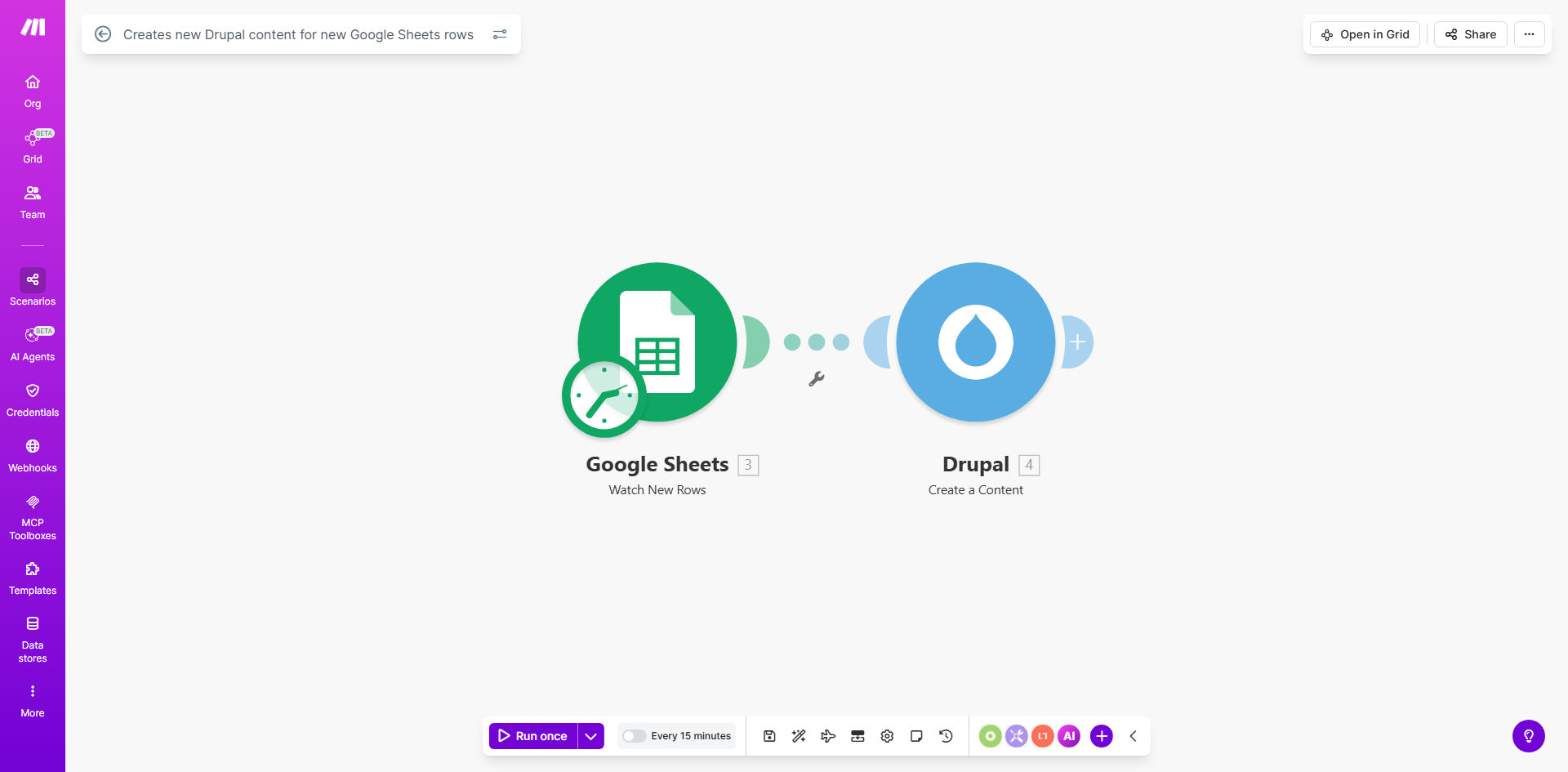
Make.com workflow diagram showing Google Sheets to Drupal content automation

What This Workflow Does

This automation eliminates the tedious manual process of copying data from spreadsheets into Drupal. Whenever new rows are added to your designated Google Sheet, the workflow automatically creates corresponding content in Drupal with all field values populated from the spreadsheet columns.

Ideal for content teams managing product catalogs, event listings, staff directories, or any structured content that originates in spreadsheet format, this solution can save hours per week while reducing data entry errors. The template handles the complete content creation process including field mapping, content type selection, and publishing status configuration.

How It Works

1. New Row Detection

The workflow monitors your Google Sheet for new rows added, using Make.com's Google Sheets trigger. You specify which spreadsheet and worksheet to watch.

2. Data Extraction

Each new row's data is extracted with column values mapped to variables for processing. The template includes example mappings you can customize for your Drupal fields.

3. Drupal Content Creation

Using Drupal's REST API, the workflow creates a new content item with all field values populated from the spreadsheet. You can configure which content type to create and set publishing options.

4. Error Handling

The template includes basic error handling to catch and report issues like invalid field values or API connection problems.

Who This Is For

This automation is perfect for:

  • Drupal site administrators managing large content inventories
  • Marketing teams publishing product catalogs or event calendars
  • Educational institutions maintaining directory listings
  • Any organization migrating legacy spreadsheet data to Drupal
  • Teams collaborating on content via Google Sheets before publishing

What You'll Need

  1. A Google Sheets spreadsheet with your content data
  2. Drupal 8+ website with REST API enabled
  3. Make.com account (free tier available)
  4. Basic understanding of your Drupal content types and fields
  5. Admin access to create API users in Drupal

Quick Setup Guide

  1. Copy the template to your Make.com account
  2. Connect your Google Sheets account and select your spreadsheet
  3. Configure Drupal REST API connection with admin credentials
  4. Map spreadsheet columns to Drupal fields in the workflow
  5. Test with sample data before activating the automation

Key Benefits

Save 5-10 hours per week by eliminating manual copy-paste of spreadsheet data into Drupal. Content teams report reducing this repetitive task from hours to minutes.

Reduce data entry errors by 90%+ since the automation transfers values exactly as they appear in your spreadsheet, avoiding human typos and omissions.

Publish content faster by removing bottlenecks in your workflow. New spreadsheet entries can appear on your Drupal site within minutes rather than waiting for manual processing.

Maintain version control by using Google Sheets' revision history as an audit trail for content changes, complementing Drupal's own revision system.

Scale content operations effortlessly - the automation handles 10 or 10,000 entries with equal reliability, perfect for large migrations or frequent updates.

Pro tip: Structure your Google Sheet with columns that exactly match your Drupal content type fields for easiest mapping. Include a header row with clear field names.

Frequently Asked Questions

Common questions about Drupal and Google Sheets automation

Automating Drupal content creation from Google Sheets eliminates manual data entry errors and saves significant time for content teams. This is especially valuable when managing large content inventories or frequently updated information like product catalogs, event listings, or knowledge bases where spreadsheet data needs to become web content.

For example, a university department maintaining faculty profiles could have administrators update a shared Google Sheet, with changes automatically reflected on the website without web team involvement. This democratizes content updates while maintaining control through spreadsheet permissions.

You can create any Drupal content type including articles, basic pages, products, events, or custom content types. The automation maps spreadsheet columns to Drupal fields, allowing you to populate titles, body text, taxonomies, images, and custom fields automatically from your spreadsheet data.

The template works particularly well for structured content types where fields correspond neatly to spreadsheet columns. More complex content with paragraph bundles or entity references may require additional configuration or custom modules.

The integration is highly reliable when properly configured. Make.com's platform provides error handling and retry logic if there are temporary connection issues. For mission-critical content workflows, we recommend implementing validation rules in your spreadsheet and testing with sample data before full deployment.

Common issues to watch for include API rate limits (especially with large datasets), authentication token expiration, and field validation errors when spreadsheet data doesn't match Drupal's expected formats for specific fields.

Yes, with additional configuration you can modify the workflow to update existing Drupal content based on spreadsheet changes. This requires matching spreadsheet rows to Drupal nodes using a unique identifier field and mapping update operations for the relevant fields.

For update workflows, we recommend implementing a change detection system (like a "last modified" timestamp column) to avoid unnecessary API calls for unchanged rows. You may also want to configure revision tracking in Drupal to maintain an audit trail of automated updates.

Organize columns to match your Drupal content type fields exactly. Include a header row with clear field names, use separate columns for different field types, and maintain consistent data formats. For complex fields like taxonomies, use the same format Drupal expects (term IDs or machine names).

Best practices include:

  • One column per Drupal field
  • Standardized formats for dates and numbers
  • Validation rules to prevent invalid data
  • A unique ID column for update operations

Store image URLs or file paths in your spreadsheet and configure the workflow to download and attach them to Drupal content. The automation can process image fields, file fields, and media entities, though you may need additional modules for advanced media handling in Drupal.

For reliable media handling:

  • Use publicly accessible URLs for source files
  • Specify alt text in a separate column
  • Consider file naming conventions
  • Test with a few files before scaling up

Absolutely! GrowwStacks specializes in building custom integrations between Google Sheets and Drupal tailored to your specific content workflows. We can handle complex field mappings, conditional logic, approval workflows, and integration with your existing Drupal modules and publishing processes.

Our custom solutions often include:

  • Multi-step content approval workflows
  • Advanced error handling and notifications
  • Integration with Drupal modules like Workbench Moderation
  • Bulk import capabilities for migrations
  • Dashboard reporting on automation performance

Need a Custom Drupal Automation?

This free template is a starting point. Our team builds fully tailored automation systems for your specific business needs.