Make.com Zoho Projects Delesign Project Management Automation

Automatically Create Delesign Projects from Zoho Projects

Eliminate manual project setup duplication between your project management and design collaboration tools

Get This Workflow → Make.com · Zoho Projects · Free Template
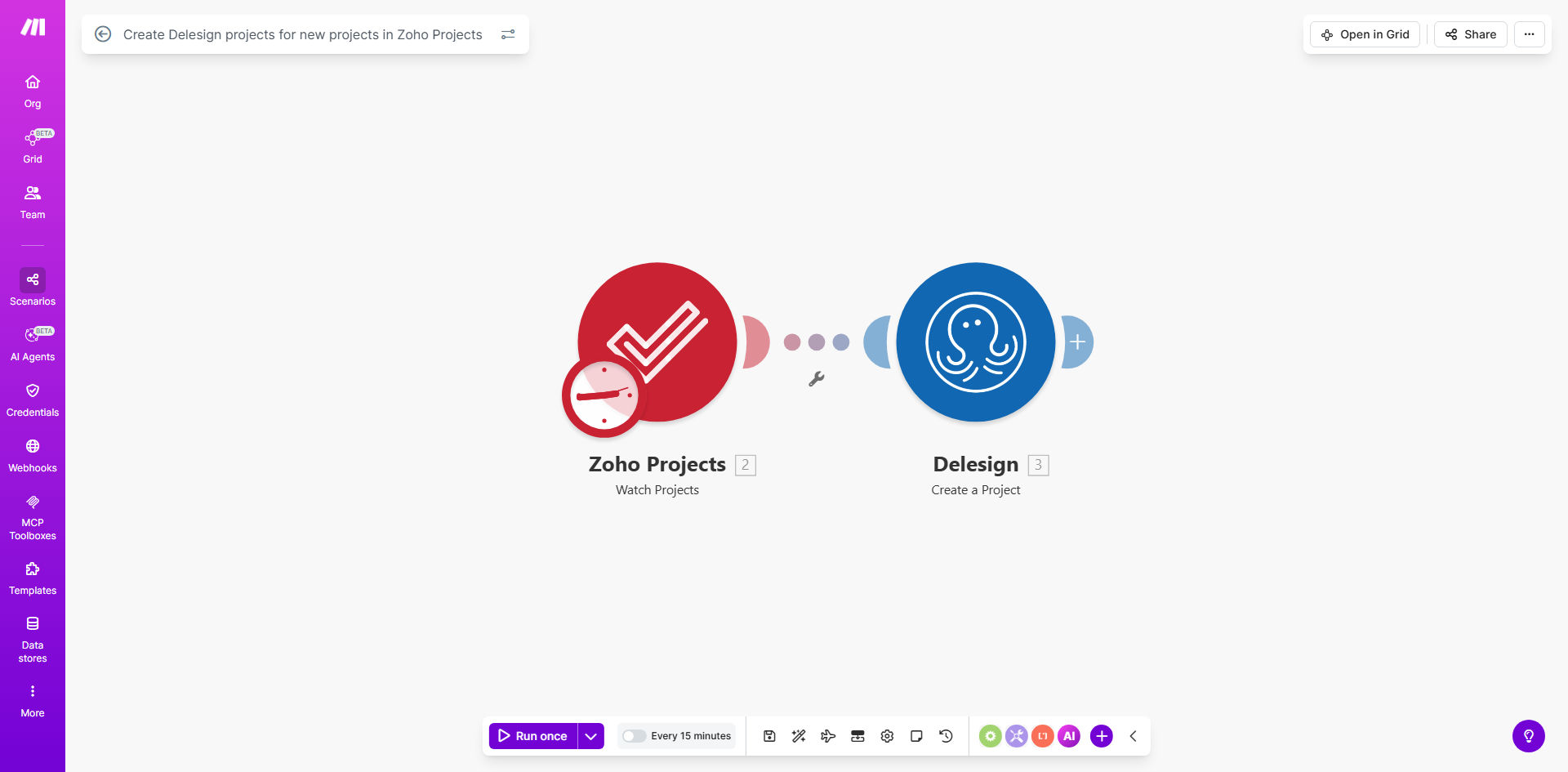
Make.com workflow diagram showing Zoho Projects to Delesign integration

What This Workflow Does

This automation solves a common pain point for teams using both Zoho Projects for task management and Delesign for creative collaboration. Every time your team creates a new project in Zoho Projects, this workflow automatically creates a matching project in Delesign with the same name, description, and key metadata.

Without automation, project managers or administrators must manually duplicate this setup across both platforms - a time-consuming process that often leads to inconsistencies. This template ensures both systems stay perfectly synchronized from the moment a project is created, saving 15-30 minutes of manual work per project while eliminating human error.

How It Works

1. Monitoring New Zoho Projects

The workflow regularly checks your Zoho Projects account for newly created projects using Make.com's Zoho Projects module. You can configure the checking interval based on your team's project creation frequency.

2. Extracting Project Details

When a new project is detected, the automation retrieves all relevant details including project name, description, start/end dates, custom fields, and any other metadata you specify.

3. Creating Delesign Project

The workflow then uses Delesign's API to create a new project with the same parameters. The template includes field mapping to ensure data appears correctly in both systems.

4. Error Handling & Notifications

If any step fails (like API rate limits or connection issues), the workflow retries according to your configuration and can notify administrators via email or Slack if manual intervention is needed.

Pro tip: For teams with complex project structures, we can customize this workflow to also sync project templates, custom fields, and even automatically add team members to both platforms simultaneously.

Who This Is For

This automation delivers the most value for:

  • Marketing agencies managing client projects across multiple tools
  • Product teams coordinating between project management and design
  • Creative departments that need design collaboration tied to project timelines
  • Businesses scaling their operations who want to eliminate manual data duplication

What You'll Need

  1. A Make.com account (free or paid plan)
  2. Admin access to your Zoho Projects account
  3. Admin access to your Delesign account
  4. API credentials for both platforms (the template includes setup instructions)

Quick Setup Guide

  1. Install the template in your Make.com account
  2. Connect your Zoho Projects account in the first module
  3. Connect your Delesign account in the project creation module
  4. Configure the synchronization interval (default is hourly)
  5. Test with a new Zoho Project to verify Delesign creation
  6. Deploy the scenario to run automatically

Key Benefits

Save 5-10 hours monthly by eliminating manual project setup across platforms. For teams creating 20+ projects monthly, this automation pays for itself in time savings alone.

Ensure 100% consistency between project management and design collaboration tools. No more mismatched project names, missing descriptions, or outdated timelines.

Onboard teams faster by automatically creating properly structured projects in both systems simultaneously, reducing setup errors for new hires.

Scale operations efficiently without adding administrative overhead as your project volume grows across departments.

Frequently Asked Questions

Common questions about Zoho Projects and Delesign integration

Connecting Zoho Projects with Delesign eliminates manual project setup duplication. When your team creates a project in Zoho for task management, this automation instantly creates a corresponding Delesign project for design collaboration, ensuring both tools stay in sync without manual data entry.

This integration is particularly valuable for creative teams who need their project timelines and specifications to match exactly between management and execution platforms. The automation maintains consistency even as projects evolve with updates.

The Make.com scenario can be configured to check for new Zoho Projects at intervals ranging from every 15 minutes to daily, depending on your workflow needs. Most businesses use hourly checks for optimal balance between timeliness and system load.

For mission-critical projects where immediate synchronization is required, we can implement webhook-based triggers that create Delesign projects the moment they're added in Zoho, eliminating any delay.

The automation transfers key project metadata including project name, description, start/end dates, and custom fields you specify. You can customize the mapping to include additional Zoho Projects data that should appear in Delesign.

The template includes basic field mapping, but our team can extend it to handle complex project structures, task hierarchies, and even attached documents between the two platforms.

  • Standard fields: Name, description, dates, status
  • Optional: Custom fields, milestones, tags
  • Advanced: Task lists, file attachments, comments

Yes, with additional configuration, the workflow can automatically add the same team members from Zoho Projects to the corresponding Delesign project. This requires setting up user email mapping between both platforms.

For larger organizations, we implement directory synchronization to maintain team structures across both tools. The automation can assign appropriate permissions in Delesign based on each member's role in Zoho Projects.

The basic template doesn't handle project deletions, but our team can customize it to either archive or delete corresponding Delesign projects when the source is removed in Zoho Projects, maintaining data consistency across platforms.

Advanced implementations can include approval workflows before deletion, automatic project archival with preservation of design assets, or even merging projects when reorganizing in Zoho.

Make.com's platform provides enterprise-grade reliability with 99.9% uptime. The workflow includes error handling to retry failed operations and can notify administrators if any synchronization issues occur between Zoho Projects and Delesign.

We recommend monitoring the first few automated project creations and setting up alerts for any failures. For mission-critical operations, we can build redundant checks and fallback mechanisms into the workflow.

Absolutely! GrowwStacks specializes in building tailored automation solutions. We can customize this workflow to handle your specific project fields, approval processes, team structures, and even add conditional logic for different project types between Zoho Projects and Delesign.

Our clients typically see ROI within 1-2 months from reduced administrative work and eliminated errors. We'll analyze your current processes and design an automation system that fits your exact operational needs.

  • Custom field mapping between platforms
  • Team synchronization with proper permissions
  • Conditional workflows for different project types

Need a Custom Zoho-Delesign Automation?

This free template is a starting point. Our team builds fully tailored automation systems for your specific business needs.