Make.com Qwilr Microsoft 365 Sales Automation Proposal Tracking

Automatically Log Accepted Qwilr Proposals in Excel

Eliminate manual data entry by automatically recording accepted proposals from Qwilr directly into your Microsoft 365 Excel worksheets

Get This Workflow → Make.com · Qwilr · Free Template
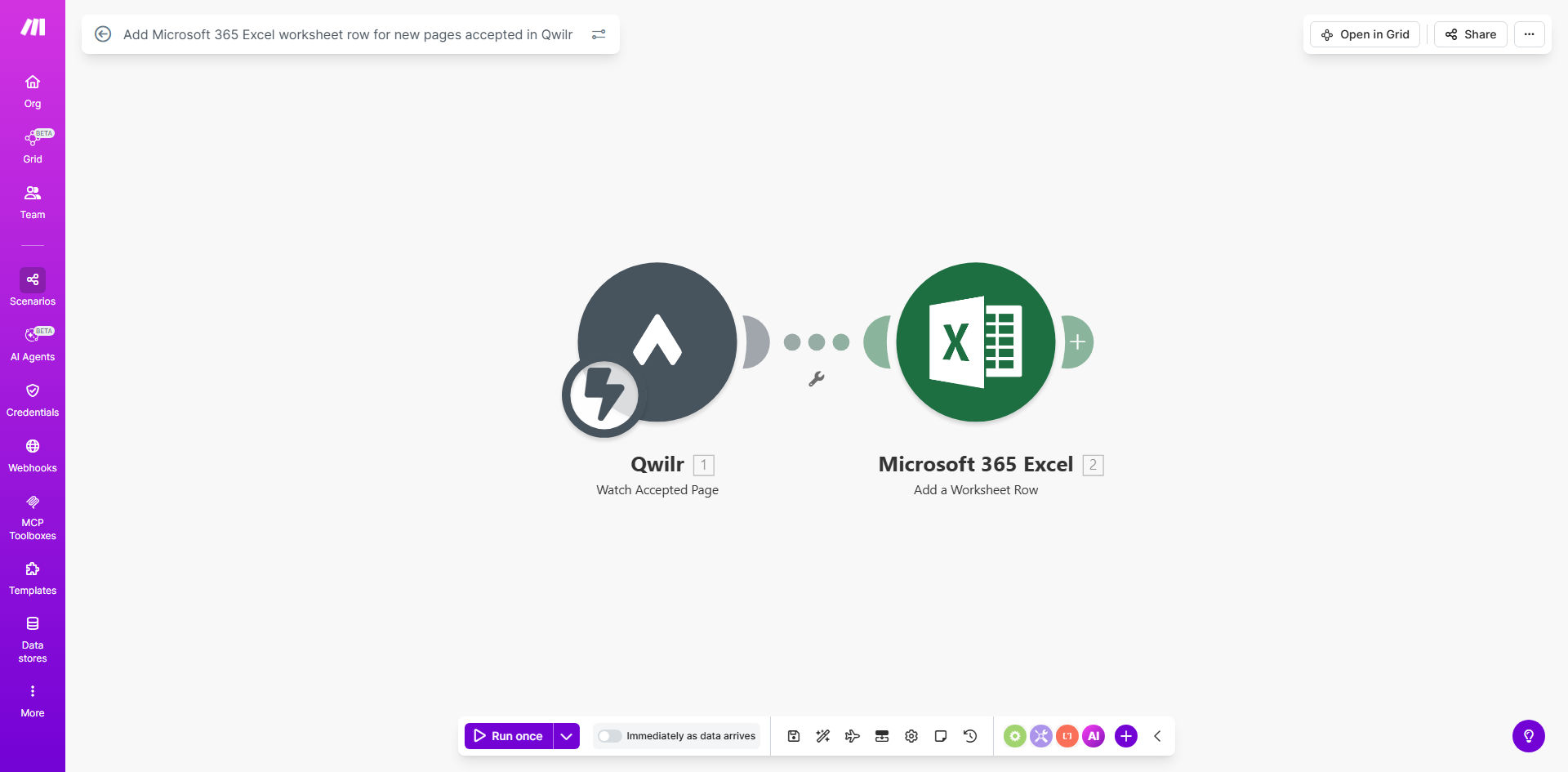
Make.com workflow interface showing Qwilr to Excel automation setup

What This Workflow Does

This automation solves a critical pain point for sales teams using Qwilr for proposals - the tedious manual process of tracking which proposals get accepted and logging them in spreadsheets. Every time a client accepts a Qwilr proposal, the workflow automatically creates a new row in your designated Excel worksheet with all relevant details.

The system captures essential proposal data like client name, proposal amount, acceptance date, and any custom fields you've set up in Qwilr. This creates a centralized, searchable record of all won deals without requiring your team to manually transfer information between systems.

How It Works

1. Trigger: New Qwilr Page Accepted

The workflow activates whenever a client accepts a proposal in your Qwilr account. Make.com monitors your Qwilr activity through a secure API connection.

2. Data Extraction

The system retrieves all relevant proposal details including client information, pricing, custom fields, and metadata. This data is structured for clean Excel import.

3. Excel Worksheet Update

Using your Microsoft 365 credentials, the workflow adds a new row to your specified Excel file. You can map Qwilr fields to specific Excel columns for perfect formatting.

4. Error Handling

If any step fails (like Excel being unavailable), the workflow retries or sends an alert notification so you never lose proposal data.

Who This Is For

This automation delivers the most value for:

  • Sales teams using Qwilr for client proposals
  • Finance teams needing accurate deal records
  • Operations managers tracking sales performance
  • Agencies managing multiple client proposals
  • Business owners who want automated documentation

What You'll Need

  1. An active Qwilr account with admin access
  2. Microsoft 365 Business or Enterprise subscription
  3. A Make.com account (free tier works)
  4. An Excel file ready to receive proposal data
  5. 5-10 minutes for initial setup

Quick Setup Guide

  1. Click "Get This Workflow" to copy the template to your Make.com account
  2. Connect your Qwilr account via OAuth in Make.com
  3. Authorize access to your Microsoft 365 Excel files
  4. Specify which Excel file and worksheet should receive the data
  5. Map Qwilr fields to your Excel columns (customize as needed)
  6. Test with a sample Qwilr proposal to verify the data flow
  7. Turn on the scenario and start automating!

Key Benefits

Eliminate 3-5 hours per week of manual data entry typically spent transferring accepted proposal details from Qwilr to spreadsheets.

100% data accuracy by removing human error from the documentation process. Every accepted proposal is logged exactly as approved by the client.

Real-time sales visibility with always-updated Excel records that reflect your current won deals without waiting for manual updates.

Seamless integration that works alongside your existing Qwilr and Microsoft 365 workflows without disrupting current processes.

Scalable documentation that grows with your business - automatically handling 10 or 10,000 accepted proposals with equal reliability.

Frequently Asked Questions

Common questions about Qwilr and Excel automation

Automating Qwilr to Excel tracking saves hours of manual data entry while ensuring your proposal records are always accurate and up-to-date. This creates a reliable audit trail for your sales process and eliminates human error in documentation.

For example, a marketing agency sending 50 proposals per month could save 15+ hours monthly while gaining instant visibility into which proposals convert and at what rates.

You can capture client details, proposal amounts, acceptance dates, custom fields, and any other metadata from your Qwilr proposals. The workflow maps this data to specific Excel columns for organized record-keeping.

Common data points include: client company name, decision-maker contact, proposal value, services included, acceptance timestamp, and custom questionnaire responses from your Qwilr template.

With all accepted proposals automatically logged in Excel, you can generate real-time reports on win rates, average deal size, and sales cycle length without manual data aggregation. This gives leadership better visibility into sales performance.

The automated data flow enables dynamic dashboards that update instantly as new proposals are accepted, helping you spot trends and make data-driven decisions faster.

Yes, the workflow can append data to your current Excel files without disrupting existing formulas or pivot tables. It simply adds new rows while preserving your reporting structure.

Many users configure it to add data to a dedicated "Raw Data" tab that feeds into their existing sales dashboards and financial models through standard Excel references.

You can configure the workflow to either overwrite the existing Excel entry or create a new version record. This maintains data integrity while tracking proposal revisions.

For audit purposes, we recommend keeping both original and revised entries with timestamps, giving you complete visibility into the proposal lifecycle.

Make.com uses enterprise-grade encryption for all data transfers. Your Qwilr API credentials are securely stored, and the connection to Microsoft 365 uses OAuth 2.0 authentication for maximum security.

The workflow only requests the minimum permissions needed (read from Qwilr, write to your specified Excel file) and never stores proposal data outside your connected systems.

Absolutely! Our team at GrowwStacks specializes in building tailored automation solutions that connect Qwilr with your specific Excel reporting needs. We can add custom fields, conditional logic, and integration with other tools in your stack.

Custom enhancements we've built for clients include: automatic commission calculations, integration with accounting software, approval workflows for revised proposals, and conditional formatting in Excel based on proposal terms.

  • Custom field mapping to your Excel structure
  • Multi-step approval workflows
  • Integration with your CRM or accounting system

Need a Custom Qwilr-Excel Automation?

This free template is a starting point. Our team builds fully tailored automation systems for your specific business needs.