Make.com Qwilr Airtable Sales Automation CRM Integration

Automatically Create Airtable Records for Accepted Qwilr Pages

Seamlessly sync your accepted proposals and contracts from Qwilr to Airtable with zero manual work

Get This Workflow Make.com · Qwilr · Free Template
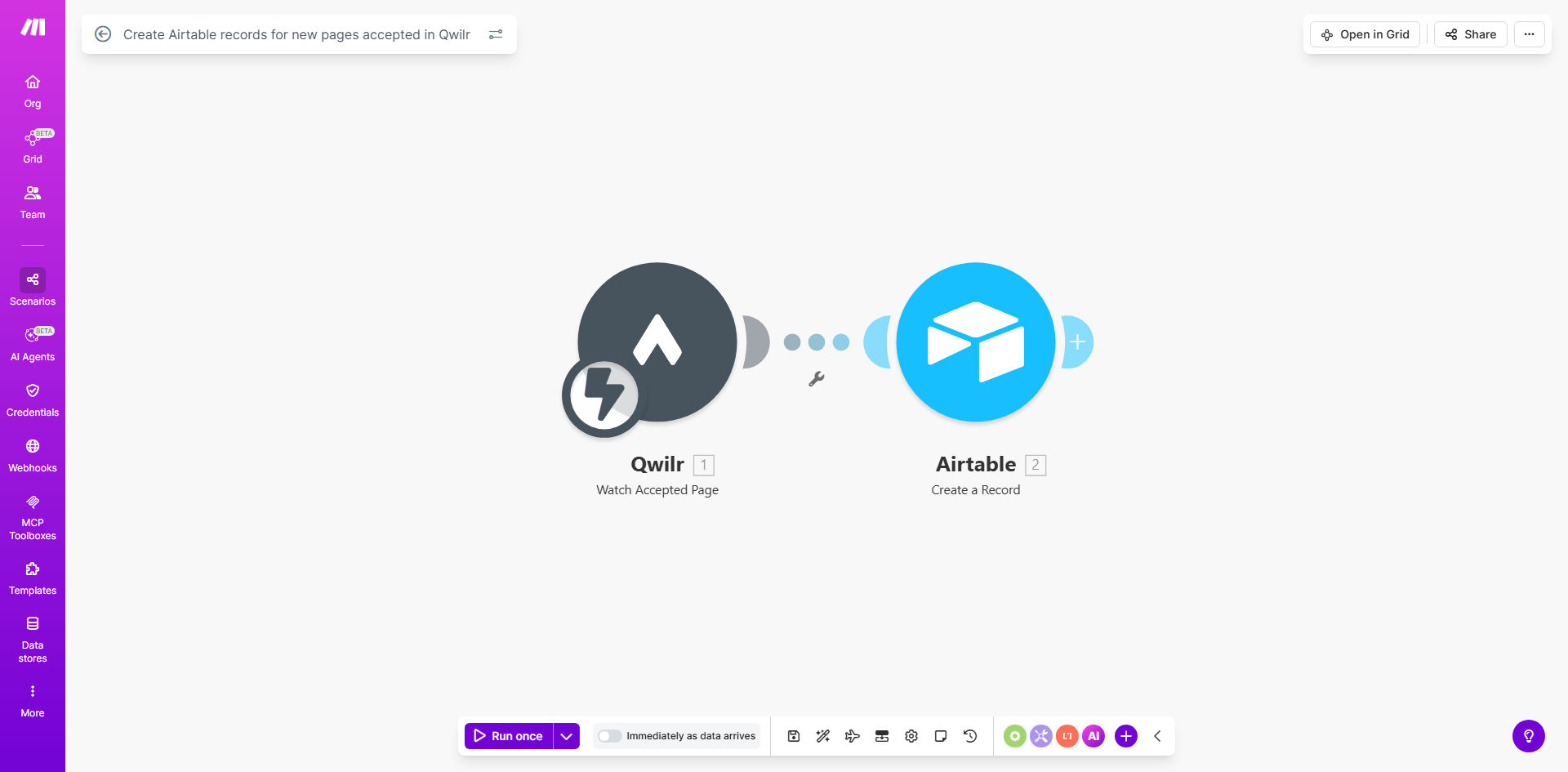
Make.com workflow diagram showing Qwilr to Airtable integration

What This Workflow Does

This automation solves a critical pain point for sales teams and service providers who use Qwilr for proposals and Airtable for CRM or project management. Every time a client accepts your Qwilr proposal, this workflow automatically creates a detailed record in your Airtable base, eliminating manual data entry and ensuring your systems stay perfectly synchronized.

The template captures all essential information from accepted Qwilr pages - client details, proposal content, pricing, terms, and acceptance metadata - then structures it appropriately in your Airtable. This creates a seamless handoff from sales to fulfillment while maintaining complete visibility across your organization.

How It Works

1. Trigger: New page accepted in Qwilr

The workflow activates whenever a client accepts your Qwilr proposal. Make.com monitors your Qwilr account for these acceptance events in real-time.

2. Data extraction from Qwilr

The template pulls all relevant information from the accepted page, including custom fields you've set up in Qwilr. This ensures no critical deal details are missed during the transfer.

3. Data transformation

Make.com reformats the Qwilr data to match your Airtable structure, handling date formats, currency values, and field mappings automatically.

4. Record creation in Airtable

The workflow creates a new record in your specified Airtable base, populating all mapped fields with the proposal data. You maintain complete control over which fields get updated.

Pro tip: Add a conditional step to notify your fulfillment team immediately when high-value proposals are accepted, creating instant visibility for priority clients.

Who This Is For

This automation delivers the most value for:

  • Sales teams using Qwilr for proposals and Airtable as their CRM
  • Digital agencies tracking accepted proposals and project kickoffs
  • Consultants managing client engagements and deliverables
  • Service businesses with standardized offerings and pricing
  • Any organization wanting to eliminate manual data transfer between sales and operations

What You'll Need

  1. An active Qwilr account with admin access
  2. An Airtable base with appropriate fields to receive proposal data
  3. A Make.com account (free plan sufficient for basic usage)
  4. API keys for both Qwilr and Airtable (admin access required)
  5. Clear mapping of which Qwilr fields should populate which Airtable fields

Quick Setup Guide

  1. Clone the template in your Make.com account
  2. Connect your Qwilr account using OAuth or API key
  3. Connect your Airtable base and specify the target table
  4. Map Qwilr fields to corresponding Airtable fields
  5. Test with a sample Qwilr page to verify data transfer
  6. Activate the scenario and monitor initial executions

Key Benefits

Eliminate 2-3 hours per week of manual data entry by automatically syncing accepted proposals to your Airtable CRM or project management system.

Reduce human error by 90%+ since the workflow transfers data exactly as configured, without typos or omissions common in manual processes.

Accelerate fulfillment by 1-2 business days because accepted deals appear instantly in your operations system rather than waiting for manual updates.

Improve sales visibility with real-time metrics as every accepted proposal automatically updates your dashboards and reports.

Enhance client experience through faster onboarding since your team can begin fulfillment immediately upon proposal acceptance.

Frequently Asked Questions

Common questions about Qwilr and Airtable automation

Connecting Qwilr with Airtable creates a seamless workflow where accepted proposals automatically populate your CRM or project management system. This eliminates manual data entry errors and ensures your sales pipeline stays updated in real-time.

For example, a marketing agency can instantly create client records and project briefs in Airtable the moment a proposal is accepted, allowing their team to begin work without delay while maintaining perfect data consistency across systems.

You can transfer client details, proposal content, pricing information, acceptance status, and any custom fields from Qwilr to corresponding Airtable fields. The template maps all key data points automatically.

Common transfers include client contact information, project scope, deliverables timeline, payment terms, and any custom questions answered during the proposal process. The flexibility allows you to mirror your exact business workflow.

  • Client name, email, company
  • Proposal title and content
  • Pricing and payment terms

This automation reduces administrative work by 70-80%, ensures immediate follow-up on accepted proposals, and provides accurate sales metrics by tracking acceptance rates and timelines automatically.

Sales teams report closing deals faster because they can react instantly to accepted proposals rather than waiting to notice status changes. The automated data flow also eliminates disputes about contract terms since the Airtable record reflects exactly what the client accepted.

Yes, the Make.com template allows full customization of field mapping. You can choose exactly which Qwilr data points populate specific Airtable fields to match your existing workflow.

For instance, you might map Qwilr's "Project Start Date" to an Airtable "Kickoff Date" field, or route different service line items to separate tables in your base. The visual editor makes these mappings intuitive without coding.

The template can be configured to either create a new record for updates or modify the existing Airtable record. This ensures your data always reflects the latest proposal version.

Most businesses choose to update existing records for minor changes while creating new versions for significant scope adjustments. This maintains an audit trail while keeping current data accurate.

Yes, both Qwilr and Airtable use enterprise-grade security. The integration only transfers data you explicitly configure, maintaining confidentiality while automating your workflow.

The connection uses OAuth or API keys with strict permission scopes. You control exactly what data moves between systems, and all transmissions are encrypted. Many financial services and legal firms use similar integrations safely.

Absolutely! GrowwStacks specializes in building tailored automation solutions. We can create custom workflows that match your exact sales process and integrate with your existing tech stack.

Our team will analyze your current Qwilr usage and Airtable structure, then design an automation that fits seamlessly into your operations. We handle everything from initial mapping to testing and deployment, ensuring the solution works perfectly for your specific needs.

  • Custom field mappings
  • Multi-step approval workflows
  • Integration with additional tools

Need a Custom Qwilr Automation?

This free template is a starting point. Our team builds fully tailored automation systems for your specific business needs.