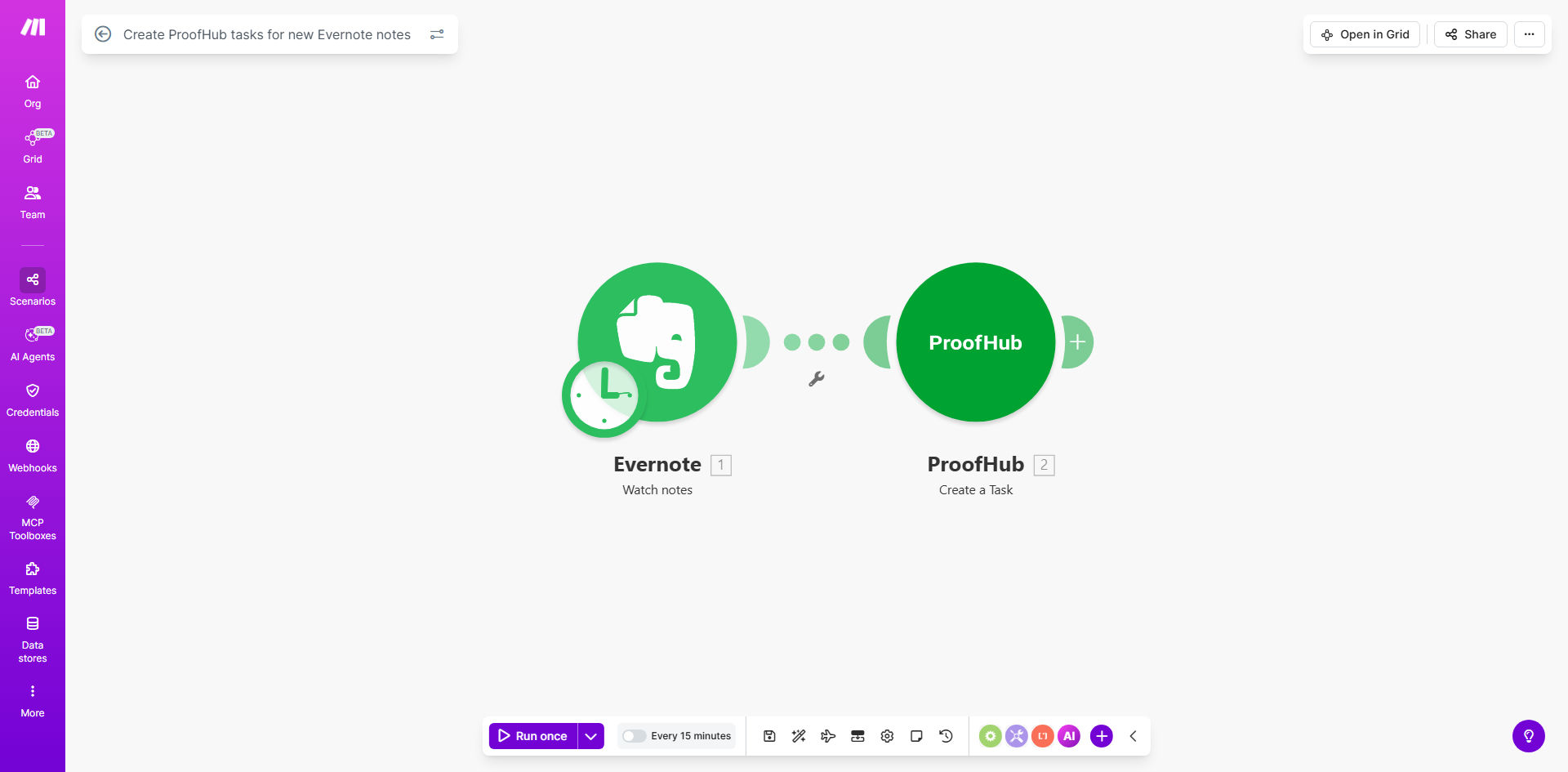
What This Workflow Does
This automation bridges the gap between idea capture in Evernote and task execution in ProofHub. Many professionals struggle with transferring their notes and ideas into actionable tasks, leading to lost opportunities and inefficient workflows. This template solves that by automatically creating ProofHub tasks whenever you add new notes to specified Evernote notebooks.
The workflow runs in the background, checking for new Evernote notes at regular intervals. When it detects a new note, it extracts the relevant information and creates a corresponding task in your ProofHub project with all the details preserved. This eliminates manual data entry while ensuring no ideas fall through the cracks.
How It Works
1. Monitoring Evernote for New Notes
The workflow starts by connecting to your Evernote account and checking specified notebooks for new notes at your chosen interval (default is every 15 minutes). You can configure which notebooks to monitor and apply filters based on tags or keywords.
2. Extracting Note Content
When a new note is detected, the automation extracts the title, content, creation date, and any attachments. It processes this information to prepare it for ProofHub's task format, preserving formatting and important details.
3. Creating ProofHub Tasks
The system then connects to your ProofHub account and creates a new task in your designated project. The note title becomes the task name, while the content becomes the task description. You can customize additional fields like assignees, due dates, and labels during setup.
Pro tip: Add specific tags in Evernote to automatically set ProofHub task priorities or assignees. For example, tag notes with "#urgent" to create high-priority tasks.
Who This Is For
This automation is ideal for teams and individuals who use Evernote for capturing ideas, meeting notes, or brainstorming, but need those converted into actionable tasks in ProofHub. It's particularly valuable for:
- Project managers who capture requirements in Evernote but track execution in ProofHub
- Creative teams that brainstorm in Evernote but need to assign concrete action items
- Remote teams looking to reduce manual coordination between note-taking and task management
- Solopreneurs who want to streamline their personal productivity system
What You'll Need
- An active Make.com account (formerly Integromat)
- Evernote account with notes you want to convert
- ProofHub account with appropriate project access
- Basic understanding of both platforms' interfaces
- 5-10 minutes for initial setup
Quick Setup Guide
- Click "Get This Workflow" to copy the template to your Make.com account
- Connect your Evernote account in the first module
- Specify which notebooks to monitor and set your preferred check interval
- Connect your ProofHub account in the second module
- Select the target project and configure default task settings
- Test with a sample Evernote note to verify the task creation
- Turn on the scenario to begin automatic processing
Key Benefits
Eliminate manual data entry between systems, saving 30-60 minutes per week that would otherwise be spent copying information between apps.
Never lose track of ideas by ensuring every Evernote note automatically becomes an actionable ProofHub task with all context preserved.
Standardize your workflow by applying consistent task properties (assignees, due dates, labels) based on note characteristics.
Reduce context switching by keeping your team focused in ProofHub while still capturing ideas naturally in Evernote.
Scale your productivity system as your team grows, without creating coordination overhead between note-takers and task managers.