Make.com Lead Capture Email Marketing Proofly Mailchimp

Automatically Sync Proofly Leads to Mailchimp

Never miss a lead - instantly add new Proofly contacts to your Mailchimp subscriber list without manual work

Get This Workflow → Make.com · Proofly · Free Template
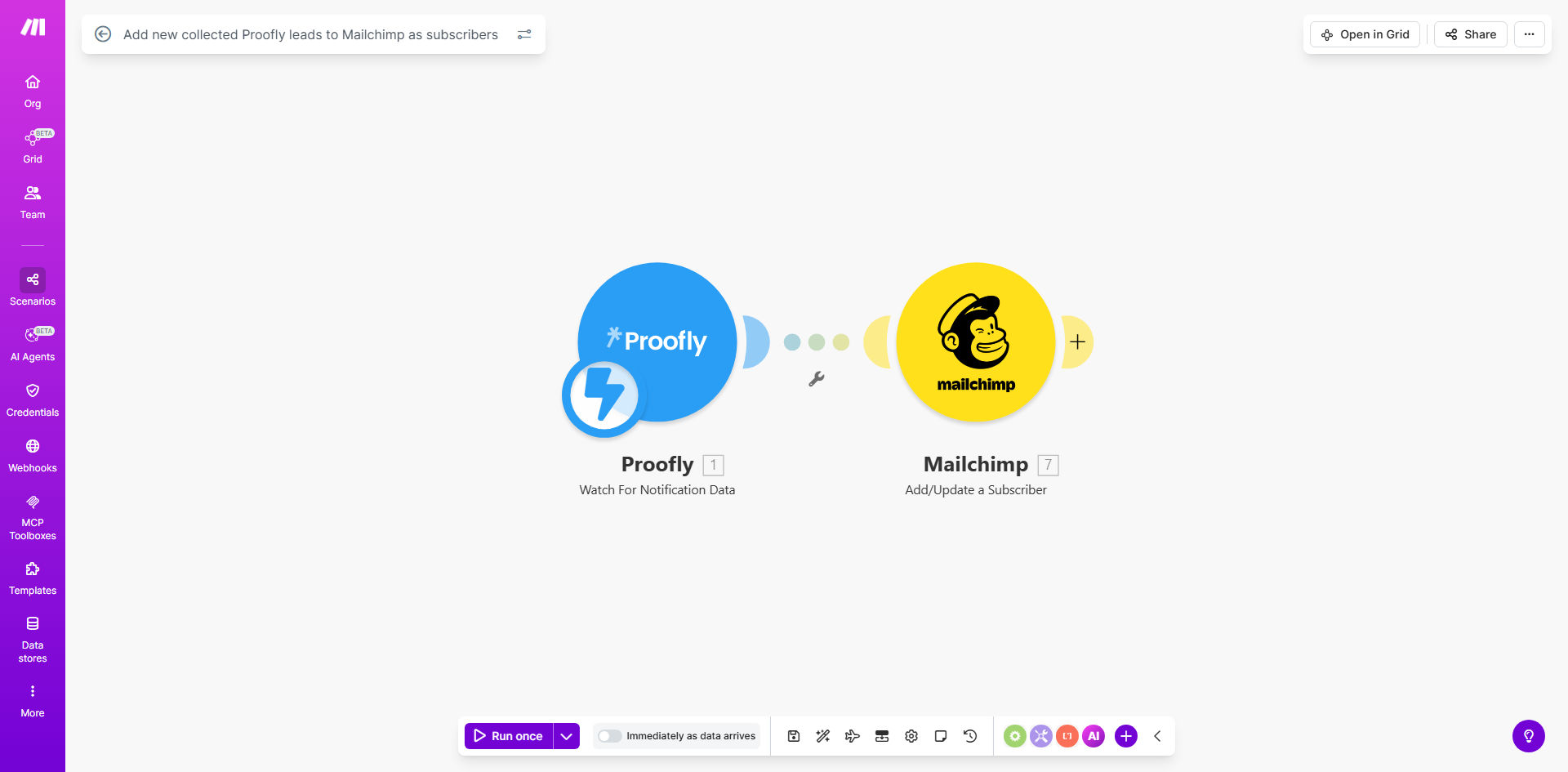
Make.com workflow diagram showing Proofly to Mailchimp integration

What This Workflow Does

This automation solves a critical gap in many marketing funnels - the manual transfer of leads from collection tools like Proofly to email marketing platforms like Mailchimp. Every minute a lead sits unprocessed decreases your conversion chances.

The workflow monitors your Proofly account for new leads and instantly adds them to a specified Mailchimp list as subscribers. It handles all field mapping automatically, ensuring clean data transfer without spreadsheet exports or copy-paste errors that plague manual processes.

How It Works

1. New lead trigger

The workflow constantly monitors your Proofly account for new lead events. When a visitor submits a form or interacts with a campaign, Proofly generates a lead record.

2. Data extraction

Make.com retrieves all available lead information including contact details, custom fields, and metadata about the lead source and campaign.

3. Field mapping

The workflow matches Proofly fields to corresponding Mailchimp merge fields according to your configuration. This ensures data lands in the right places in Mailchimp.

4. Subscriber addition

Make.com adds the lead to your specified Mailchimp list with proper consent flags and tags based on the Proofly campaign they came from.

Pro tip: Configure tags in Mailchimp based on the Proofly campaign source to enable targeted follow-up sequences.

Who This Is For

This workflow benefits any business using Proofly for lead generation and Mailchimp for email marketing. It's particularly valuable for:

  • Marketing agencies running campaigns for multiple clients
  • Ecommerce stores collecting leads through giveaways or quizzes
  • B2B companies with high-value leads that need immediate nurturing
  • Event organizers managing attendee communications

What You'll Need

  1. Active Proofly account with lead collection forms/campaigns
  2. Mailchimp account with at least one audience/list created
  3. Make.com account (free plan sufficient for basic usage)
  4. API keys for both Proofly and Mailchimp

Quick Setup Guide

  1. Clone the template in your Make.com account
  2. Connect your Proofly account via API key
  3. Connect your Mailchimp account via OAuth
  4. Map Proofly fields to Mailchimp merge fields
  5. Select your target Mailchimp audience/list
  6. Test with a sample lead and activate the workflow

Key Benefits

Eliminate manual data entry - Save 2-5 hours per week previously spent exporting, formatting, and importing leads between systems.

Faster lead response times - New leads enter your email sequences within minutes rather than waiting for batch imports.

Improved data accuracy - Automated transfers eliminate human errors in copying contact information between systems.

Better campaign tracking - Maintain clear attribution from initial lead source through email engagement metrics.

Scalable lead processing - Handle 10 or 10,000 leads with identical efficiency and no additional staff time.

Frequently Asked Questions

Common questions about Proofly-Mailchimp automation and integration

Automating lead transfers eliminates manual data entry errors and ensures no leads fall through the cracks. Studies show businesses lose up to 25% of leads during manual transfer processes.

Automation also allows your sales team to engage with fresh leads immediately rather than waiting for batch imports. For example, you can trigger a welcome email sequence within minutes of lead capture instead of hours or days later.

This workflow transfers all standard lead fields including name, email, phone number, and any custom fields you've configured in Proofly.

You can map exactly which fields sync to corresponding Mailchimp merge fields during setup. Common additional fields include company name, job title, lead source details, and any custom questions answered during lead capture.

Leads typically sync within 1-2 minutes of collection in Proofly.

The actual speed depends on your Make.com plan and how frequently you've configured the workflow to check for new leads. Paid Make.com plans offer more frequent polling intervals for near-real-time transfers.

Yes, you can add conditional logic in Make.com to only sync leads that meet specific criteria.

Common filters include lead source, campaign tags, or custom field values. This prevents unqualified leads from cluttering your Mailchimp lists. For example, you might only sync leads who opted in for marketing emails or scored above a certain threshold.

The workflow includes deduplication by default, checking if the email already exists in Mailchimp before adding.

You can configure whether duplicates update existing records or get skipped entirely based on your preference. For ongoing campaigns, updating existing records ensures you have the most current information for each lead.

Automated transfers maintain consistent consent records between systems.

The workflow can be configured to only sync leads who've explicitly opted in, and include timestamped consent documentation from Proofly to Mailchimp. This creates an audit trail showing when and how consent was obtained for each contact.

Absolutely. Our team at GrowwStacks specializes in building tailored automation solutions.

We can create custom workflows with advanced filtering, multi-step nurturing sequences, and integration with your other marketing tools beyond just Mailchimp. Common enhancements include adding CRM syncs, SMS notifications for hot leads, and lead scoring before email enrollment.

  • Custom field mapping for your unique data structure
  • Multi-step welcome sequences based on lead source
  • Integration with your CRM and other marketing tools

Need a Custom Proofly-Mailchimp Automation?

This free template is a starting point. Our team builds fully tailored automation systems for your specific business needs.