Make.com Survey123 Microsoft 365 Data Automation Excel

Automatically Transfer Survey123 Responses to Excel

Eliminate manual data entry by instantly creating Excel rows from every new Survey123 submission

Get This Workflow → Make.com · Survey123 · Free Template
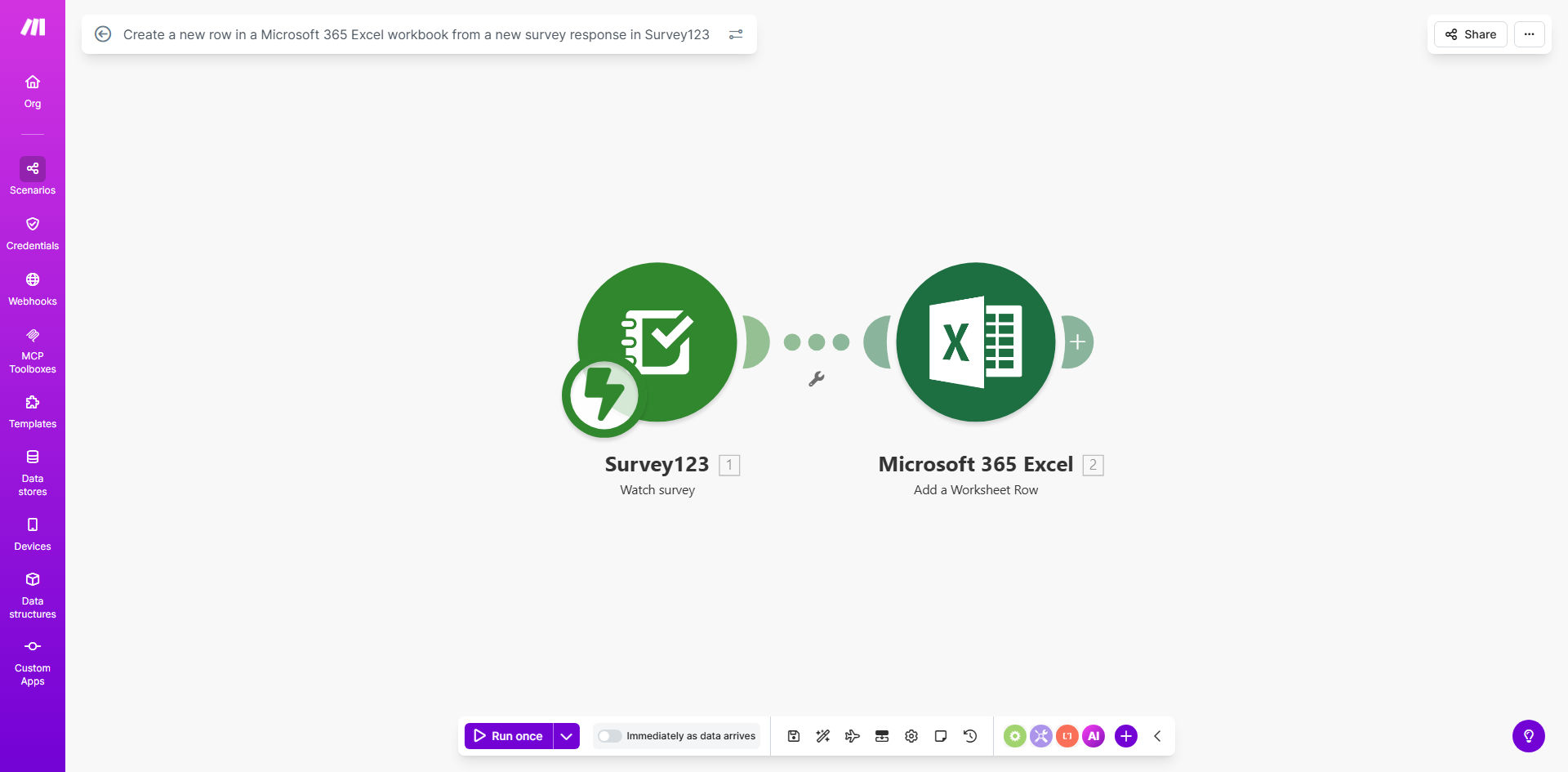
Make.com workflow diagram showing Survey123 to Excel data transfer automation

What This Workflow Does

This automation solves a critical data management challenge faced by organizations using Survey123 for ArcGIS to collect field data, customer feedback, or service requests. Instead of manually copying responses into spreadsheets—a time-consuming and error-prone process—this workflow automatically creates a new row in your Microsoft 365 Excel workbook for every survey submission.

The system captures all response data including timestamps, ensuring your Excel records always reflect the most current survey data without any lag. Field teams can focus on data collection while office staff instantly access responses in Excel for analysis, reporting, or further processing.

How It Works

1. Survey Submission Trigger

The workflow activates immediately when a new response is submitted in Survey123. Make.com detects the new entry through Survey123's webhook integration.

2. Data Extraction

The system retrieves all survey answers along with metadata like submission time and device location (if enabled in your survey). This ensures comprehensive data capture beyond just the questionnaire responses.

3. Excel Row Creation

Using Microsoft 365's API, the workflow creates a new row in your specified Excel workbook. Each survey question maps to its designated column, maintaining your preferred data structure.

4. Data Validation

Optional modules can validate responses before Excel insertion, checking for required fields, data formats, or business rules to maintain data quality.

Who This Is For

This automation delivers the most value for:

  • Field service companies tracking inspections or work orders
  • Municipalities managing citizen service requests
  • Researchers collecting field data from multiple teams
  • Event organizers processing attendee registrations
  • Customer support teams gathering feedback

What You'll Need

  1. An active Survey123 for ArcGIS account
  2. Microsoft 365 Business Standard or higher subscription
  3. Make.com account (free tier sufficient for basic usage)
  4. Excel workbook prepared with column headers matching your survey questions

Quick Setup Guide

  1. Clone the template in your Make.com account
  2. Connect your Survey123 account via OAuth
  3. Authorize access to your Microsoft 365 Excel file
  4. Map survey questions to Excel columns in the configuration panel
  5. Test with sample submissions and verify Excel updates
  6. Activate the scenario for live data processing

Key Benefits

Eliminates 2-4 hours of weekly manual data entry by automatically transferring every response to Excel within seconds of submission.

Reduces data errors by 100% compared to manual transcription, ensuring your reports and analyses work with accurate information.

Enables real-time decision making with survey data immediately available in Excel for dashboards, alerts, and team notifications.

Scales effortlessly from a few submissions to thousands per day without additional administrative overhead.

Maintains data history with timestamped records of every submission for compliance and auditing needs.

Frequently Asked Questions

Common questions about survey data automation and integration

Automating Survey123 to Excel transfers eliminates manual data entry errors, saves hours of administrative work, and ensures real-time data availability for analysis. Field teams can focus on data collection while office staff instantly access responses in Excel for reporting.

A municipal parks department reduced their data processing time from 3 hours daily to zero after implementing this automation, while simultaneously improving the accuracy of their maintenance request tracking system.

This workflow works perfectly for customer feedback forms, service requests, field inspections, event registrations, and any structured data collection where responses need centralized Excel tracking. Both simple and complex surveys with multiple question types are supported.

The system handles all standard Survey123 question types including text, multiple choice, ratings, dates, and geographic coordinates. You can even process file attachments by recording their URLs in Excel.

Automated transfers are 100% accurate when properly configured, eliminating human transcription errors. The system captures responses exactly as submitted, including timestamps, and can handle hundreds of submissions simultaneously without quality degradation.

Unlike manual processes where fatigue causes mistakes, the automation maintains consistent data quality regardless of submission volume. Built-in error handling manages network issues or temporary service outages gracefully.

Yes, the template provides complete flexibility to map any survey question to any Excel column. You can add custom columns for calculations, categorization, or administrative tracking beyond the original survey questions.

For example, many users add columns for:

  • Automated priority scoring
  • Department assignment
  • Follow-up status tracking

The workflow can be easily updated to accommodate new questions or modified survey structures. Simply edit the mapping in Make.com to align with your revised survey while preserving all historical data transfer logic.

Best practice is to test survey changes in a development environment first, then update your production automation during low-usage periods to minimize disruption.

This automation provides real-time updates without manual exports, maintains data formatting consistency, and allows for additional data processing before Excel insertion. It's ideal for teams needing instant Excel access rather than periodic bulk exports.

Unlike native exports that create new files each time, this solution appends to your master workbook, preserving all historical data while adding new submissions. You can also enrich data with calculations or external lookups during transfer.

Absolutely! Our team specializes in building tailored survey automation systems that integrate with your existing tools and workflows. We can create custom solutions for complex data validation, multi-system synchronization, and specialized reporting needs beyond this template's scope.

Custom implementations might include:

  • Automated SMS notifications for urgent submissions
  • Integration with CRM or work order systems
  • Advanced data transformation rules
  • Department-specific dashboards

Need a Custom Survey Automation?

This free template is a starting point. Our team builds fully tailored automation systems for your specific business needs.