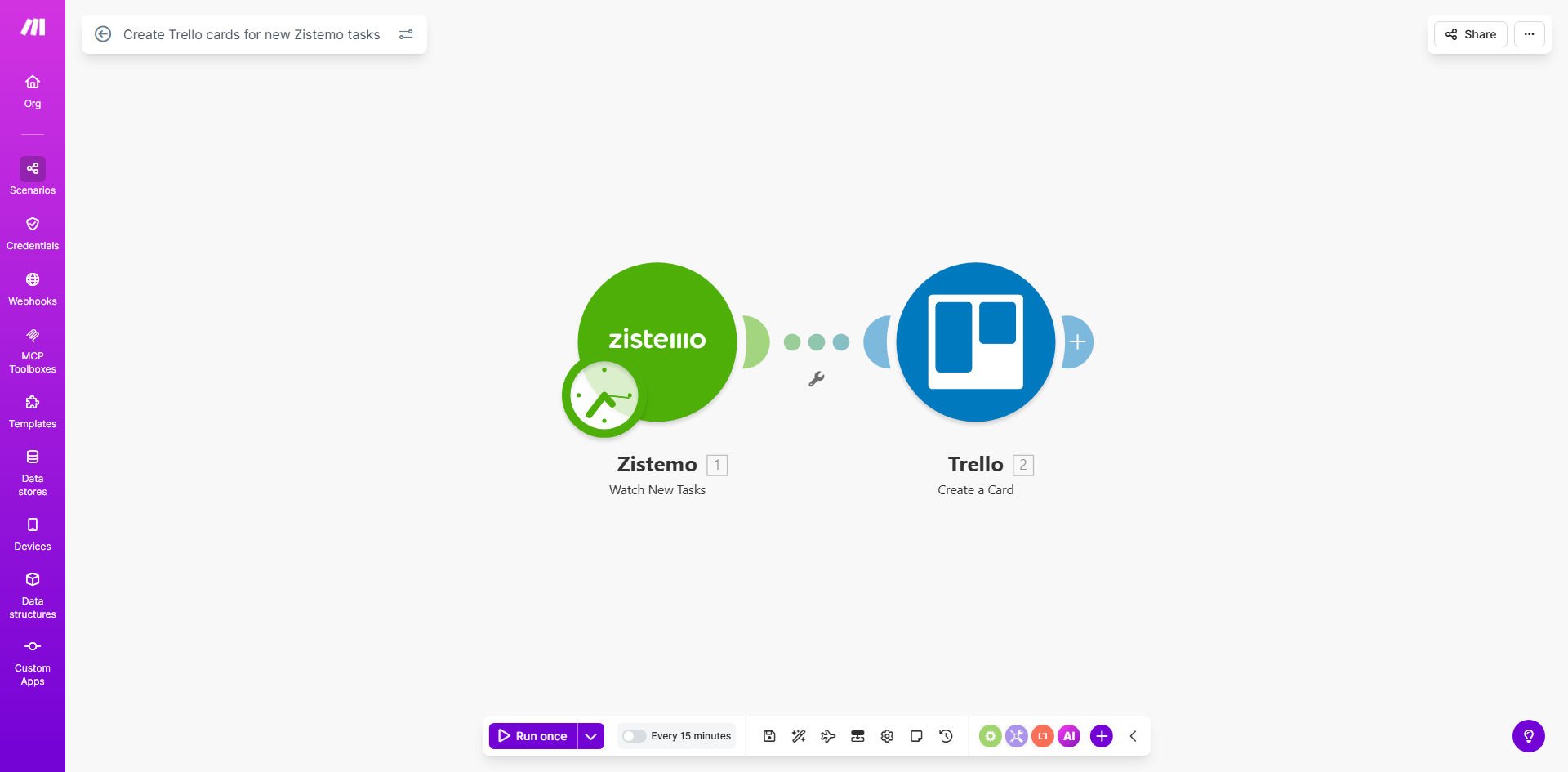
What This Workflow Does
This automation solves the common problem of managing tasks across multiple platforms. Many teams use Zistemo for time tracking and task creation but prefer Trello for visual project management. Manually transferring tasks between these systems wastes valuable time and introduces errors.
The workflow automatically creates a Trello card whenever a new task appears in Zistemo, keeping both platforms in sync. It eliminates duplicate data entry while maintaining each platform's strengths - Zistemo for time tracking and Trello for kanban-style workflow visualization.
How It Works
1. New task detection
The workflow constantly monitors your Zistemo account for new tasks through Make.com's API integration. When a team member creates a task in Zistemo, the automation immediately detects it.
2. Data extraction
Key task details like name, description, due date, and assignee are pulled from Zistemo. The workflow can be customized to include additional fields like project codes or priority levels.
3. Card creation
Make.com then creates a corresponding card in your specified Trello board and list. The card includes all relevant task information from Zistemo, formatted for optimal Trello visibility.
Pro tip: Set up separate Trello lists for different Zistemo project types to automatically organize cards by project category.
Who This Is For
This workflow benefits any team using both Zistemo and Trello in their workflow. It's particularly valuable for:
- Creative agencies tracking billable hours in Zistemo while managing projects in Trello
- Software teams using Zistemo for time tracking alongside Trello for sprint planning
- Consultants who need client-facing task tracking in Trello but detailed time records in Zistemo
- Remote teams coordinating across multiple time zones who need clear task visibility
What You'll Need
- A Make.com account (free plan available)
- Admin access to your Zistemo account
- Admin access to your Trello workspace
- The Trello board where cards should be created
- Basic understanding of both platforms' terminology
Quick Setup Guide
- Install the template from Make.com
- Connect your Zistemo account in Make.com
- Connect your Trello account in Make.com
- Specify which Zistemo projects to monitor
- Select the destination Trello board and list
- Test with a new Zistemo task to verify card creation
- Activate the workflow for continuous automation
Key Benefits
Save 2-5 hours weekly by eliminating manual task transfers between Zistemo and Trello. Team members no longer need to switch between apps to keep projects aligned.
Reduce errors by 90% compared to manual data entry. The automation ensures all task details transfer accurately every time.
Improve project visibility by having all tasks automatically appear in Trello where the whole team can track progress visually.
Maintain data consistency across platforms. Changes made in Zistemo can optionally sync back to Trello with custom modifications to this workflow.