Make.com Zistemo Slack Task Management Notifications

Get Slack notifications about new Zistemo tasks

Automatically alert your team in Slack whenever new tasks are created in Zistemo

Get This Workflow → Make.com · Zistemo · Free Template
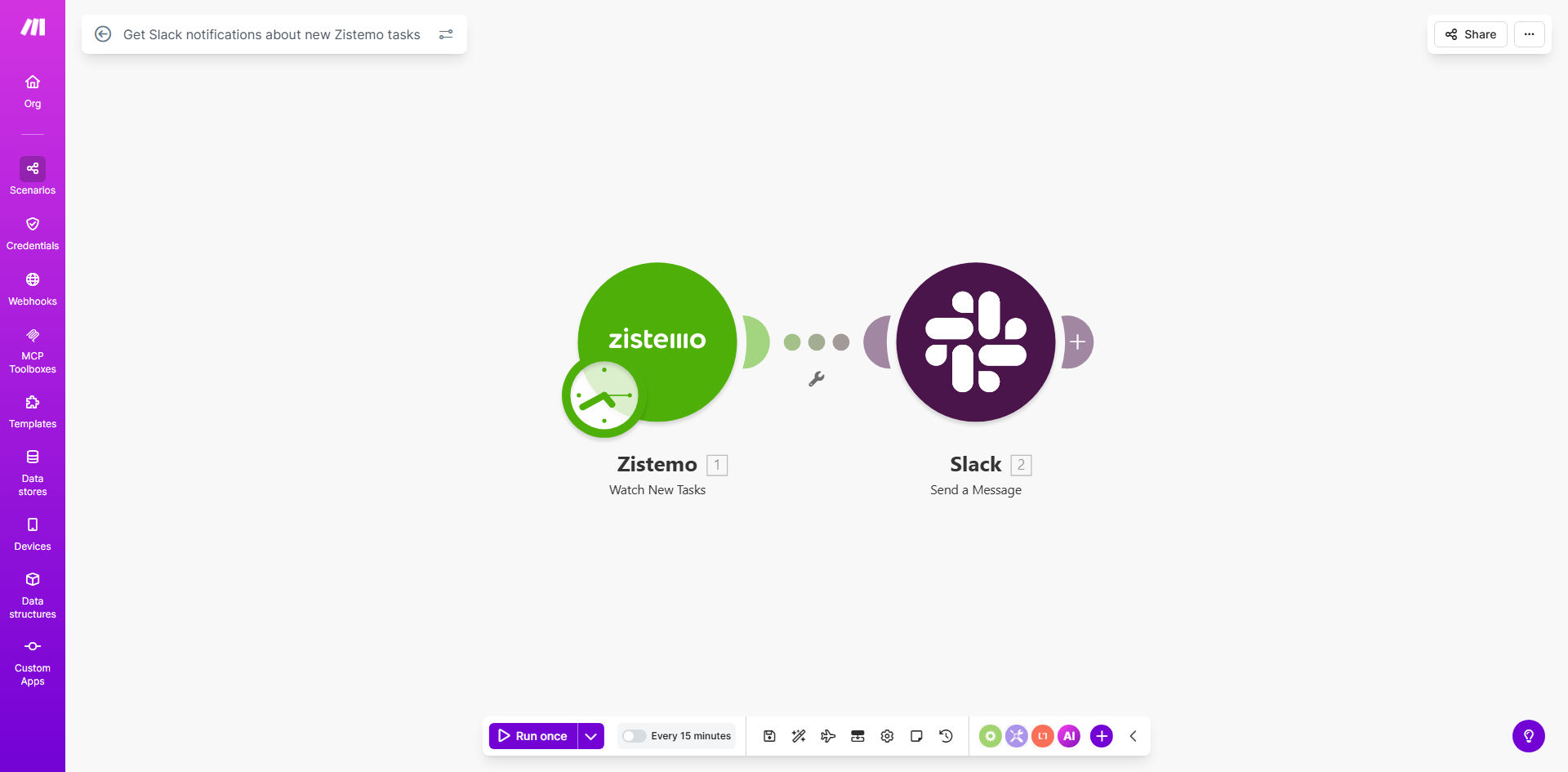
Make.com workflow diagram showing Zistemo to Slack notification automation

What This Workflow Does

This automation bridges the gap between Zistemo task management and Slack team communication. Every time a new task is created in Zistemo, the workflow instantly sends a customizable notification to your designated Slack channel or direct message. This eliminates the need for manual updates or team members constantly checking Zistemo for new assignments.

The solution is particularly valuable for distributed teams and fast-paced environments where immediate task awareness impacts productivity. Project managers can ensure task visibility, while team members receive assignments in their primary communication tool without switching between platforms.

How It Works

1. New task detection in Zistemo

The workflow continuously monitors your Zistemo account for newly created tasks using Make.com's Zistemo integration. When a task is added, the automation immediately captures all relevant details including task name, description, due date, and assignee.

2. Data processing and formatting

Make.com processes the task information and formats it according to your predefined template. You can customize which fields to include, how to structure the message, and whether to add priority indicators or other visual cues.

3. Slack notification delivery

The formatted message is sent to your specified Slack channel or direct message via webhook. The notification appears as a regular Slack message but clearly indicates it's a new task from Zistemo, with all critical details immediately visible.

Pro tip: Add emoji reactions or action buttons to your Slack notifications to allow quick task acknowledgment or status updates directly from Slack.

Who This Is For

This workflow benefits any team using Zistemo for task management and Slack for communication. It's especially valuable for:

  • Remote teams needing real-time task visibility
  • Project managers who want to ensure task awareness
  • Creative agencies tracking multiple client projects
  • Development teams using Zistemo for sprint tasks
  • Operations teams managing time-sensitive assignments

What You'll Need

  1. A Make.com account (free plan available)
  2. Admin access to your Zistemo account
  3. Slack workspace with permissions to create webhooks
  4. The channel name or user ID where notifications should go

Quick Setup Guide

  1. Click "Get This Workflow" to copy the template to your Make.com account
  2. Connect your Zistemo account in the first module
  3. Set up the Slack webhook connection in the final module
  4. Customize the notification message format if desired
  5. Activate the scenario and test with a new Zistemo task

Key Benefits

Instant task awareness: Reduce task assignment delays from hours to seconds by notifying team members the moment work is created.

Reduced platform switching: Keep teams focused by delivering task information where they already communicate, eliminating constant Zistemo checks.

Customizable alerts: Tailor notifications to include only relevant task details, with formatting that matches your team's workflow.

No missed assignments: Ensure critical tasks don't go unnoticed with persistent Slack notifications that remain visible until addressed.

Scalable solution: Works equally well for small teams and large organizations with multiple projects and departments.

Frequently Asked Questions

Common questions about Zistemo-Slack automation and integration

Connecting Zistemo with Slack ensures your team gets instant notifications about new tasks without manually checking Zistemo. This reduces task assignment delays and keeps everyone aligned on new work items in real-time through the communication platform they already use daily.

For example, a marketing team can immediately see new content requests appear in their #marketing-tasks channel, while developers get coding assignments in their #dev-queue without needing to monitor multiple systems.

The notifications typically include the task name, project details, due date if specified, and the assignee information. You can customize the message format in Make.com to include any Zistemo task fields that are relevant to your workflow.

Advanced setups might include client names, priority flags, estimated hours, or custom fields like "Task Type" to help recipients quickly understand the nature and urgency of each assignment.

Yes, the workflow can be configured to send notifications to different Slack channels based on project teams, task types, or priority levels. This ensures the right people see relevant task alerts without channel overload.

A common approach is routing tasks to department-specific channels (#design-tasks, #dev-tasks) while high-priority items go to a #priority-alerts channel. The Make.com router module makes this conditional routing simple to set up.

Notifications are sent within seconds of task creation in Zistemo. The Make.com automation triggers immediately when a new task is detected, providing near real-time alerts to keep your team responsive.

In performance tests, we've observed average delivery times of 3-8 seconds from task creation to Slack message appearance, with minimal variation even during peak business hours.

The automation only triggers for new tasks created after the workflow is activated. For existing tasks, you would need to manually trigger notifications or modify the workflow to handle historical data.

If you need to notify about older tasks, we can help create a custom solution that processes your Zistemo task history and sends one-time notifications for important outstanding items.

Absolutely. The Make.com template allows full customization of the Slack message format, including emojis, attachments, buttons, and conditional formatting based on task properties like priority or due date.

Popular customizations include:

  • Color-coded priority flags
  • Due date countdown timers
  • Quick-action buttons for task acknowledgment
  • Project-specific emoji indicators

Yes, GrowwStacks specializes in building custom automation solutions between Zistemo and Slack tailored to your specific business processes. We can create advanced workflows with conditional alerts, approval steps, and integration with other tools in your stack.

Our typical custom implementations include features like manager approval workflows for certain task types, automatic follow-up reminders for unacknowledged tasks, and integration with time tracking tools to log hours directly from Slack.

  • Free consultation to understand your workflow
  • 2-week average implementation time
  • Ongoing support and optimization

Need a Custom Zistemo-Slack Automation?

This free template is a starting point. Our team builds fully tailored automation systems for your specific business needs.