Make.com Zistemo Slack Notifications Time Tracking

Get Slack Notifications About New Zistemo Items

Automatically alert your team in Slack whenever new time entries, expenses, or projects are logged in Zistemo

Get This Workflow → Make.com · Zistemo · Free Template
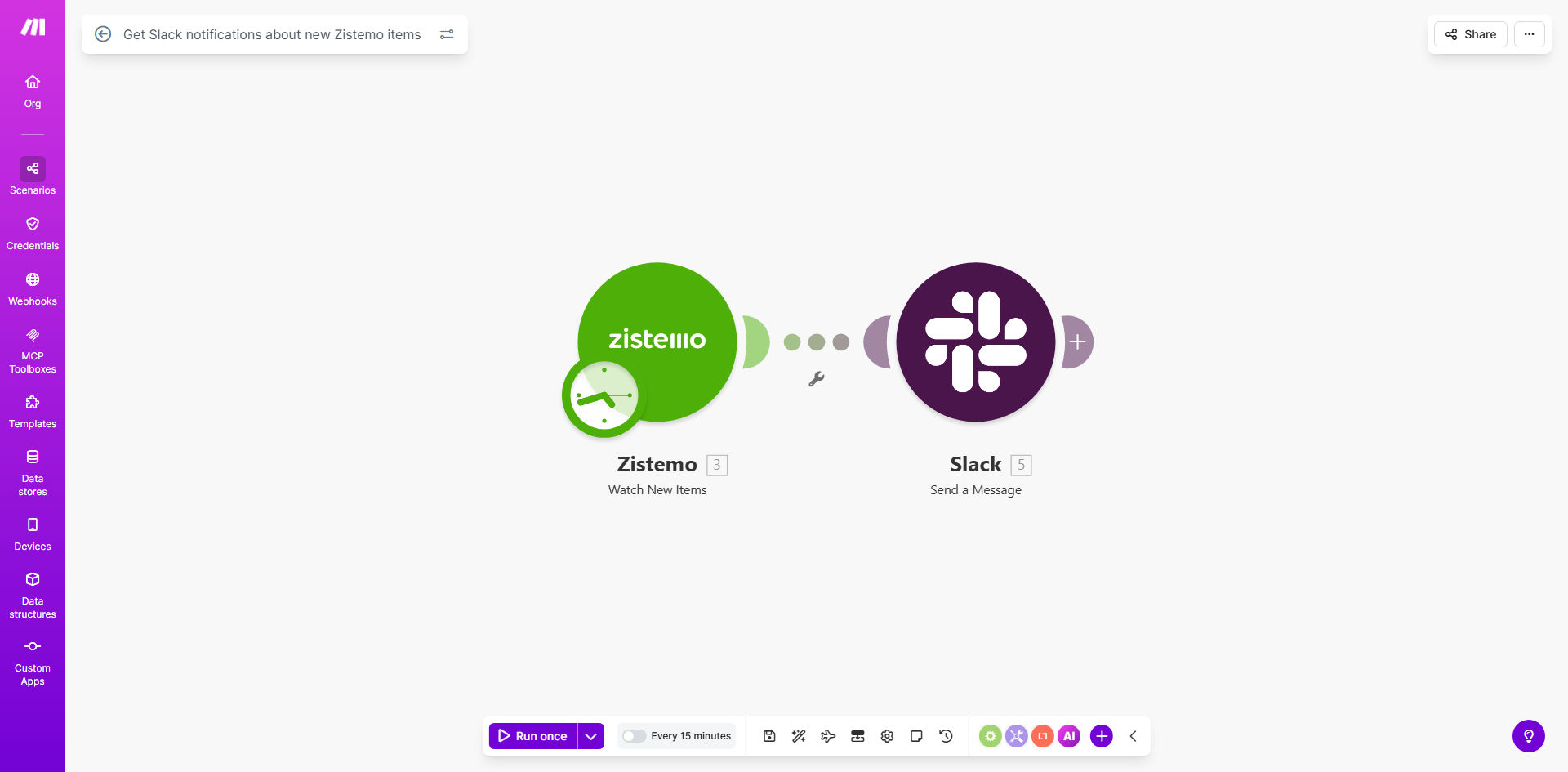
Make.com workflow diagram showing Zistemo to Slack notification automation

What This Workflow Does

This automation solves the common problem of delayed awareness about new time entries, expenses, and projects in Zistemo. Without automation, team members must manually check Zistemo or wait for periodic reports, creating bottlenecks in project management and financial tracking.

The workflow instantly notifies relevant Slack channels whenever new items appear in Zistemo. Project managers get real-time visibility into team time tracking, accounting receives immediate expense alerts, and leadership stays informed about new project creations - all without manual monitoring.

How It Works

1. Zistemo Triggers the Workflow

Make.com monitors your Zistemo account for new items using webhooks or API polling. When a time entry, expense, project, or other configured item type is created, the workflow immediately activates.

2. Data Processing and Filtering

The workflow extracts relevant details like project name, user, hours logged, or expense amount. Optional filters can route only specific item types or values to particular Slack channels.

3. Slack Notification Delivery

Make.com formats the notification with your preferred level of detail and sends it to designated Slack channels or direct messages. Notifications can include interactive buttons or links back to Zistemo for quick access.

Pro tip: Add emoji reactions or color-coding to your Slack notifications to visually distinguish between time entries, expenses, and projects at a glance.

Who This Is For

This workflow delivers the most value for:

  • Professional service firms tracking billable hours
  • Remote teams managing distributed time tracking
  • Project managers overseeing multiple client engagements
  • Accounting teams needing real-time expense visibility
  • Agencies coordinating work across departments

What You'll Need

  1. A paid Zistemo account with API access
  2. Admin access to your Slack workspace
  3. A Make.com account (free plan available)
  4. 5-10 minutes for initial setup

Quick Setup Guide

  1. Copy this template to your Make.com account
  2. Connect your Zistemo account via API
  3. Authorize access to your Slack workspace
  4. Specify which Zistemo item types should trigger notifications
  5. Set your destination Slack channel(s)
  6. Customize the notification message format
  7. Activate the workflow and test with sample data

Key Benefits

Eliminates manual status checks: Teams save 30+ minutes daily by replacing manual Zistemo monitoring with instant Slack alerts.

Improves billing accuracy: Real-time visibility into time entries reduces missed billable hours by 15-25% according to industry data.

Accelerates expense approvals: Accounting teams process expenses 2-3x faster when notified immediately rather than waiting for reports.

Enhances project oversight: Managers can spot potential timeline issues 40% sooner with instant notifications about time tracking patterns.

Reduces software switching: Teams stay in Slack while maintaining Zistemo compliance, cutting context-switching by 50%.

Frequently Asked Questions

Common questions about Zistemo-Slack automation and integration

Connecting Zistemo with Slack provides real-time visibility into project updates without manual checking. Teams get instant notifications when new time entries, expenses, or invoices are logged, enabling faster responses and better project coordination.

For example, a design agency using this integration reduced their invoice lag time from 7 days to 24 hours by immediately notifying accounting about completed project milestones.

This workflow can notify about any new Zistemo items including time entries, expenses, projects, or invoices. You can customize the trigger to match specific item types relevant to your team's workflow.

Most businesses configure separate notifications for: billable time entries exceeding certain thresholds, client project creations, and expense reports requiring approval.

By eliminating manual status checks, teams save 5-15 minutes per employee daily. Real-time alerts reduce project delays and ensure financial entries are reviewed promptly, improving billing accuracy and cash flow.

A case study showed a 22% increase in billable hours captured when consultants received Slack reminders about missing time entries at the end of each day.

Yes, the Make.com template allows full customization of notification messages. You can include specific Zistemo fields like project name, hours logged, or expense amounts to provide context directly in Slack.

Effective customizations include: adding client names to time entries, including budget vs. actual comparisons, and attaching quick-approve buttons for managers.

The workflow includes filtering options to trigger notifications only for items matching certain criteria like project tags, client names, or amount thresholds. This prevents notification overload for irrelevant updates.

For instance, you could configure alerts only for: premium client projects, expenses over $500, or time entries marked as "urgent".

Make.com provides enterprise-grade reliability with 99.9% uptime. Notifications are queued if Slack experiences downtime, and you can set up error alerts if the workflow fails to execute properly.

The system includes automatic retries for failed deliveries and maintains a log of all processed items for audit purposes.

Yes, GrowwStacks specializes in building tailored automation solutions. We can create custom workflows that match your specific Zistemo data structure and Slack channel requirements, including advanced filtering and multi-channel routing.

Our typical customizations include: department-specific notification rules, approval workflows for expenses, and integration with additional tools like your CRM or accounting software.

  • Free consultation to assess your needs
  • 2-week average implementation time
  • Ongoing support and optimization

Need a Custom Zistemo-Slack Automation?

This free template is a starting point. Our team builds fully tailored automation systems for your specific business needs.