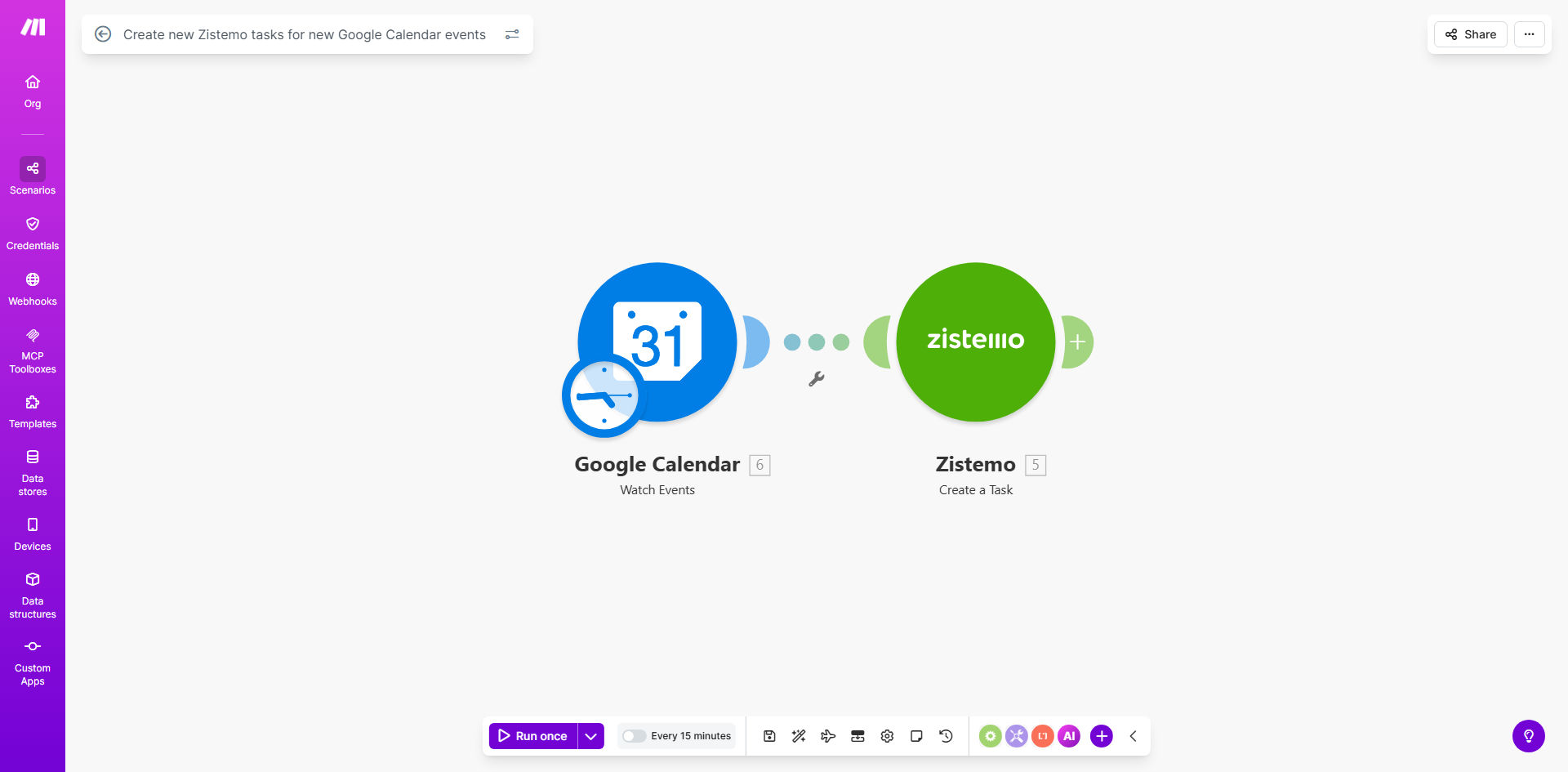
What This Workflow Does
This automation bridges the gap between your scheduling (Google Calendar) and task management (Zistemo) systems. Every time you or your team schedules a meeting or event in Google Calendar, the workflow automatically creates a corresponding task in Zistemo with all relevant details.
The solution eliminates manual data entry between systems, ensuring your time tracking always reflects your actual schedule. Consultants, agencies, and professional service firms particularly benefit from this integration by maintaining perfect alignment between scheduled appointments and billable tasks.
How It Works
1. New Calendar Event Detection
The workflow continuously monitors your Google Calendar for new events. You can configure it to watch specific calendars or apply filters based on event titles, attendees, or other criteria.
2. Data Extraction and Mapping
When a new event is detected, the workflow extracts key information like event title, description, start/end times, and attendees. This data is then formatted to match Zistemo's task structure.
3. Task Creation in Zistemo
The formatted event details are used to automatically create a new task in your Zistemo account. The task includes all relevant information from the calendar event, ready for time tracking and project management.
Pro tip: Add conditional logic to only create tasks for events with specific keywords (like "Client" or "Meeting") to avoid cluttering your task list with personal events.
Who This Is For
This workflow is ideal for:
- Consultants who need to track time against client meetings
- Service businesses that bill based on scheduled appointments
- Teams using Zistemo for project time tracking
- Professionals who want to eliminate manual task creation
- Businesses looking to improve time tracking accuracy
What You'll Need
- A Make.com account (formerly Integromat)
- Google Calendar access with events to sync
- A Zistemo account with project/task structure configured
- Approximately 15 minutes for initial setup
Quick Setup Guide
- Click "Get This Workflow" to copy the template to your Make.com account
- Connect your Google Calendar account in the first module
- Connect your Zistemo account in the task creation module
- Map the calendar event fields to your preferred Zistemo task fields
- Set up any desired filters or conditional logic
- Activate the scenario and test with a new calendar event
Key Benefits
Save 5+ hours monthly by eliminating manual task creation for every scheduled meeting or event. The automation handles this instantly and consistently.
Improve time tracking accuracy by ensuring every billable meeting automatically becomes a trackable task in Zistemo. No more forgotten or manually entered tasks.
Maintain perfect sync between your schedule and task management system. Changes in your calendar automatically reflect in your task tracking.
Reduce administrative overhead for your team by automating this repetitive data entry task, allowing them to focus on higher-value work.
Customizable mapping lets you control exactly which calendar details become task fields in Zistemo, matching your preferred workflow.