Jira Zistemo Project Management Automation

Create Jira Issues from New Zistemo Tasks

Automatically sync time-tracked tasks with your development workflow

Get This Workflow → Make.com · Free Template
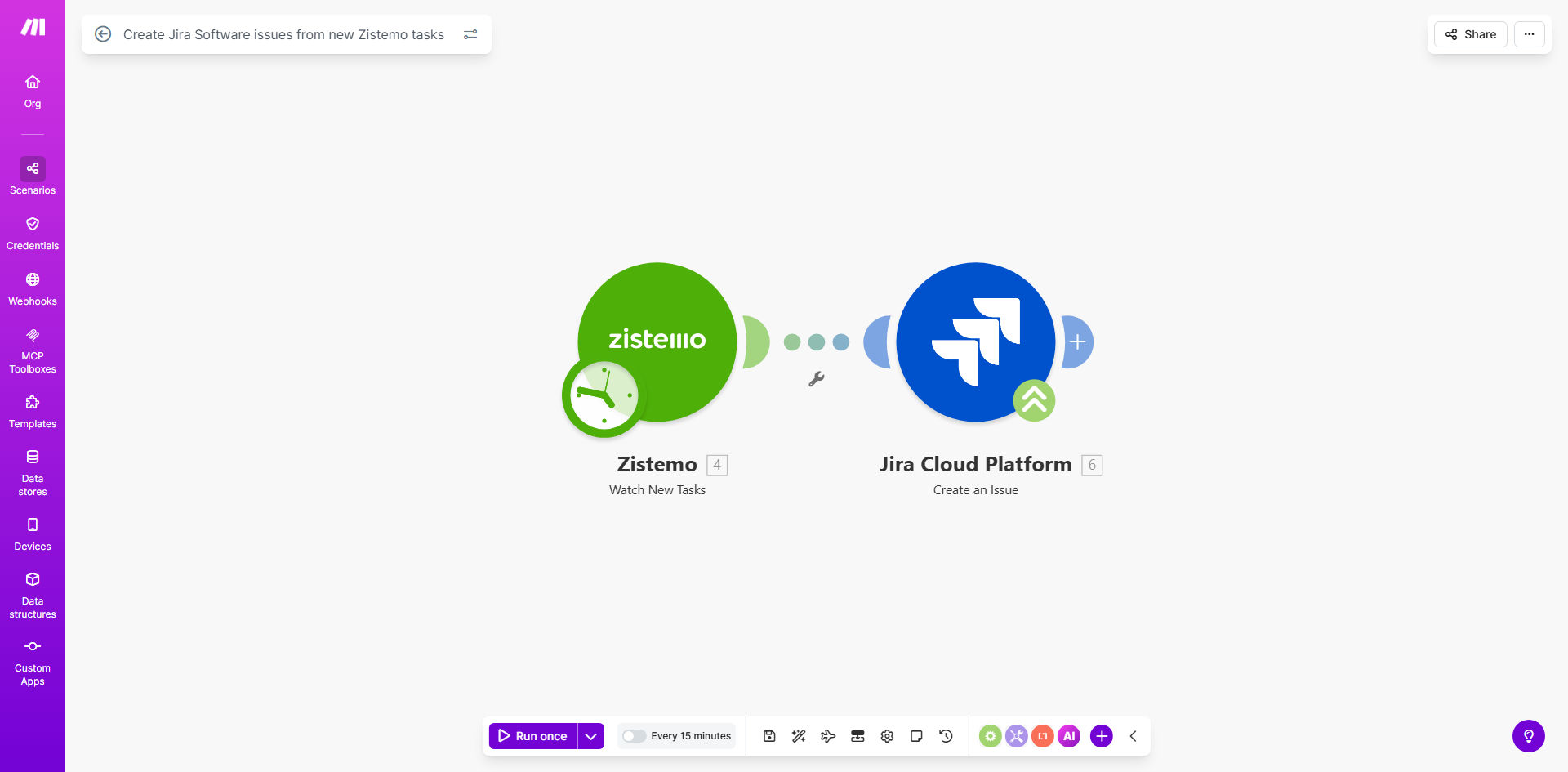
Diagram showing Zistemo tasks syncing to Jira Software issues

What This Workflow Does

This automation bridges the gap between time tracking and project management by automatically creating Jira Software issues whenever new tasks are logged in Zistemo. It eliminates the manual copy-paste between systems that often leads to errors, missed tasks, or outdated information.

When creative teams track time in Zistemo and development teams work in Jira, this workflow ensures both sides stay aligned. Project managers get visibility into development progress without leaving their preferred time tracking tool, while developers receive properly formatted tickets with all necessary details.

How It Works

1. Task Creation in Zistemo

The workflow monitors your specified Zistemo projects for new tasks. You can configure it to watch specific clients, projects, or task types based on your team's needs.

2. Data Mapping

Key task details like title, description, due date, and assignee are extracted from Zistemo and mapped to corresponding Jira fields. Custom fields can be included to maintain specific workflows.

3. Jira Issue Creation

The system creates a new Jira issue in your designated project with all mapped information. You control which Jira project, issue type, and status each Zistemo task becomes.

4. Status Synchronization

Optional extensions can update Jira issues when Zistemo tasks change, keeping both systems in sync throughout the project lifecycle.

Who This Is For

This integration delivers the most value for:

  • Digital agencies tracking client work in Zistemo while managing development in Jira
  • Product teams using Zistemo for design/planning phases and Jira for engineering
  • Consultants who need to convert client requests into actionable development tickets
  • Organizations with non-technical teams using Zistemo and technical teams using Jira

What You'll Need

  1. A Make.com account (free or paid)
  2. Admin access to your Zistemo account
  3. Jira Software project admin permissions
  4. API credentials for both platforms

Pro tip: Create a dedicated Jira project called "Client Requests" or "Design Tasks" for these automated issues to keep them organized separately from your core development work.

Key Benefits

Eliminate duplicate data entry between time tracking and project management systems, saving 5-15 minutes per task.

Reduce communication gaps by automatically converting client-facing task descriptions into developer-ready tickets.

Improve billing accuracy when time tracked in Zistemo links directly to completed Jira issues.

Maintain project visibility across departments without requiring teams to learn multiple systems.

Frequently Asked Questions

Common questions about Jira-Zistemo integration

The integration eliminates manual data entry between time tracking and development teams. When designers or managers create tasks in Zistemo, developers automatically receive corresponding Jira tickets with all relevant details, reducing miscommunication and duplicate work.

For example, a design team can log client-requested changes in Zistemo with specific due dates, and the development team immediately sees these as prioritized Jira issues without email chains or meeting notes.

The workflow can map task names, descriptions, due dates, assignees, and custom fields between systems. Critical project details stay synchronized without requiring team members to switch between platforms.

Custom configurations can include client names as Jira labels, budget hours as story points, or Zistemo project codes as Jira components for better reporting.

Yes, the Make.com scenario includes filters to specify which Zistemo projects or task types should create Jira issues. This prevents unnecessary tickets for internal or non-development tasks.

Common filters include only syncing tasks tagged "Development" or from specific client projects, while excluding administrative or internal meeting time entries.

The automation typically processes new tasks within 2-5 minutes, ensuring developers have immediate visibility into new work items without manual refreshes or status updates.

For time-sensitive requests, you can adjust the polling interval in Make.com to check for new Zistemo tasks more frequently.

The template can be extended to update existing Jira issues when their source Zistemo tasks change. This maintains data consistency across both platforms throughout the project lifecycle.

Common updates include adjusting due dates when client timelines change, modifying task descriptions based on feedback, or reassigning work between team members.

Creative agencies, software teams, and product companies using Zistemo for client work tracking and Jira for development benefit significantly. It bridges the gap between project management and technical execution.

Particularly valuable for organizations where non-technical stakeholders create tasks that require developer attention, ensuring requirements flow smoothly between departments.

Absolutely. GrowwStacks specializes in tailored integrations that match your specific workflow requirements. We can add custom field mappings, approval steps, or multi-project synchronization based on your team's needs.

Our consultants will analyze your current processes and build an automation solution that saves your team hours each week while improving cross-department visibility.

Need a Custom Jira-Zistemo Automation?

This free template is a starting point. Our team builds fully tailored automation systems for your specific business needs.