Make.com CRM Integration Payment Automation ActiveCampaign Authvia

Create Authvia Customers from New ActiveCampaign Contacts

Automatically sync new leads from ActiveCampaign to Authvia as billable customers

Get This Workflow → Make.com · CRM Integration · Free Template
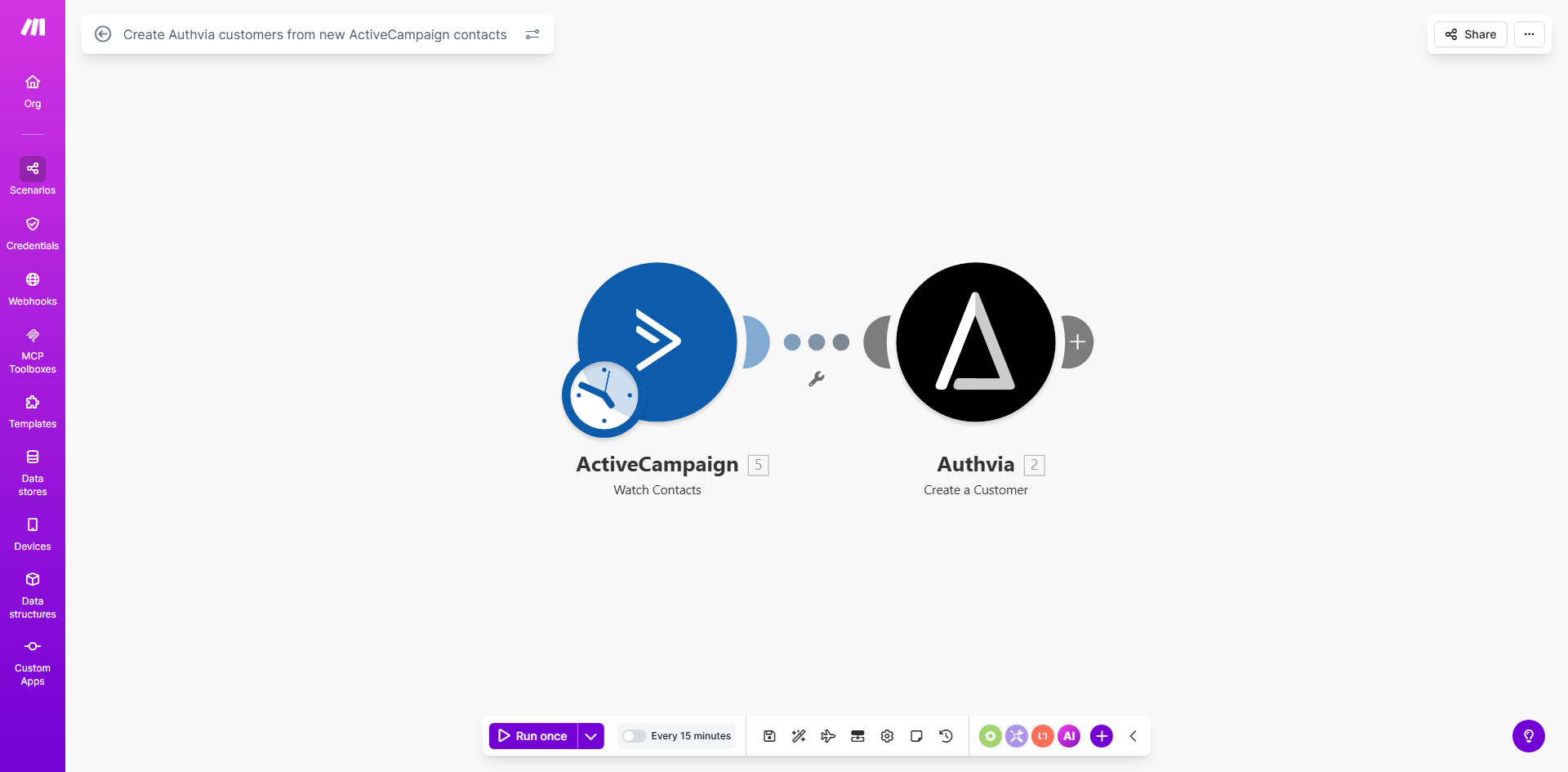
ActiveCampaign to Authvia integration workflow diagram

What This Workflow Does

This automation solves the common problem of manually transferring new leads from your marketing automation system (ActiveCampaign) to your payment processing platform (Authvia). Every time a sales or marketing team adds a new contact in ActiveCampaign, this workflow automatically creates a corresponding customer record in Authvia.

The integration ensures your billing system always stays in sync with your CRM, eliminating duplicate data entry and reducing errors that occur when manually copying contact details between systems. This is particularly valuable for subscription businesses, SaaS companies, and agencies that need to quickly onboard new paying customers.

How It Works

1. New Contact Detection

Make.com monitors your ActiveCampaign account for newly created contacts, checking at regular intervals you configure (typically every 15-60 minutes).

2. Data Mapping

The workflow extracts relevant contact information like name, email, phone number, and any custom fields you specify, then formats this data to match Authvia's customer record structure.

3. Customer Creation

Make.com uses Authvia's API to create a new customer record with the mapped contact details, ensuring all required fields are populated according to your Authvia account settings.

Pro tip: Add conditional logic to only sync contacts tagged as "Customer" or from specific ActiveCampaign lists to prevent unnecessary records in Authvia.

Who This Is For

This automation is ideal for:

  • Subscription businesses using ActiveCampaign for lead nurturing
  • Digital product sellers who bill through Authvia
  • Agencies managing client payments
  • Coaches and consultants with recurring payment clients
  • Any business tired of manually copying customer data between systems

What You'll Need

  1. ActiveCampaign account with API access enabled
  2. Authvia merchant account
  3. Make.com account (free plan sufficient)
  4. Basic understanding of both platforms' customer/contact fields

Quick Setup Guide

  1. Connect your ActiveCampaign account in Make.com
  2. Connect your Authvia account in Make.com
  3. Map ActiveCampaign contact fields to Authvia customer fields
  4. Set your preferred sync frequency (default is every 30 minutes)
  5. Test with a new ActiveCampaign contact to verify Authvia customer creation

Key Benefits

Eliminate manual data entry between systems, saving 5-10 minutes per new customer while reducing human error.

Accelerate customer onboarding by making new contacts billable immediately rather than waiting for manual processing.

Maintain data consistency across platforms with synchronized customer records that always reflect the latest information.

Scale your operations without adding administrative staff to handle CRM-to-billing system transfers.

Reduce failed payments caused by outdated or incorrect customer details in your billing system.

Frequently Asked Questions

Common questions about ActiveCampaign-Authvia automation and integration

Connecting ActiveCampaign to Authvia eliminates manual data entry between your marketing automation and payment systems. This ensures new leads automatically become billable customers with accurate contact details, reducing errors and speeding up your onboarding process.

For example, a coaching business using ActiveCampaign for lead capture can instantly convert webinar attendees into paying clients in Authvia without any staff intervention, ensuring faster revenue realization.

The workflow typically syncs contact names, email addresses, phone numbers, and any custom fields you configure. You can map specific ActiveCampaign fields to corresponding Authvia customer properties during setup.

Common mappings include billing addresses, company names, and custom metadata like subscription preferences or purchase history that Authvia needs for payment processing.

The integration processes new contacts in near real-time, typically within minutes of being added to ActiveCampaign. Make.com polls for new contacts at regular intervals to ensure timely synchronization.

For time-sensitive applications like trial conversions, you can configure more frequent checks (every 5 minutes) to minimize delay between lead capture and billing system updates.

Yes, you can add conditional logic to only sync contacts that meet specific criteria like tags, custom fields, or list memberships. This prevents unnecessary customer creation in Authvia.

A SaaS company might only sync contacts who've completed a demo request form, while an ecommerce business might filter by purchase amount or product interest tags.

The workflow can be configured to either skip existing customers or update their records in Authvia with the latest ActiveCampaign data, depending on your business requirements.

Most businesses choose to update existing records to ensure billing information stays current, while some prefer to maintain separate records for different product lines or services.

Make.com provides robust error handling and retry mechanisms. Failed sync attempts automatically trigger notifications and can be manually reprocessed if needed, ensuring data consistency.

The platform maintains detailed logs of all synchronization attempts, allowing you to audit the integration's performance and identify any patterns in failures that might indicate configuration issues.

Absolutely. GrowwStacks specializes in building tailored integrations between ActiveCampaign and Authvia with custom field mappings, conditional logic, and additional business rules specific to your operations.

Our team can create advanced workflows that incorporate validation rules, data transformations, and multi-step approval processes before customer creation in Authvia. We'll ensure the integration perfectly matches your unique business processes.

  • Custom field mapping for complex data structures
  • Multi-step approval workflows
  • Automated error recovery systems

Need a Custom ActiveCampaign-Authvia Automation?

This free template is a starting point. Our team builds fully tailored automation systems for your specific business needs.